LALAL.AI Review: The Best AI Tool for High-Quality Stem Separation
Overview & Purpose
LALAL.AI is a next-generation AI-powered vocal remover and music source separation service that extracts vocals, accompaniment, and individual instrument stems (including drums, bass, piano, electric guitar, acoustic guitar, synthesizer, and additional options like strings or winds) from any audio or video file. Powered by its proprietary sixth-generation Andromeda neural network (as of April 2026), the tool delivers high-fidelity stems with minimal quality loss. Primary use cases include creating karaoke tracks or instrumentals for remixing, isolating elements for music production and sampling, cleaning noisy voice recordings for podcasts or vlogs via its dedicated Voice Cleaner, and editing audio in video content. It also supports business integration through its API. The target audience includes musicians and music producers, content creators and podcasters, video editors, and developers or enterprises building audio features into their own apps or services.
Key Features & Capabilities
Core functionality centers on simple file uploads followed by one-click stem separation, supporting up to 10 different stem types that produce paired outputs (e.g., vocals + instrumental, drums + drumless). Files can be audio (MP3, WAV, FLAC, OGG, AIFF, AAC, M4A) or video (MP4, MKV, AVI, MOV), with outputs available in high-quality formats for immediate download. Standout features differentiating it from competitors include the Andromeda model’s human-like audio understanding for cleaner separations, batch processing of up to 20 files (Pro plan), a VST3 plugin for direct DAW integration, a desktop app, and a scalable API for custom workflows. It also includes Voice Cleaner for removing background noise, plosives, and rumble from raw recordings. Limitations include minutes-based processing (file length multiplied by the number of stem types chosen), one stem-type selection per processing run (requiring re-processing for full multi-stem sets), upload limits (200 MB on free, 2 GB paid), and occasional residual artifacts in complex genres like heavy metal or live recordings with heavy reverb/distortion. No built-in stem merging or advanced manual editing is offered within the platform.
User Experience
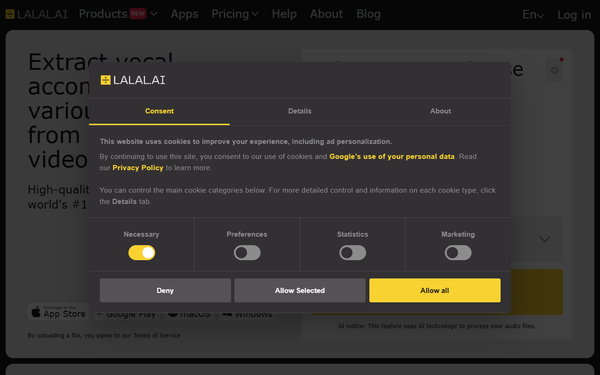
The web-based interface is clean, modern, and highly intuitive, with drag-and-drop uploading, clear stem previews, and one-click processing—creating a very low learning curve even for beginners. Paid users see real-time minute balances and fast/relaxed queue options. Interface quality feels professional and responsive across devices. Documentation includes comprehensive step-by-step help guides, an FAQ section, and full OpenAPI specs for the API. Support is available via email ([email protected]) and an active Reddit community (r/LALALAI), with activation keys enabling multi-device use on Pro plans. Overall, the experience prioritizes speed and simplicity over advanced customization.
Performance & Reliability
Processing speed is excellent in fast-queue mode (near-instant for most files on paid plans) and acceptable in relaxed mode, with the Andromeda engine consistently delivering high-accuracy results praised for minimal bleed and natural-sounding stems. MusicRadar’s 2026 testing of 11 stem-separation tools ranked LALAL.AI second overall, highlighting its vocal and instrument quality. Reliability is strong for studio-style tracks, though users report occasional issues with dense mixes, live performances, or specific genres (e.g., residual growls in metal). Common complaints include queue delays during peak times on free plans and the need to re-process files for multiple stem types. As of April 2026, the service has earned a 4.4/5 on Trustpilot from thousands of reviews, with users noting steady improvements in each model update.
Pricing & Value
LALAL.AI uses a hybrid free/paid model with no traditional free full downloads beyond short previews. The Starter plan is always free (limited relaxed-queue minutes and 200 MB uploads). Lite ($7.50/month) provides unlimited relaxed processing plus 90 fast-queue minutes. Pro ($15/month) adds unlimited fast queue (250 minutes), batch processing, VST plugin, desktop app, and API access. Annual billing offers savings, and top-up packs (Master, Premium, Enterprise) are available when fast minutes run out. Enterprise/custom pricing is handled via support. Minutes are consumed based on file length × stem types processed and do not roll over. Value is excellent for occasional or professional users needing quick, high-quality online results without hardware investment—often outperforming free local tools like Ultimate Vocal Remover in ease and consistency—while heavy daily users may find minute-based pricing less economical than unlimited subscription alternatives like Moises or self-hosted UVR. The API adds strong enterprise value for scalable integrations.
Practical Tutorial
LALAL.AI provides official help guides and YouTube tutorials for common tasks. Below is a step-by-step walkthrough for a typical use case—extracting vocal and instrumental stems from a song (tested on a 3-minute MP3 track as of April 2026).
- Visit https://www.lalal.ai/ and create a free account or log in (required for processing).
- On the homepage, drag and drop your audio or video file or click to browse and select it.
- Choose your stem separation type from the dropdown (e.g., “Vocal and Instrumental” for a basic clean split; additional types like “Drums” or “Bass” can be selected in the same session but will multiply minute usage).
- Review the file details (length, size) and click “Split” (it automatically uses fast queue if minutes remain, otherwise relaxed).
- Wait for processing (seconds in fast mode) and listen to the generated previews for vocals and instrumental tracks.
- If satisfied, click “Download” to save the full high-quality stems (WAV recommended for production). Results are stored in your account history for later access.
- For Pro users: enable batch mode to upload multiple files at once or load the VST plugin directly into a DAW like Ableton or Logic for real-time splitting.
Official video tutorials are available on the LALAL.AI YouTube channel, covering advanced topics like Voice Cleaner and API usage.
Final Verdict
Overall rating: 4.5/5. LALAL.AI excels for musicians, producers, podcasters, and developers who prioritize convenience, speed, and professional-grade stem quality without local setup or hardware demands—especially those processing occasional files or needing API/VST integration. It should be avoided by extremely high-volume users on tight budgets, where free local alternatives like Ultimate Vocal Remover may offer better long-term economics, or those working with highly experimental live audio that may still produce minor artifacts. One-sentence recommendation: LALAL.AI is a top-tier, user-friendly AI stem splitter that consistently delivers studio-ready results with minimal effort, making it an essential tool for modern audio creators in 2026.