Lazybird Review: The Best AI Text-to-Speech Tool for Creators
Overview & Purpose

Lazybird is an AI-powered text-to-speech (TTS) voice over generator that converts scripts into natural-sounding, human-like audio files in seconds. It targets efficiency for creators who want to skip traditional recording sessions with voice actors, offering fast production for videos, podcasts, audiobooks, YouTube/TikTok content, educational materials, video games, and even customer service or phone system prompts. Primary use cases revolve around quick narration, multilingual localization, and multimedia integration to boost engagement without high costs or time investment.
The target audience includes independent content creators (YouTubers, TikTokers, podcasters), marketers, educators, small business owners, and video editors—anyone needing professional audio on a budget without hiring talent or dealing with studio setups. It appeals especially to those producing high-volume or experimental content who value flexibility over enterprise-scale tools.
Key Features & Capabilities
Core functionality centers on instant text-to-voice conversion with over 200 realistic voices across 100+ languages and accents, supporting youthful/mature tones and variable speeds. Users input scripts via paste, .txt, or .docx upload, then generate audio with commercial usage rights included.
Standout features differentiating it from competitors like ElevenLabs or Murf.ai include a built-in timeline video editor for syncing narration with uploaded video/image/audio files (plus thousands of searchable stock media assets), one-click translation for multilingual projects, multi-narrator support for dialogue-style content, and advanced customization via sliders for pitch, speed, pauses, emphasis, plus SSML tags for precise pronunciation and expression control. Voice cloning became available post-launch, adding celebrity-inspired options in some cases. Real-time preview editing and unlimited exports (MP3, WAV, OGG, or full video MP4) further streamline workflows.
Limitations include monthly character quotas on the AppSumo lifetime deal (e.g., 200,000 chars/month on base tier), credit consumption even for previews, and occasional inconsistencies where heavy edits or certain accents/celebrity voices sound slightly robotic or lose emotional nuance. No dedicated mobile app exists, and API documentation is limited for advanced integrations. Custom voice cloning remains basic compared to top rivals, and enterprise features like team collaboration are not emphasized.
User Experience
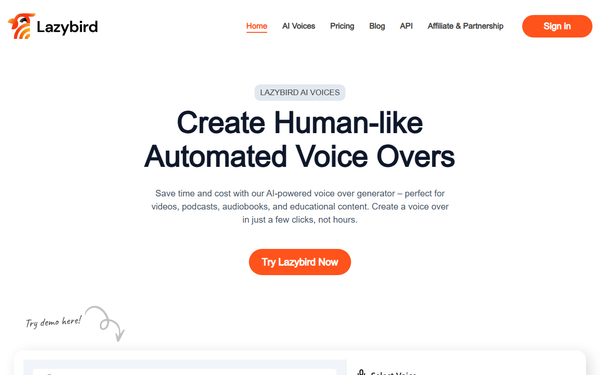
Lazybird boasts an intuitive, low-learning-curve interface: a clean web-based studio with block-based script editor, voice library browser (with instant audio samples), real-time sliders for adjustments, and drag-and-drop media timeline—making it accessible even for non-technical users. Sign-up is free and instant, with immediate access to try features.
Interface quality feels modern and responsive, with live previews updating as you tweak settings, reducing trial-and-error. Documentation includes helpful blog guides and a Notion-based knowledge base covering basics, though it lacks video tutorials on the official site (users rely on third-party YouTube walkthroughs). Support is responsive via the platform or AppSumo channels, with no extensive helpdesk or community forum noted. Overall, the experience prioritizes speed and simplicity, earning praise in reviews for seamless workflows.
Performance & Reliability
Generation is exceptionally fast—most voiceovers complete in seconds with real-time feedback, enabling efficient iteration. Audio quality consistently ranks as "indistinguishable from human actors" for standard use, with strong natural prosody and emotion in base voices.
Common complaints from users include minor performance hiccups (e.g., occasional lag in complex video timelines or preview credit drain), inconsistent results on heavily customized or celebrity voices, and rare language-switching glitches. No widespread outages reported, and reliability holds well for daily creator needs. As of research in March 2026, updates like voice cloning have improved capabilities without major regressions.
Pricing & Value
Lazybird offers flexible, subscription-free options on its official site with a free tier (limited characters) and pay-per-use at approximately $0.10 per 1,000 characters—pay only for what you generate and download, with no monthly commitment. The standout value comes via AppSumo lifetime deal: Tier 1 (~$49 one-time) unlocks premium features with 200,000 characters per month ongoing; higher tiers scale to 1M+ chars. This includes all future updates, unlimited exports, full voice library, video editor, and stock assets.
Compared to alternatives (e.g., Speechify at $69/month or Murf.ai's recurring fees), Lazybird delivers superior value for irregular or budget-conscious users, with full commercial rights and no lock-in. Enterprise options scale via higher quotas or custom plans. The proposition shines for cost control and lifetime access, though high-volume users may outgrow base tiers faster than unlimited rivals.
Practical Tutorial
Official resources include blog guides; here's a self-contained step-by-step walkthrough for a common task—creating a narrated TikTok-style video with background music (based on platform workflows and verified examples).
-
Sign Up and Start a Project: Visit https://www.lazybird.app/ or activate your AppSumo license, create a free account, and log into the studio dashboard. Click "New Project" to open the editor.
-
Input Your Script: Paste your script (e.g., "Welcome to our eco-friendly tips! First, recycle plastics...") or upload a .docx file. Break it into blocks for multi-voice narration if desired.
-
Select and Customize Voices: Browse the 200+ voice library, preview samples, and assign one (e.g., energetic female English voice). Adjust sliders for speed (faster for TikTok energy), pitch, pauses (add after key points), and tone (e.g., cheerful). Use SSML tags like for bolding or for drama.
-
Add Media and Timeline Editing: Upload your video clip or search stock library for matching images/videos. Drag in background music from the stock audio section. Sync narration blocks to the timeline for precise timing.
-
Generate and Preview: Click "Generate" for instant audio preview (note: this consumes characters). Listen, tweak, and regenerate sections as needed.
-
Export: Choose format (MP3 for social or MP4 for full video with embedded audio), download, and use commercially.
For visual examples or variations (e.g., audiobook chapter), see the official guide at https://www.lazybird.app/blog/how-to-use-ai-voice or YouTube tutorials like "Lazybird Review & Tutorial" for hands-on demos. This process typically takes under 5 minutes for short content.
Final Verdict
Overall rating: 8/10 (strong value and usability offset minor quirks and quotas).
This tool suits content creators, marketers, and educators seeking quick, affordable, human-like voiceovers with multimedia tools—ideal if you want no subscriptions and lifetime access via AppSumo. Avoid it if you require unlimited high-volume generation without quotas, deep custom cloning, or enterprise team features, as premium alternatives like ElevenLabs may better fit heavy professional studios.
In one sentence: Lazybird stands out as a cost-effective, feature-packed AI voiceover solution for efficient creators who prioritize natural results and creative control without ongoing fees.