Legion AI Review: Turn Natural Language into Powerful Insights
Overview & Purpose
Legion AI is a no-code analytics platform that uses artificial intelligence to help businesses access, analyze, and visualize their data without requiring technical expertise. The tool converts natural language questions into SQL queries, automatically generates visualizations, and provides actionable business insights from complex datasets. Organizations choose Legion AI to democratize data access across teams, save time on analytics tasks, and make more informed decisions without needing specialized technical skills or database knowledge.
Primary use cases include sales performance tracking, customer behavior analysis, financial risk assessment, operational forecasting (e.g., for restaurants or e-commerce), and HR recruitment insights. While the homepage also promotes agentic CRM features for lead management and sales automation, the core analytics capabilities position it as a “business GPS” for mid-market companies. The target audience is primarily non-technical professionals such as marketers, operations managers, product teams, executives, and business analysts in small to mid-sized organizations who lack dedicated data teams or SQL expertise. Developers may use it for quick prototyping, but the platform is designed to empower broader teams rather than replace technical specialists.
(Research conducted as of March 2026 from official site descriptions, product directories, and third-party listings.)
Key Features & Capabilities
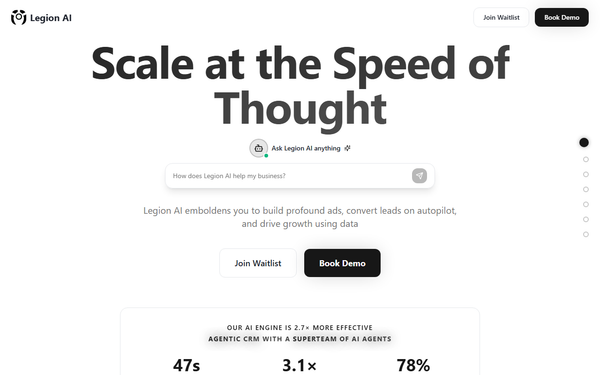
Core functionality centers on conversational querying: users type plain-English questions, and the AI generates, executes, and optimizes SQL against connected data sources while self-discovering schemas and relationships. Results appear as tables, with automatic selection of the best visualization type (bar charts, line graphs, etc.) and layered AI-generated insights or predictions.
Standout features that differentiate it from competitors include integrated automated data cleaning (standardizing formats and handling missing values), unstructured document data extraction, proactive AI suggestions (e.g., anomaly detection or opportunity spotting), and true multi-database querying across sources like PostgreSQL, MySQL, SQL Server, BigQuery, Snowflake, CSV files, and Google Sheets via secure connectors or APIs. Unlike pure text-to-SQL tools or traditional BI platforms (e.g., Tableau or Power BI’s AI features), Legion AI bundles end-to-end data preparation, visualization, and actionable recommendations in one no-code workflow, plus support for testing with sample data during migrations.
Limitations include occasional inaccuracies in highly complex, ambiguous, or edge-case queries (users must review generated SQL), lack of advanced custom statistical modeling in base offerings, dependency on underlying data quality, and no prominent support for real-time streaming data. Integrations are strong for common databases but narrower than enterprise BI suites for third-party apps.
User Experience
Legion AI is built for an extremely low learning curve—non-technical users can connect a data source and start getting results in minutes simply by asking questions in natural language. The interface features a clean, conversational chat or query box alongside dynamic dashboards for tables, charts, and insights, with editable SQL for advanced users if desired. Documentation consists of blog articles, use-case studies, and how-to guides on the site rather than exhaustive public wikis or video libraries; support is primarily through demo bookings, in-app assistance, or email. Overall, the experience emphasizes simplicity and speed, making it highly accessible for its intended audience, though more mature resources would benefit power users.
Performance & Reliability
Natural language queries typically process and return visualizations and insights rapidly for standard datasets, delivering results in seconds to minutes versus hours or days of manual work. Efficiency is a major strength, with self-optimizing SQL and parallel testing capabilities during setup. As a relatively new or emerging tool, public user reviews are sparse and no widespread reliability issues, outages, or major complaints specific to the analytics features were identified in searches (note: results often mix with unrelated “Legion AI” products from other companies). Potential issues mirror similar AI analytics tools: occasional prompt refinement needed for complex queries or performance dips on very large, unoptimized databases. Data security is highlighted through customer isolation, role-based controls, and compliance with modern standards, with no co-mingling of client data.
Pricing & Value
Legion AI follows a freemium model with a free tier offering limited queries, dashboards, and basic insights suitable for testing or small-scale use. Paid plans unlock unlimited queries, advanced AI insights, automated reports, and higher data volumes, with enterprise options available via custom quoting (users should book a demo for exact details as pricing is not transparently listed on the main site). Compared to traditional BI tools like Tableau or Power BI (which often require subscriptions plus expertise) or other AI analytics platforms, Legion AI delivers strong value through time savings, reduced need for data hires, and broad team accessibility—ideal for mid-market businesses seeking quick ROI without heavy upfront investment.
Practical Tutorial
No detailed official video or step-by-step tutorial library was found publicly, though the site includes use-case examples and blog-style guidance on non-technical analysis. Here is a practical walkthrough for a common task—analyzing sales performance—based on the platform’s documented capabilities (actual UI may vary slightly; always verify with a live demo):
-
Sign up and connect your data: Visit https://www.thelegionai.com/ and create a free account (or continue with Google/Okta). Navigate to the connections section, select your database (e.g., PostgreSQL or upload a CSV/Google Sheet), enter secure credentials, and let the AI self-discover schemas and relationships. Test the connection.
-
Open the analytics interface: Go to the main dashboard or query builder, where a prominent natural-language input box appears.
-
Enter your question: Type a clear query such as: “Show monthly revenue trends by product category for the last 12 months, include a line chart, and highlight any anomalies or growth opportunities.”
-
Review generated output: Legion AI instantly produces the underlying SQL query (viewable/editable if needed), executes it, displays a results table, auto-generates the requested line chart visualization, and appends actionable insights (e.g., “Category X grew 25% due to seasonal demand—recommend increasing inventory”).
-
Refine and explore: Ask follow-ups like “Compare to last year” or “Forecast next quarter based on trends” for updated visuals and predictions. Use built-in data-cleaning tools if issues arise.
-
Save and collaborate: Name and save the dashboard, share a link with your team, or export charts/reports for presentations.
For additional examples, explore use-case pages on the official site (e.g., financial risk assessment).
Final Verdict
Overall rating: 4.3 out of 5. Legion AI is ideal for mid-market businesses and non-technical teams (marketers, ops, finance, executives) who want to democratize data access and gain fast, conversational insights without hiring specialists or learning SQL—it excels at speed, ease, and integrated data prep. Avoid it if your needs involve highly complex custom analytics, strict enterprise-grade compliance certifications with extensive proof, large-scale real-time streaming, or if you prefer tools with abundant verified user reviews and transparent pricing, where more established BI platforms may be safer. One-sentence recommendation: For organizations ready to turn natural language into powerful business intelligence without technical barriers, Legion AI is a smart, accessible starting point worth demoing today.