Littlebird Review: The Ultimate AI Digital Twin for Productivity

Research conducted as of March 6, 2026.
Overview & Purpose

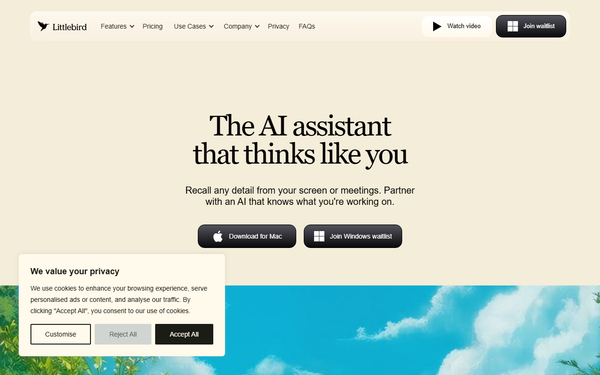
Littlebird is an always-on AI assistant that functions as a personalized digital twin, quietly observing your screen activity, meetings, calls, notes, emails, and tasks across any app to build a unified, contextual memory of your work without any manual input or integrations. It automatically organizes scattered digital information into actionable insights, daily journals, searchable transcripts, and proactive updates, allowing users to recall details instantly, generate content in their own style, and stay in flow without context-switching or administrative overhead. Primary use cases include meeting preparation and follow-up, information retrieval across tools, automated task prioritization, content creation (emails, reports, summaries), and personalized daily/weekly briefings. It targets knowledge workers and productive professionals such as developers, marketers, sales teams, product managers, operations specialists, entrepreneurs, and freelancers who manage complex, app-heavy workflows and suffer from information overload. Unlike traditional note-taking or productivity apps that demand constant upkeep, Littlebird learns your habits passively and anticipates needs, making it ideal for anyone seeking to reduce cognitive load while maintaining full control over their data.
Key Features & Capabilities
Core functionality revolves around three pillars: a full-context Chat interface for querying or creating content based on everything you've seen; automatic Meeting Notes with transcription, summarization, action items, and pre-meeting insights (works on any platform like Zoom, Teams, or Google Meet by capturing computer audio—no bots required); and Routines for scheduled, personalized deliveries such as morning briefings, competitor updates, or project summaries. Standout differentiators include true screen-level observation (no API connections needed), proactive anticipation of needs, content generation that matches your writing style, and automatic daily journal emails summarizing activities and tasks. It connects dots across apps to surface relevant insights instantly and builds an evolving personal knowledge base. Limitations include Mac-only availability (Windows on waitlist), reliance on continuous background monitoring (which can raise privacy flags), and occasional feature refinements as the product evolves. No native mobile editing (though an iPhone companion app exists for recall), and advanced usage may hit quotas on the free tier. Compared to competitors like Rewind or general LLMs, Littlebird excels in seamless, zero-setup context awareness and synthesis rather than raw recording or prompting.

User Experience
Installation is straightforward: download the Mac desktop app, grant screen-recording and microphone permissions, and let it run silently in the menu bar—no setup, integrations, or onboarding prompts required. The learning curve is minimal; most users are productive within minutes as the AI builds context passively. The clean interface features a sidebar for Chats, Meeting Notes, Daily Journal, and Routines, with an intuitive conversational chat window and easy settings for exclusions, pauses, or custom prompts. Documentation is accessible via the in-app help center and support.littlebird.ai, which includes basics guides and FAQs, though it lacks exhaustive video tutorials or community forums. Support resources are responsive for feedback, and users praise the effortless feel and adaptability, though some note initial permission prompts feel intrusive until privacy controls are explored. Overall, it delivers a frictionless, background-first experience that truly fades into the workflow.

Performance & Reliability
The app runs efficiently in the background with low resource impact once context is established, delivering fast responses in chat, instant meeting summaries, and reliable daily emails. Transcription accuracy is strong across meeting platforms, and context-aware queries handle complex, cross-app searches effectively (e.g., pulling specific email details amid common words). Known issues include early reports of occasional crashes or unreliability during heavy multitasking (particularly noted by some ADHD users), though updates have improved stability. Privacy implementation is robust—SOC2 compliance, enterprise-grade encryption, user controls to pause collection, exclude apps/websites, delete data, and explicit no-selling/no-training policy—but the screen-watching nature still sparks “big brother” concerns for some. No major widespread outages reported; performance shines after a short learning period and is generally praised for transforming scattered digital life into organized insights without lag.

Pricing & Value
Littlebird uses a freemium model: a free Basic plan lets users start immediately with core features and limited quotas (ideal for testing), while the Plus plan unlocks unlimited usage, advanced routines, higher storage, and priority support for approximately $20/month (or $17/month annually), with referral credits often providing two months free. Enterprise/team options are available for custom scaling. No long-term contracts or hidden fees; a trial period is effectively built into the free tier. Value is excellent for heavy users—the time saved on searching, note-taking, and organization often justifies the upgrade quickly compared to manual tools like Notion or generic AI chats that lack full context. It outperforms fragmented alternatives by automating what would otherwise require multiple subscriptions, delivering strong ROI for professionals whose productivity hinges on seamless knowledge access.
Practical Tutorial
Official tutorials are available in the help center at support.littlebird.ai, but here is a step-by-step walkthrough for a common task—setting up a proactive daily morning briefing routine (based on official feature descriptions and user-reported workflows). This turns scattered activities into an emailed summary you receive each morning.
- Visit https://littlebird.ai/ and click “Get desktop app” (Mac only). Download and install the app, then grant screen-recording and microphone permissions when prompted.
- Launch Littlebird—it runs silently in the menu bar. Allow it to observe your screen for at least one full workday to build initial context (no action needed).
- Click the menu-bar icon to open the app, then navigate to the “Routines” section in the sidebar.
- Click “Create new routine” (or use a template). In the prompt field, type something conversational like: “Every morning at 8 AM, email me a concise summary of yesterday’s key activities, completed tasks, meeting action items, and any insights or follow-ups from my work across apps and calls.”
- Set delivery to daily (or customize schedule), choose email format, and save. Littlebird will now automatically generate and send personalized briefings using your real data.
- Test it: Open Chat and ask “What should I prioritize today based on yesterday?” or review the latest journal in the Daily Journal tab for immediate insights.
Example outcome (real user style): The email might include “Yesterday you finalized the Q3 campaign brief in Notion, discussed timeline adjustments in the 10 AM Zoom call with Acme Corp (action: follow up by Friday), and reviewed Slack threads on competitor pricing—suggested next step: draft updated proposal.” For meeting prep, simply ask in Chat: “Help me prepare for my call with [Company]” to pull relevant past context. Full official guides and variations are linked from the in-app help center.
Final Verdict
Overall rating: 4.3/5 (or 8.6/10). Littlebird excels as an effortless digital twin for professionals drowning in digital clutter, delivering genuine productivity gains through automation and context awareness that no traditional tool matches. It is perfect for developers, marketers, sales leaders, and knowledge workers who value seamless organization and instant recall without manual effort. Avoid it if you prioritize absolute privacy above all (due to screen monitoring), work primarily on Windows, or prefer fully manual control over AI-synthesized insights. One-sentence recommendation: Littlebird is the closest thing to a truly hands-off personal knowledge manager—install it today if you’re ready to let AI handle the busywork while you focus on what matters.