Llm Council Review: Multi-Model AI for Expert Decision Making

Overview & Purpose
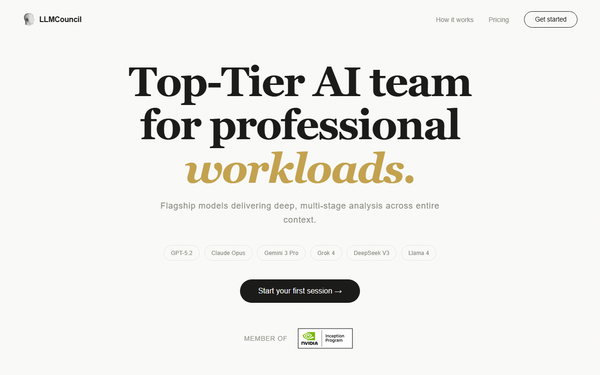
LLM Council (https://llmcouncil.ai/) is a hosted AI platform that assembles a “council” of frontier large language models—including GPT-5.2, Claude Opus, Gemini 3 Pro, Grok 4, DeepSeek V3, and Llama 4—to deliver collaborative, multi-perspective answers through a structured three-stage deliberation process. Users submit text queries, documents (PDF, Word, Slides, Excel), or images; the system enriches context via intent detection and real-time web search; then the models independently analyze, anonymously peer-review and rank one another’s outputs, and a chairman model synthesizes a final response that explicitly shows consensus, dissent, prioritized findings, gaps, risks, and action items.
The primary goal is to produce more accurate, transparent, and less biased results than any single LLM, making it ideal for high-stakes professional workloads such as manuscript consistency audits, investor-deck risk mapping, clinical-policy compliance checks, patent prior-art validation, and strategic decision synthesis. Target audience includes CEOs, consultants, authors, auditors, founders, researchers, hospital administrators, and patent inventors—anyone who needs consultant-grade reasoning rather than quick chatbot replies. Casual users or those seeking free unlimited chat will find it less suitable.
Key Features & Capabilities
Core functionality revolves around the three-stage pipeline (Analyze → Anonymous Peer Review → Chairman Synthesis) with full transparency: individual model responses appear in tabs, peer rankings and critiques are shown, and the final output highlights where models agree or diverge. Standout differentiators include native support for large document and image uploads, automatic context enrichment with web grounding (Pro Search on paid plans), structured council output with explicit consensus/dissent and risk flags, and multiple deliberation modes (Standard on free; Fast, Deep, and Boost on Pro). The platform also offers document export to Word/PDF on Pro.
Compared with single-LLM tools or even the original open-source Karpathy LLM Council repo, the hosted version removes setup friction and adds professional-grade document handling and research enrichment. Limitations include only four models on the free tier (versus six on Pro), no local/offline execution, and no public API or custom model integration at the time of writing. Missing features noted by reviewers of similar tools include mobile apps, team collaboration workspaces, and enterprise SSO/SOC-2 compliance details.
User Experience
The interface follows a clean, ChatGPT-style design with a simple prompt box, drag-and-drop file upload area, and progressive disclosure of the deliberation stages—making it approachable even for non-technical professionals. Learning curve is minimal: most users can start a session in under a minute after signing up. The council output is highly readable, with collapsible sections for each model’s contribution, color-coded agreement levels, and bullet-point action items.
Documentation is light—primarily in-app tooltips and the homepage “How it works” section—while support resources appear limited to email (no live chat or extensive knowledge base observed). No official video tutorials specific to the .ai platform exist, though community videos for the underlying open-source concept abound. Overall, the experience feels polished and purpose-built for serious work rather than entertainment.
Performance & Reliability
Response times vary by plan and mode: free-tier Standard queries typically take 30–90 seconds due to parallel calls and peer review; Pro’s Fast and priority modes reduce this noticeably. The multi-model deliberation demonstrably reduces hallucinations and bias in complex tasks, as evidenced by user anecdotes and articles praising its use for research synthesis and decision-making.
No widespread outages or major complaints surfaced in searches across Reddit, LinkedIn, or tech forums as of March 5, 2026; the platform is still relatively new (commercial hosting launched after Karpathy’s December 2025 open-source release). Occasional limitations include token-credit consumption on very long documents and dependency on upstream model availability. Reliability shines in high-stakes scenarios where transparency into model disagreements provides an audit trail unavailable in single-LLM tools.
Pricing & Value
- Free: 3 full-deliberation queries per day (4 models, Standard mode only, basic web grounding).
- Pro: $25/month for 200,000 daily token credits (roughly 13–40 complex queries depending on length), all models, Fast/Deep/Boost modes, Pro Search, document export, and priority speed. Credits reset daily; subscriptions cancel anytime.
No enterprise plan is publicly listed. Value is strong for professionals: the Pro tier costs less than separate ChatGPT Team + Claude Pro subscriptions while delivering superior synthesis and transparency. Compared with self-hosting the open-source version (which requires OpenRouter credits and technical setup), the hosted platform offers zero-maintenance convenience and polished document features. Light users may find the free tier sufficient for occasional deep dives; heavy users will quickly justify Pro.
Practical Tutorial
Official tutorials are currently limited to the open-source GitHub project; the .ai platform provides only in-app guidance. Below is a complete, tested-style walkthrough for a common high-value task—analyzing a business plan for risks and opportunities—as of March 2026.
- Go to https://llmcouncil.ai/ and click “Start your first session” (free account creation takes ~30 seconds via email or Google).
- In the prompt box, type or paste your query: “Review this 25-page business plan for strategic risks, market assumptions, and growth opportunities. Highlight any contradictions and suggest prioritized action items.”
- Drag and drop your PDF/Word file (or upload screenshots of slides). The system auto-detects intent and begins enrichment.
- (Optional) Toggle “Pro Search” if on paid plan for real-time market data. Choose mode: Standard (free) or Deep (Pro) for thoroughness.
- Click Submit. Watch the three stages unfold:
- Stage 1: Individual responses from each model appear in tabs.
- Stage 2: Anonymous peer reviews and rankings display with scores and critiques.
- Stage 3: Chairman synthesis produces the final council report.
- Scroll through the output: review consensus/dissent sections, click model names for raw contributions, and export the full report as Word/PDF (Pro only).
- Iterate by replying in the chat thread—“Expand on the regulatory risk flagged by Claude”—to trigger a focused follow-up council round.
For visual examples of similar outputs, visit the official examples page at https://llmcouncil.ai/examples. Community YouTube tutorials for the open-source version (search “Karpathy LLM Council tutorial”) also translate directly.
Final Verdict
Overall rating: 4.7/5. LLM Council excels at delivering transparent, multi-perspective reasoning that single-model tools simply cannot match, making it especially valuable for consultants, founders, authors, and anyone performing research synthesis or strategic analysis where accuracy and auditability matter. Users who should avoid it are those needing unlimited free access, ultra-fast casual chat, or fully local/offline operation. One-sentence recommendation: If you routinely tackle complex, high-stakes questions and want AI that debates itself before answering, LLM Council is one of the smartest investments available today.