LobeHub Review: The Ultimate Multi-Agent AI Workspace Guide
Overview & Purpose
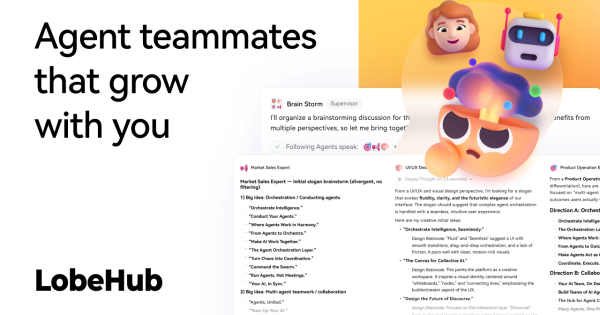
LobeHub is an open-source universal LLM web UI and platform that transforms how users interact with AI by treating customizable AI agents as collaborative "teammates" that grow and adapt alongside you. It serves as a complete workspace for building, deploying, and orchestrating multi-agent teams to automate complex workflows end-to-end. Primary use cases include creating agent groups for tasks like job application automation, podcast transcript summarization, video analysis without subtitles, stock trading strategy development, academic paper structuring, and meeting recaps with action items. It seamlessly connects to both cloud providers (OpenAI, Anthropic/Claude, DeepSeek, Gemini, Mistral, Perplexity) and local models (via Ollama), while supporting multimodal inputs/outputs such as speech-to-text/text-to-speech, image/video processing, file uploads, and generation.
The target audience spans developers and AI enthusiasts who self-host or customize, as well as marketers, researchers, designers, and teams seeking productivity boosts through agent orchestration, RAG knowledge bases, plugins, and a skills marketplace. It appeals particularly to open-source advocates and professionals tired of siloed tools or aggressive provider policies, offering privacy-focused local deployment alongside cloud convenience.
Key Features & Capabilities
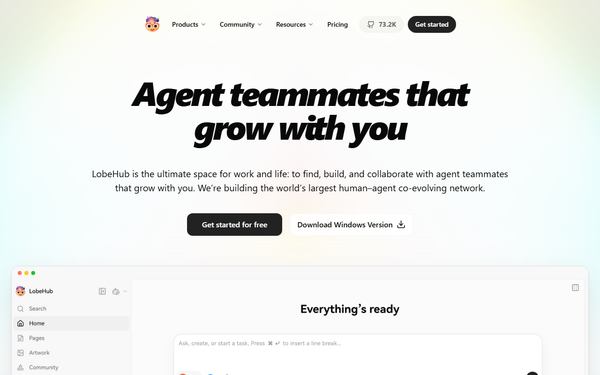
Core functionality revolves around agents as the fundamental unit of work: an intuitive Agent Builder auto-generates roles, prompts, avatars, and behaviors from natural language descriptions. Users assemble Agent Groups for parallel collaboration, organize via Projects/Workspaces/Pages/Schedules, and leverage personal memory for continual learning and adaptive behavior. Standout differentiators include a rich MCP/plugin system with over 10,000 skills and a marketplace for one-click extensions, white-box editable memory, CoT visualization, branching conversations, artifacts (dynamic SVG/HTML), and full multimodal workflows including vision, TTS/STT, and text-to-image (DALL·E 3, Midjourney support upcoming). RAG-style knowledge bases, file uploads, and local/remote databases (CRDT/PostgreSQL) enable context-aware responses. It supports PWA/mobile adaptation, custom themes, and desktop apps.
Compared to competitors like OpenWebUI or LibreChat, LobeHub excels in multi-agent co-evolution, team-like orchestration, and polished extensibility rather than basic chatting. Limitations include potential overkill for simple single-model chats (feature bloat for minimalists), reliance on user-provided API keys or local hardware for performance, and occasional integration hiccups with niche tools. No native mobile app beyond PWA; advanced enterprise multi-user features require self-host tuning.
User Experience
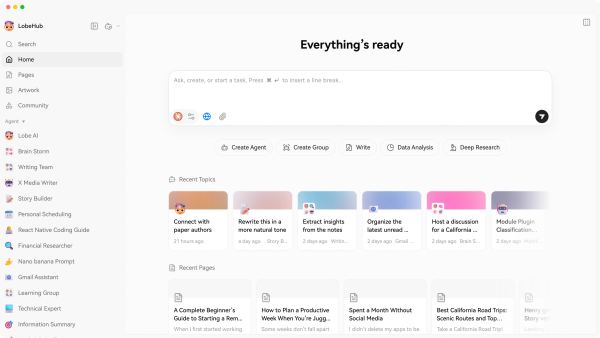
LobeHub boasts a modern, beautiful interface with clean typography, intuitive sidebar navigation, and responsive design that feels premium—praised as "user-friendly and solves your troubles" across communities. Ease of use is high for tech-savvy users thanks to one-click deployments and the conversational Agent Builder, but there's a moderate learning curve for newcomers to grasp agent groups, skills integration, and memory management. Non-technical users may need 30-60 minutes to feel comfortable.
Documentation is comprehensive and well-maintained via official guides covering deployment, agents, and subscriptions, supplemented by a vibrant Discord, GitHub discussions, and blog. Support resources include active community contributions (323 contributors) and rapid issue resolution. Overall, the experience prioritizes productivity without sacrificing aesthetics or flexibility.
Performance & Reliability
Performance scales with chosen models and hardware: cloud interactions feel snappy, while local Ollama runs efficiently on consumer GPUs. UI responsiveness is excellent post recent Vite migration refactor, with features like parallel agent execution and artifact rendering delivering low latency. Reliability is strong, backed by 93% test coverage and active development (frequent updates like v2.1.34 as of late February 2026).
Common complaints are minor—occasional multi-agent debugging complexity or Cloudflare-related search hiccups in early versions—but users switching from alternatives report faster, higher-quality results. No widespread outages noted; self-hosted instances run stably with proper Docker setup. As of March 2026 research, community sentiment highlights consistent evolution without breaking changes.
Pricing & Value
LobeHub offers a generous free tier for self-hosting (fully open-source under LobeHub Community License; deploy via Docker, Vercel, or one-click scripts with your own API keys or local Ollama—no costs beyond infrastructure). The hosted LobeHub Cloud provides 450,000 free compute credits on signup, then credit-based subscriptions (usage measured in tokens; e.g., cheaper for GPT-4o mini or DeepSeek). Paid plans cover higher volumes with model-specific rates for text, voice, and image generation; enterprise options are available via custom inquiry. No hidden fees for core platform features.
Value is exceptional for self-hosters seeking unlimited private use versus paid alternatives like ChatGPT Plus or Claude. Cloud suits quick starts without setup, delivering strong ROI through time savings on agent workflows—far cheaper long-term than proprietary platforms for heavy multimodal or multi-agent usage.
Practical Tutorial
Official documentation provides excellent walkthroughs; this step-by-step covers a common task—building your first AI agent teammate for document summarization (e.g., academic papers or meeting notes)—using the cloud version for zero-deployment ease (self-host follows similar UI after Docker setup). As of March 2026, this matches official guides.
-
Access LobeHub: Visit lobehub.com or app.lobehub.com and sign up/log in with Google, GitHub, or Apple (instant—no API keys needed initially for Lobe AI demo).
-
Start Agent Creation: On the homepage, click the prominent Create Agent button in the left sidebar (or below the chat box). This opens the Assistant Profile page.
-
Use Agent Builder for Smart Setup: Chat with the built-in Agent Builder: type a description like "You are a research summarizer agent. Extract key ideas, methods, results, and takeaways from uploaded PDFs or text. Use structured Markdown output with bullet points and citations." The system auto-generates name, avatar, role prompt, preferred model (e.g., Claude 3.5 Sonnet), and initial skills.
-
Configure Skills & Knowledge Base: In the profile sidebar, click + Integrate Plugin to add relevant skills from the marketplace (e.g., file upload or web search). For RAG, use the knowledge base button to upload sample PDFs/docs—the agent will reference them contextually.
-
Fine-Tune and Test: Adjust system prompt if needed, select a model from supported providers, then start a chat. Upload a real document (e.g., a research paper PDF) and ask "Summarize this with action items." Test multimodal by pasting video transcripts.
-
Organize & Collaborate: Pin the agent, duplicate for variants, or add to an Agent Group via the assistant list menu. Schedule recurring runs or share in a Workspace for team use.
-
Monitor & Iterate: Check personal memory (white-box editable) for learned preferences. For self-host: run
docker compose upafter setup script; addOPENAI_API_KEYenv var.
Real example: Users have built similar agents for summarizing 299 podcast transcripts or generating comic storyboards from papers. Full official tutorial series: docs/usage/getting-started/agent. Pro tip: Start with Community Assistants for one-click templates before customizing.
Final Verdict
Overall rating: 9.2/10—exceptional open-source innovation with polished agent collaboration that punches above most free alternatives.
This tool is ideal for developers, researchers, and teams who want customizable, evolving AI teammates for real workflows and value privacy/extensibility over simplicity. Avoid it if you're a complete beginner seeking plug-and-play proprietary chat (steep initial setup) or need enterprise-grade SLAs out-of-the-box without self-hosting expertise.
One-sentence recommendation: LobeHub is the smartest choice for anyone ready to graduate from solo LLMs to collaborative AI agent ecosystems that actually grow with your work.