Loom AI Review: Transform Video Messages into Actionable Content
Overview & Purpose

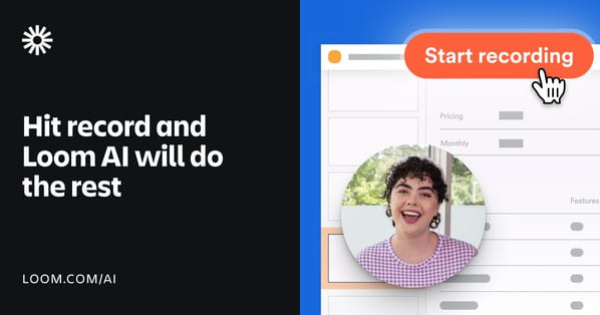
Loom AI is an AI-enhanced video messaging platform that allows users to quickly record, edit, and share screen and camera videos for asynchronous communication. It automates post-recording tasks to turn raw videos into polished, actionable content, helping teams communicate more efficiently without live meetings or lengthy emails. Primary use cases include sharing quick updates, providing feedback, documenting processes (like SOPs or code docs), reporting bugs with context, generating meeting notes and recaps, and creating shareable documents or tickets directly from video transcripts.
The tool targets remote and hybrid teams across functions such as engineering, product management, design, marketing, sales, support, and education—anyone who benefits from visual, context-rich explanations over text alone. It is particularly valuable for fast-paced tech and collaborative environments where quick alignment saves hours weekly.
Key Features & Capabilities
Core functionality centers on seamless screen/camera recording (via desktop app, Chrome extension, or mobile) with instant sharing via links, embeds, or integrations. AI features kick in automatically after recording: generating titles, summaries, chapters, and tasks/action items; removing filler words and silence; editing by transcript; and auto-creating CTA buttons or messages.
Standout differentiators include AI workflows that transform videos into ready-to-share text documents (e.g., PR descriptions, step-by-step guides, or SOPs), populated Jira/Linear issues with full context, or auto-generated emails/DMs. It supports 50+ languages for transcriptions and enhancements, auto-meeting recaps, and deep Atlassian integrations (Jira, Confluence, Slack). These go beyond basic screen recorders by turning passive videos into active deliverables, boosting viewer engagement by 18% and cutting video creation time by up to 60%.
Limitations include English-only output for document workflows (multi-language expansions in development), AI summaries and transcripts that require manual review for accuracy (especially with accents or technical jargon), and no full-featured video editor for complex cuts or effects. Voice and facial avatars remain "coming soon," and advanced features are gated behind paid plans. Free users get only basic recording without AI polish.
User Experience
Loom AI is exceptionally easy to use with a minimal learning curve—most users are productive within minutes thanks to the intuitive desktop app and browser extension. The interface is clean, modern, and distraction-free, with one-click recording, real-time previews, and a simple side panel for AI toggles and edits.
Documentation is comprehensive via Atlassian’s support site, including clear articles on AI features and integrations. Priority support is included on paid plans, though some users report slower response times or billing hurdles. Overall, the experience emphasizes speed and simplicity, making it accessible even for non-technical teams.
Performance & Reliability
AI processing is generally fast and efficient, with most enhancements (titles, summaries, edits) applying in seconds even for longer videos. Recording quality reaches 4K on paid plans, uploads are reliable on stable connections, and the platform handles unlimited videos without lag in core workflows.
Known issues include occasional upload failures or camera glitches on spotty Wi-Fi, rare crashes during editing, and processing delays for very long recordings (20+ minutes). Some users note post-Atlassian acquisition login loops or account migration friction. Despite these, professional review aggregates rate reliability highly, and most complaints are edge cases rather than systemic failures. AI filler-word removal and silence trimming perform well but are not 100% perfect.
Pricing & Value
Loom offers a generous free Starter plan (up to 50 members, 25 videos per person at 5 minutes max, 720p quality) for individuals or light testing. The Business plan costs $18 per user per month (or less annually), unlocking unlimited videos, 4K recording, basic editing, and branding removal. The Business + AI plan (required for full Loom AI features) is $24 per user per month, adding all AI automation, workflows, and meeting recaps. Enterprise is custom-priced with SSO, advanced security, and dedicated support. A 14-day trial is available for the AI tier.
Value is strong for teams: the $6/month AI uplift delivers measurable time savings and higher engagement that quickly offsets the cost compared to manual editing tools or alternatives like Zoom Clips or Vidyard. Free-tier limits feel restrictive for active use, but paid plans scale well for growing organizations.
Practical Tutorial
Creating a Step-by-Step SOP from a Screen Recording (Common Task Example)
This walkthrough uses a real-world scenario: documenting a software bug-fix process so a teammate can replicate it. Requires Business + AI plan.
- Install the Loom desktop app or Chrome extension from loom.com and sign in.
- Click the Loom icon, select “Screen + Cam” (or just screen), choose your microphone/camera, and click “Start recording.” Narrate clearly while walking through the steps (e.g., “Open the console, click Deploy…”). Stop recording when done—the video auto-saves.
- In the video editor, Loom AI automatically applies filler-word removal, silence trimming, titles, summaries, and chapters. Review and toggle any AI edits via the side panel.
- Scroll to “AI Workflows” in the editor. Choose the “Step-by-step guide” or “SOP” template. Loom instantly generates a formatted text document with numbered instructions, embedded timestamps, and auto-added visuals (screenshots or clips).
- Edit the doc inline if needed (e.g., clarify technical terms), then click “Copy text” or export directly to Confluence/Notion/Slack. Share the video link alongside the doc for visual context.
Result: A polished video + professional SOP in under two minutes. For bug reporting, select the “Issue” workflow instead to auto-populate a Jira ticket.
Official resources: Full AI workflows guide and video examples are available on the Loom support site and loom.com/ai.
Final Verdict
Overall rating: 4.6/5. Loom AI excels for remote teams that rely on quick, visual communication and want AI to eliminate editing busywork.
It is ideal for engineering, product, sales, and support professionals in hybrid environments who value async efficiency and integrations with tools like Jira.
Avoid it if you need advanced video editing capabilities, work solo on a tight budget (free tier is too limited), or require perfectly accurate AI without any manual review.
Highly recommended—start with the free plan and upgrade for AI to transform how your team shares knowledge.
(This review reflects research conducted as of March 14, 2026, drawing from official Loom sources, aggregated user platforms, and recent analyses.)