Luma Dream Machine Review: Create Cinematic AI Videos Easily
Overview & Purpose
Luma Dream Machine is an AI-powered cinematic video generator developed by Luma AI, available at https://lumalabs.ai/dream-machine. It enables users to create high-quality videos from text prompts or static images in a seamless, uninterrupted workflow powered by the Ray3 video model (and integrated image generation). The tool produces short, dynamic clips—typically 5–10 seconds, extendable up to 20 seconds—with realistic physics, smooth motion, believable lighting, and cinematic camera moves. Primary use cases include rapid ideation and storyboarding for film/VFX, animating static images for marketing campaigns or social media, creating engaging product visuals, and prototyping concepts for advertising, anime, or gaming projects. It serves as a creative partner for turning ideas into visually compelling stories without traditional filming equipment or teams. The target audience includes filmmakers, content creators, marketers, designers, advertisers, and indie animators seeking to expand their visual storytelling capabilities efficiently.
Key Features & Capabilities
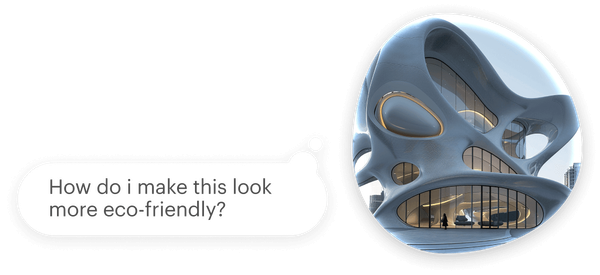
Core functionality centers on text-to-video and image-to-video generation, where users describe scenes in natural language or upload images to animate them. Standout features include the Modify tool for text-based refinements on existing videos or images (e.g., “make colors warmer” or “add rain”), Character Reference for consistent identities across shots, start/end frame keyframes for directed camera moves, video extension/looping, Brainstorm for idea generation, organized Boards for storyboarding and remixing, and share/remix options. The Ray3 model excels at smooth, artistic motion, realistic physics, and cinematic lighting, often producing more polished short clips than many competitors. Resolutions reach up to 1080p standard (with 4K up-res on paid plans), and features like style/visual references enhance creative control.
Differentiators from tools like Runway or Kling include the fluid image-to-video pipeline in one platform, conversational editing via Modify, and strong emphasis on natural dynamics and consistency in character-driven scenes. Limitations include default short clip lengths (extensions can degrade quality or introduce artifacts), occasional prompt non-adherence, morphing/distortions in highly complex or fast-motion scenes, limited text rendering, and no native long-form video or full audio integration in all modes. Higher-quality outputs (HDR/EXR) consume significantly more credits.
User Experience
The web-based interface (accessible via browser, with iOS app options) is intuitive and modern, requiring only a quick sign-up with Google or Apple. Beginners can generate their first video in minutes using natural-language prompts, with a low initial learning curve; mastering advanced prompting and features like keyframes or references takes practice but is well-supported. The clean dashboard with Boards keeps projects organized, and conversational tools (Modify, Brainstorm) feel responsive and creative. Documentation is excellent through the official Luma Learning Hub, which offers detailed guides, best practices, and video walkthroughs. Community support exists via forums, though some users report slower response times from official channels. Overall, the experience prioritizes creative flow over technical complexity.
Performance & Reliability
Generation speeds are fast on paid plans—often under a minute for standard clips—with high-priority processing; free-tier users may face queues or delays during peak times. The Ray3 model delivers reliable cinematic results with smooth motion and accurate physics, representing a notable improvement over earlier versions. However, outputs remain somewhat inconsistent (“hit or miss”), especially with intricate actions, multiple subjects, or extensions, sometimes requiring retries that waste credits. Common user complaints include occasional anatomy glitches, morphing artifacts, prompt misinterpretation, and quality drops on longer or high-res generations. Reliability is strong for short, calm cinematic shots but less so for hyper-dynamic or precise storytelling.
Pricing & Value
Luma Dream Machine uses a credit-based system (credits reset monthly, no rollover). The Free plan offers limited credits with draft/low-priority processing, watermarks, and non-commercial use only. Lite ($9.99/month or $7.99 annual) provides 3,200 credits, higher priority, and 4K up-res (non-commercial, watermarked). Plus ($29.99/month or $23.99 annual) includes 10,000 credits, commercial licensing, no watermarks, HDR support, and full features. Higher tiers—Unlimited (~$94.99/month) and Enterprise (custom)—add relaxed-mode unlimited generations and priority. Example costs: a 5-second 1080p Ray3 video ranges from ~330 credits (SDR) to much higher for HDR/EXR or modifications. All plans include free trial credits. Value is excellent for occasional high-quality ideation and prototyping compared to alternatives, offering strong cinematic output at accessible entry points, though heavy users may find credits drain quickly for premium resolutions.
Practical Tutorial
Official tutorials are available in the Luma Learning Hub (https://lumalabs.ai/learning-hub). Below is a step-by-step walkthrough for a common task—creating and refining an image-to-video clip (based on the official web quick-start guide, current as of March 2026).
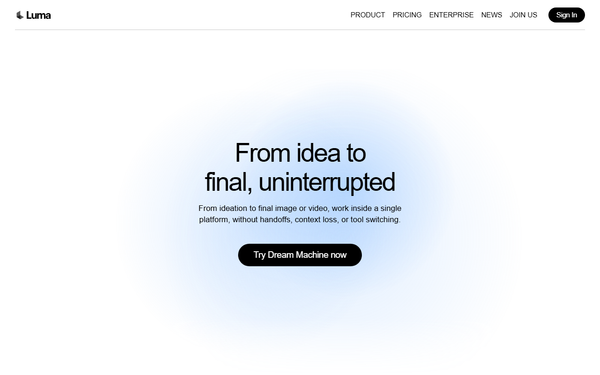
- Visit https://lumalabs.ai/dream-machine and click Try Now. Sign in with Google or Apple to create an account (free tier works for testing).
- On the dashboard, click the plus (+) button to create your first Board (this organizes your project).
- Inside the Board, either generate an image via text prompt (e.g., “futuristic cyberpunk city street at night, neon lights”) or upload a static image from your device.
- Select the image, then click Make Video (or describe motion directly). In the prompt box, add action details, for example: “The camera slowly pans right as a futuristic car drives through the neon street, cinematic lighting, smooth realistic motion.”
- Submit to generate two video variations (costs credits based on plan/resolution). Preview both.
- Refine using Modify This (e.g., “add rain and glowing reflections” or “make camera movement more dramatic”). Use Extend to add length, Character Reference for consistency if needed, or Enhance for up-res.
- Once satisfied, click the three-dot menu on the video to Download or Share the Board/remix with collaborators.
Real example: Uploading a static product photo and prompting “product rotates slowly on a reflective surface with dramatic spotlight, 360-degree cinematic turn” quickly produces a polished marketing clip. For advanced controls, explore keyframes or style references in the Learning Hub.
Final Verdict
Luma Dream Machine earns a solid 4.5 out of 5 rating for its impressive cinematic quality, intuitive workflow, and rapid ideation capabilities in the evolving AI video space. It is ideal for filmmakers, marketers, designers, and content creators who want to prototype dynamic short-form visuals quickly and cost-effectively. Users should avoid it if they require perfect output consistency on every generation, long-form videos beyond ~20 seconds, or high-volume production on a tight budget without tolerance for occasional retries. In one sentence: Luma Dream Machine stands out as one of the most accessible and visually striking AI video tools available in 2026 for anyone looking to bring imaginative stories to life with minimal effort.