Luxand Cloud Review: The Best Affordable Facial Recognition API
Overview & Purpose
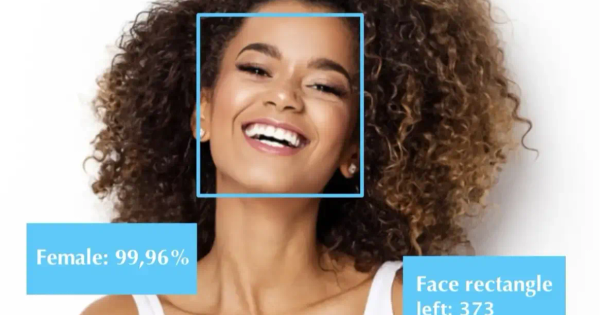
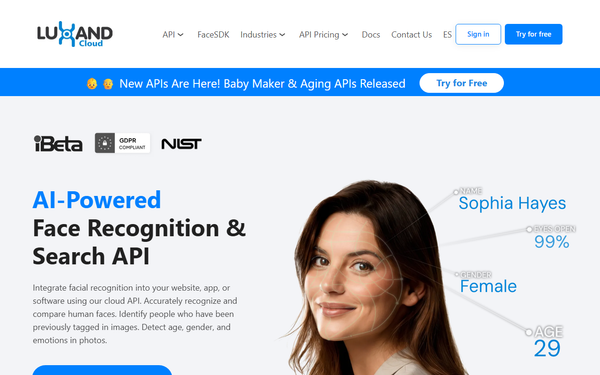
Luxand.Cloud is an AI-powered facial recognition and search API designed for seamless integration into websites, mobile apps, or desktop software through a simple cloud-based REST interface. It enables developers to accurately detect and compare human faces in images, identify previously tagged individuals, and extract attributes such as age, gender, emotions, and liveness detection. Additional specialized endpoints support creative features like generating predicted baby images from parent photos or applying realistic aging effects. Primary use cases include secure identity verification, personalized customer experiences, attendance tracking, fraud prevention, and photo tagging or search functionality. It is particularly suited for industries like finance (customer authentication), marketing (emotion-based targeting), education (student verification), transportation, hospitality, and retail.
The target audience is primarily software developers, backend engineers, and technical teams at startups, small-to-medium businesses, or enterprises looking for an affordable, scalable way to add facial intelligence without building custom models or managing heavy infrastructure. It is not aimed at non-technical marketers or designers, though the API can support their projects via developer collaboration.
Key Features & Capabilities
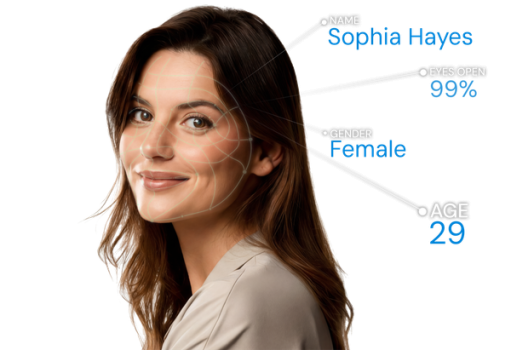
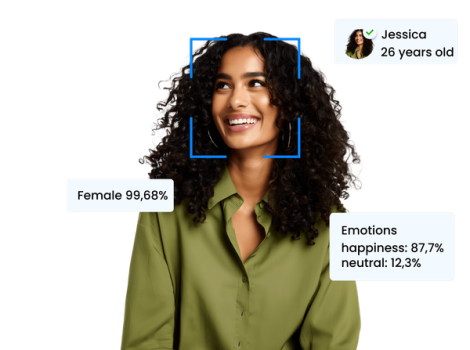
Core functionality revolves around the Face API, which handles face detection, recognition against a user-managed database of subjects (galleries), 1:1 verification, 1:N search, facial landmarks extraction, automatic cropping, and attribute analysis (age, gender, emotions, smile detection). Liveness detection helps prevent spoofing with photos or masks. Users upload images once to create named subjects (storing only compact neural templates, not raw photos), then query new photos for matches with confidence scores. Secure cloud storage of these templates allows cross-device access while prioritizing privacy.
Standout features that differentiate it from competitors include ultra-fast processing (claimed at 60ms per recognition), exceptional privacy (templates cannot reconstruct original images), multi-language SDK-style code samples, and bonus entertainment APIs (Baby Maker and Aging). It supports JPEG/PNG uploads and works across Python, JavaScript/Node.js, Java, C#, Ruby, Go, and more. Scalability is built-in with no infrastructure management required, making it more turnkey and cost-effective than heavier enterprise solutions like Amazon Rekognition or Azure Face API for moderate volumes.
Limitations include its cloud-only nature (requiring internet connectivity; a separate on-premises FaceSDK is available from the same company), potential sensitivity to poor lighting, angles, or low-resolution images (standard for the category), and request-based quotas that can add up for high-traffic apps. Video stream processing is not a primary focus (better suited for static photos), and it lacks some advanced enterprise features like massive dataset training or built-in GDPR audit tools found in bigger platforms.
User Experience
Integration is straightforward with a low learning curve for anyone familiar with REST APIs: sign up for a free account, grab an API token from the dashboard, and start with ready-to-paste code samples. The dashboard is clean for managing subjects, tokens, and usage stats, though occasional minor glitches have been reported (quickly resolved by support). Interface quality is functional rather than flashy—focused on developers rather than end-users.
Documentation is solid and developer-friendly, featuring a comprehensive Postman collection, language-specific examples, and dedicated blog tutorials. Customer support earns praise for responsiveness (phone and email options available). Overall, users describe the experience as “user-friendly” and “easy to integrate,” with minimal setup time compared to more complex competitors.
Performance & Reliability
The API delivers high speed and efficiency, with official benchmarks showing face recognition in approximately 60ms and full operations typically completing under one second. Reliability is strong for production use, with users highlighting consistent accuracy even in varied conditions and seamless scaling. No widespread reports of downtime or major outages appear in recent searches.
Known issues are minimal and typical for facial recognition tools—occasional false negatives with extreme angles or poor image quality, and rare dashboard hiccups. Common complaints are virtually absent; feedback instead emphasizes stability and proactive support. The system has proven reliable across finance and retail deployments where uptime matters.

Pricing & Value
Luxand.Cloud offers a generous free tier with 500 API requests per month (no credit card required). Paid plans follow a tiered structure with free trials: Start at $9/month, Lite at $19/month, Basic at $39/month (10,000 requests), Pro at $99/month (200,000 requests), and Business at $249/month (500,000 requests), with overage options available. Higher enterprise volumes are handled via custom quotes.
The value proposition is excellent for cost-conscious teams: significantly cheaper entry points and simpler billing than Google Cloud Vision or Microsoft Azure equivalents, while delivering comparable core accuracy and added privacy safeguards. It provides strong ROI through rapid integration (often hours instead of days) and no server costs. For moderate usage, it is one of the most budget-friendly professional-grade options on the market.
Practical Tutorial
A complete, official step-by-step tutorial is available on the Luxand.Cloud blog for the most common task: building a basic face database and performing recognition. Here is a real, ready-to-use Python walkthrough (tested structure from the source; requires a free account and API token). Full details and updates: https://luxand.cloud/how-to-use-face-recognition-with-python.
Step 1: Setup
Create a free account at https://dashboard.luxand.cloud/signup and copy your API token. Install the requests library:
pip install requests
Step 2: Add a face to the database (create a subject)
import requests
import json

def add_face(api_key, image_path, name):
    url = "https://api.luxand.cloud/subject/v2"
    headers = {"token": api_key}
    data = {"name": name}
    files = {"photo": open(image_path, "rb")}
    response = requests.post(url, headers=headers, data=data, files=files)
    result = json.loads(response.text)
    if response.status_code == 200:
        print(f"Added: {name} (ID: {result['id']})")
        return result['id']
    else:
        print(f"Error: {result.get('error')}")
        return None

# Example usage
api_key = "YOUR_API_TOKEN_HERE"
add_face(api_key, "john_doe.jpg", "John Doe")
Step 3: Recognize a face in a new photo
def recognize_face(api_key, image_path):
    url = "https://api.luxand.cloud/photo/search"
    headers = {"token": api_key}
    files = {"photo": open(image_path, "rb")}
    response = requests.post(url, headers=headers, files=files)
    result = json.loads(response.text)
    if response.status_code == 200 and result.get('status') == "success":
        print(f"Recognized: {result['name']} (Confidence: {result['confidence']})")
    else:
        print("No match or error")

# Example usage
recognize_face(api_key, "test_photo.jpg")
Step 4: Run and expand
Combine both functions in one script, test with clear front-facing photos, then scale by adding more subjects or integrating into your app (e.g., web upload endpoint). Error handling and environment-variable storage for the key are recommended for production. Official Postman collection provides examples for all other endpoints (liveness, emotions, etc.).
Final Verdict
Overall rating: 4.5/5 – A polished, privacy-first solution that punches above its weight in affordability and ease.
Developers and teams at startups or mid-sized companies in security, retail, marketing, or education should use this tool when they need fast, accurate facial recognition without complex infrastructure or high costs. Avoid it if your project demands massive-scale on-premises deployment, heavy video analytics, or highly regulated environments requiring extensive custom compliance certifications (vet legal needs separately).
One-sentence recommendation: Luxand.Cloud is an outstanding, developer-friendly choice for adding reliable facial intelligence to any application on a budget—start with the free tier today.