Macro Review: The All-in-One AI Workspace for Productivity
Overview & Purpose
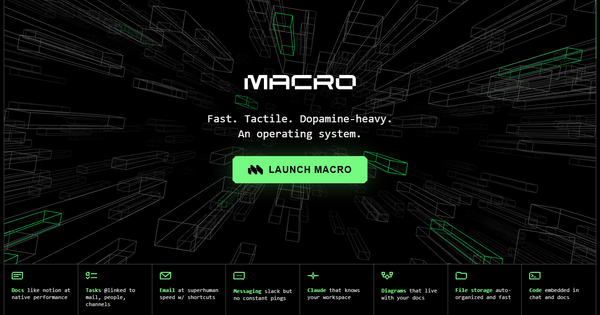
Macro is an all-in-one AI-powered productivity workspace that functions like an operating system for knowledge work, unifying document editing, PDF analysis and markup, code editing, collaborative diagrams and canvases, image enhancement and analysis, email triage, messaging, tasks, and file storage into a single fast, browser-based platform. It leverages leading AI models—including GPT-4 from OpenAI, Claude from Anthropic (with deep workspace awareness), and Gemini from Google—to provide contextual insights, summaries, editing assistance, and automation directly within your content. Primary use cases include organizing and analyzing research documents, reviewing contracts or reports with AI assistance, creating linked diagrams and mind maps, collaborating on team projects in real time, and managing emails/tasks without switching apps. It targets knowledge workers such as students organizing research, professionals in legal, consulting, finance, or marketing who handle complex documents, developers embedding code with visuals, and teams seeking to eliminate fragmented tools like Notion, Adobe Acrobat, Figma, Slack, and standalone AI chats. Research conducted as of March 2026 confirms its positioning as a native-performance alternative to traditional productivity suites.
Key Features & Capabilities
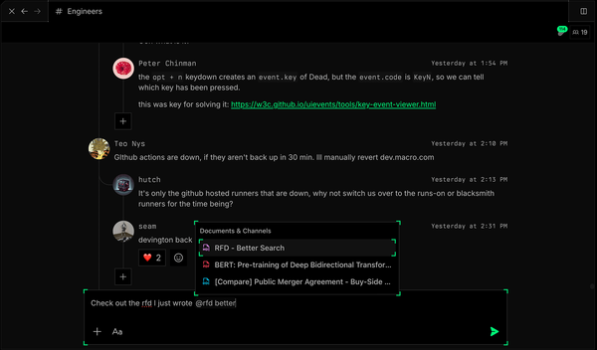
Core functionality revolves around a unified workspace where all content lives together: upload or create PDFs/docs for AI-powered editing, summarization, and interaction; build interactive diagrams and canvases that link directly to text or data; edit and analyze images with AI enhancements; write and run code in supported languages with embedded AI suggestions; triage emails using superhuman-style shortcuts and AI; send messages with a signal/noise split to reduce distractions; and create @linked tasks or mentions that connect across emails, docs, channels, and people. Standout features that differentiate it include Rust CRDTs and SolidJS for buttery-smooth real-time collaboration and native-like speed (faster than Notion), workspace-aware AI that understands your entire project context without copy-pasting, deep linking (@mention tasks to emails or bugs instantly), customizable splits/window management for multi-pane workflows, and auto-organized file storage. Security emphasizes data protection with encryption, controls over AI training data, and enterprise-grade options. Limitations include a restrictive free tier (capped at ~25 documents), potential learning curve for advanced shortcuts, and less depth in highly specialized areas compared to dedicated tools (e.g., professional-grade image editing vs. Photoshop or advanced diagramming vs. full Figma). Some advanced team management and SSO features are Enterprise-only.
User Experience
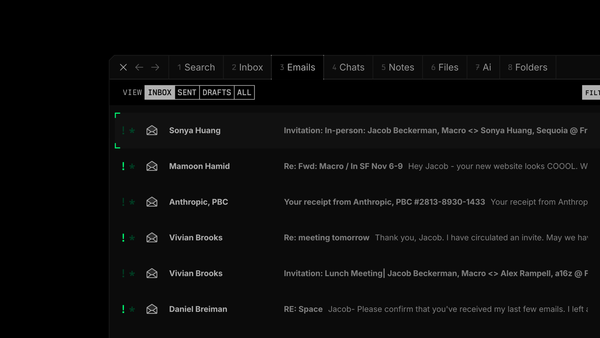
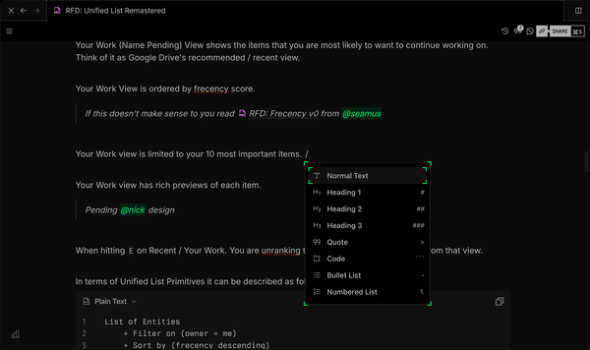
Macro offers a clean, modern, and tactile interface designed for high dopamine and efficiency, with heavy emphasis on keyboard shortcuts (e.g., cmd+k for quick actions, cmd+\ for new splits, mashing "e" for email triage). The learning curve is gentle for core document and AI features but steeper for power users mastering the full shortcut set and linking system—most users report getting productive quickly via intuitive drag-and-drop and inline AI popups. Interface quality is excellent, feeling responsive and customizable with themes and color pickers akin to an IDE. Documentation is somewhat limited on the official site, relying instead on in-app hints, quick-start guides, and community YouTube demos; support includes responsive email for paid users and growing help resources as the platform matures. Overall, it delivers a joyful, distraction-minimizing experience that reduces context-switching fatigue.
Performance & Reliability
Performance stands out with native-feeling speeds in the browser thanks to Rust-based CRDTs, enabling lag-free real-time collaboration even on complex documents or multi-user diagrams—users and reviews consistently praise it as noticeably faster than Notion or Google Workspace equivalents. AI responses are efficient with strong context handling across your workspace. Reliability is solid for an evolving platform, with no widespread reports of major outages or crashes in available user feedback as of March 2026; email and task integrations with Gmail/Google Workspace perform reliably. Common complaints are minor and tied to the free tier's document limits or occasional need for initial setup tweaks; some early users note that very large workspaces can occasionally feel resource-intensive on lower-end hardware, though this is rare.
Pricing & Value
Macro offers a tiered structure: a Free plan limited to approximately 25 documents with core AI access (ideal for testing); Pro at $20 per user per month for unlimited storage, documents, and full features; and custom Enterprise plans for teams with advanced admin controls, enhanced security, and priority support. Compared to alternatives, the value is strong—users effectively replace multiple subscriptions (Notion, ChatGPT Plus, Adobe Acrobat, Slack premium, Miro, etc.) with one integrated tool, delivering significant time savings and productivity gains for document-heavy workflows. The $20 Pro tier is competitively priced for individuals and small teams, with all early proceeds supporting development.
Practical Tutorial
A common task is AI-powered PDF analysis with linked diagram creation (e.g., reviewing a research paper or contract). Official site lacks a full written guide, but YouTube demos (search "Macro AI workspace demo" or reference walkthroughs like the 10-minute overview available online) provide visuals; here is a real step-by-step walkthrough based on current platform behavior:
- Sign up or log in at macro.com/app/signup (free tier works for this).
- Create a new workspace or open an existing one, then drag-and-drop or upload your PDF file—it auto-opens in the integrated editor with markup tools.
- Highlight key sections or open the inline AI chat (Cmd+K or sidebar icon) and prompt: “Summarize key findings, extract risks, and suggest action items.” The workspace-aware AI (switch between GPT-4, Claude, or Gemini) analyzes contextually and generates a formatted response with citations back to the PDF.
- Edit the PDF directly (add text, highlights, or annotations) and use AI to “Generate a comparison table” or “Rewrite this section for clarity.”
- Insert a new diagram block (via + menu or @diagram mention): prompt the AI with “Create a mind map of the main arguments and link to PDF sections.”
- @mention team members or assign tasks directly in the diagram/doc (e.g., “@assign Review this risk to team-lead”)—it auto-links to email or chat.
- Share the document with real-time collab (invite via email or link); everyone sees live edits and AI suggestions.
- Export or archive the enhanced PDF with embedded diagram.
This process typically takes minutes versus hours in fragmented tools. For video guidance, search YouTube for “Macro AI PDF demo” or check community-shared walkthroughs.
Final Verdict
Overall rating: 4.5 out of 5. Macro is ideal for students, professionals, and teams overwhelmed by app-switching who want a fast, secure, AI-native workspace to unify documents, images, diagrams, and collaboration—delivering real productivity leaps through deep model integration and native speed. Avoid it if you need highly specialized depth in one area (e.g., enterprise-level design software or unlimited free storage) or prefer traditional desktop apps over browser-based tools. Highly recommended—start with the free tier to consolidate your workflow into one powerful platform.