Magicroll AI Review: Turn Raw Footage Into Viral Shorts Fast
Overview & Purpose

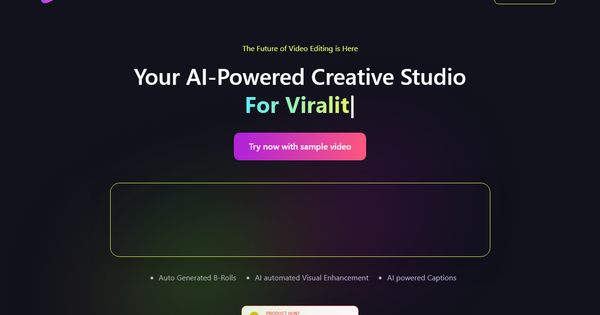
Magicroll.ai is an AI-powered creative studio that transforms raw talking-head footage into professionally edited videos with a single upload. It automatically analyzes content to generate contextual B-roll, apply visual enhancements, create accurate captions, swap backdrops, and add motion graphics—delivering polished, engaging shorts in minutes rather than hours. Primary use cases focus on talking-head formats such as video podcasts, educational explainers, product reviews, commentary clips, motivational speeches, and social media content for TikTok, Instagram Reels, and YouTube Shorts.
The tool targets content creators, influencers, podcasters, educators, marketers, small businesses, and agencies who lack advanced editing skills or dedicated teams but need high-quality output to boost engagement and save time. It is not aimed at developers or complex cinematic projects.

Key Features & Capabilities
Core functionality revolves around a simple upload-and-process workflow: the AI examines tone, themes, and speech using advanced schemas, then seamlessly inserts relevant B-roll from an internal library plus non-copyrighted internet sources, generates multi-language subtitles with near-perfect accuracy, removes silences and fillers, and applies dynamic transitions and motion graphics. Users receive a rough cut ready for quick tweaks before export.
Standout features that differentiate it from competitors include instant one-click backdrop swapping (a first-to-market capability that replaces static or cluttered backgrounds with engaging scenes without green screens), highly contextual B-roll selection that adapts to video tone and user preferences, and a collaborative “Pen vs Pencil” editing model where users lock final changes while the AI refines other elements. Customizable templates, font/color/pacing learning, and browser-based operation (no software installation required) further enhance versatility.
Limitations include optimization primarily for short-form talking-head videos (longer or highly complex projects are less effective), restricted advanced trimming and manual control compared to professional non-linear editors, no native 4K support on lower tiers, occasional upload issues with very large files, and a roadmap focus on expanding beyond shorts. It excels at automation but is not a full replacement for Adobe Premiere or DaVinci Resolve for intricate storytelling.
User Experience
Magicroll.ai boasts an exceptionally low learning curve, making it accessible even to complete beginners. The interface is clean, intuitive, and entirely browser-based—users simply sign up, create a project, upload footage, and let the AI handle the heavy lifting with minimal clicks. Navigation feels streamlined, with clear preview stages and easy customization panels for backdrops, captions, and templates.
Documentation is light but practical: a YouTube channel (@magicrollai) hosts demo videos, while support includes a Discord community, direct email ([email protected]), and the option to book a 15-minute demo for personalized guidance (which also unlocks a free month of the Creator plan). No extensive written manual exists, but the “one-click” philosophy means most users need little beyond the in-app flow and short demo clips.
Performance & Reliability
Processing is efficient for the automation level—most videos are analyzed and enhanced in minutes, delivering results up to 50 times faster than manual editing and producing high-quality motion graphics and relevant B-roll that significantly boost viewer engagement. The cloud-based system requires no powerful local hardware.
Common complaints center on rendering and processing delays (often 10–15+ minutes for detailed analysis, masking, and sourcing), which can disrupt workflow momentum, especially on complex clips. Upload times for larger files may also vary. Reliability is strong for its intended short talking-head use cases, with consistent caption accuracy and visual polish, though users note occasional waits as the primary friction point. No major outages or data-loss issues are widely reported.
Pricing & Value
Magicroll.ai offers a generous free tier and trial: new users receive 30 days with 10 “magic coins” (roughly five video clips), limited to shorter clips at 720p. Paid plans begin with the Creator plan at approximately $19 per month (with annual discounts available), unlocking 20 videos per month at 1080p, advanced transitions, priority support, and higher limits. An Enterprise tier provides custom pricing for high-volume needs, 4K exports, API access, and dedicated management.
Compared to alternatives like Opus Clip (clip-focused) or Submagic (caption-centric), Magicroll.ai delivers broader visual automation—including the unique backdrop swap—at a competitive price point. The value proposition shines for solo creators and small teams: the time saved (hours per video) easily justifies the modest subscription, especially when weighed against hiring editors or mastering traditional software. Free limits make it easy to test before committing.
Practical Tutorial
Official tutorials and demos are available on the Magicroll.ai YouTube channel (example: https://youtu.be/P8s0xHYqF2A). Below is a complete step-by-step walkthrough for a common task—turning a raw 3–5 minute podcast recording into an engaging social media short (real example based on typical user workflow).
- Visit https://magicroll.ai/, sign up or log in (use the free trial credits to start).
- Click “Create New Project.”
- Upload your raw talking-head video file (e.g., a podcast segment filmed on a phone or webcam).
- Add a title and description when prompted, then select your preferred language for captions.
- Click “Continue” or “Generate”—the AI analyzes the footage (expect 1–15 minutes depending on length and server load) and automatically adds relevant B-roll, generates styled captions, removes silences, and enhances visuals.
- Review the output in the editor: swap the backdrop with one click (choose from dynamic scenes or upload your own), adjust caption font/color/animation to match your brand, tweak B-roll timing if needed, or apply a template for motion graphics.
- Preview the full video, make any final minor trims or prompt-based B-roll searches, then export in your chosen resolution (720p on free, 1080p+ on paid).
Result example: A static home-office podcast clip becomes a dynamic short with topic-relevant B-roll (e.g., stock footage of the discussed product), professional animated captions in multiple languages, and a sleek virtual backdrop—ready to post and drive views. The entire process typically takes under 20 minutes total.
Final Verdict
Overall rating: 4.2/5
Content creators, podcasters, educators, and marketers producing short talking-head videos should use this tool for its effortless automation, professional polish, and massive time savings—especially if you lack editing skills or budget.
Avoid it if you need advanced manual control, long-form cinematic editing, instant real-time results, or 4K output on a budget, as processing delays and short-form focus may frustrate power users.
Magicroll.ai is a game-changing time-saver that turns raw footage into scroll-stopping content with true one-click magic—highly recommended for anyone tired of tedious editing.