Mango AI Review: The Best AI Video Generator for Easy Content
Overview & Purpose
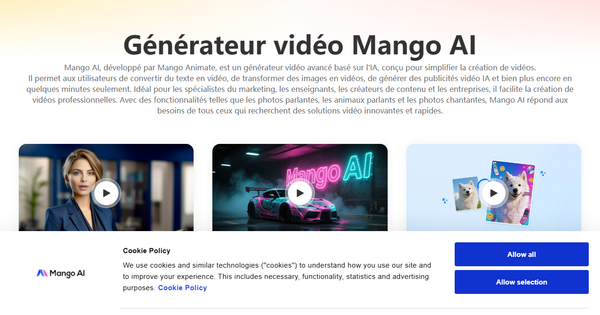
Mango AI, accessible at https://mangoanimate.com/ai, is an advanced AI-powered video generator developed by Mango Animate that converts text prompts, images, and photos into complete videos featuring animations, lifelike avatars, voiceovers, lip-sync, and dynamic effects. It interprets written material to produce visual stories automatically, eliminating the need for cameras, actors, or editing software. Primary use cases include rapid creation of social media clips, promotional ads, e-learning modules, personalized talking-head content, and business presentations, enabling users to enhance storytelling and boost audience engagement without production expertise.
The target audience encompasses content creators, marketers, educators, small businesses, and casual users seeking efficient, shareable video content. As of March 2026, it stands out for its accessibility in turning static ideas into engaging multimedia quickly.
Key Features & Capabilities
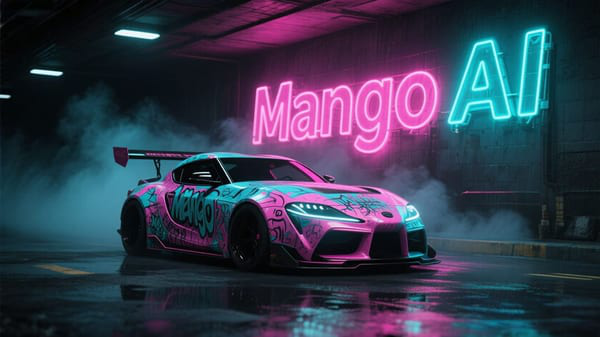
Core functionality centers on text-to-video generation, image-to-video conversion, and AI avatar creation with synchronized narration. Users input a script or prompt, and the tool handles scene composition, motion, and audio automatically.
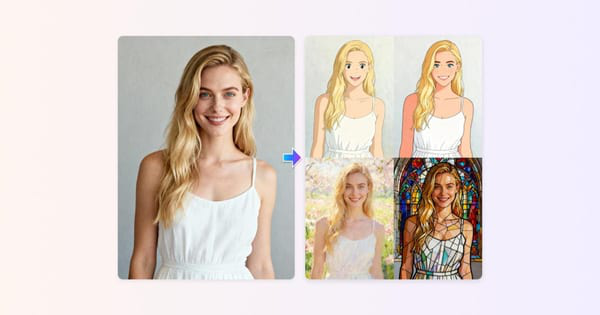
Standout features that differentiate Mango AI include Talking Photo (animate any portrait to speak), Talking Animals and AI Pet Podcast (make pets "talk"), Singing Photos and Singing Animals, AI Dance Generator, Voice Cloning, Custom Avatar creation, Video Face Swap (including multiple faces), Video Translator for localization, AI Ad Generator, and quirky effects like AI Kissing, AI Twerk, or AI Jiggle. Additional tools cover Live Portrait AI, Video Cartoonizer, 4K Video Enhancer, Background Remover, and lip-sync automation. These enable everything from professional explainers to viral entertainment clips.
Compared to competitors such as Synthesia or HeyGen, Mango AI excels with its broader suite of fun, niche animations (e.g., talking babies/pets or dancing photos) alongside practical utilities, making it more versatile for creative or lighthearted projects. Limitations include credit-based usage caps that restrict high-volume output on lower plans, occasional AI inconsistencies like imperfect lip-sync or motion artifacts (common in generative tools), limited advanced timeline editing or multi-scene control, and shorter video lengths (typically under 2 minutes per generation). No deep real-time collaboration or enterprise-scale batch processing is native.

User Experience
Mango AI features a clean, web-based interface with intuitive "Try It Now" buttons, categorized tools, and guided prompts that make it highly accessible even for complete beginners. The learning curve is minimal—most users can generate their first video in under 10 minutes without tutorials. Navigation is straightforward, with quick upload options for photos/audio and instant previews.
Interface quality is modern and responsive, free of clutter, though some advanced customizations (e.g., precise facial adjustments) could feel slightly limited. Documentation includes official blog guides, help articles, and abundant YouTube walkthroughs; customer support via email/chat earns praise for responsiveness in user feedback. Overall, the experience prioritizes speed and simplicity over complex controls.
Performance & Reliability
Videos typically generate in just a few minutes, with efficient processing even for detailed prompts or photo animations. The tool handles standard tasks reliably, producing cohesive output with good motion and audio sync for most inputs. As of March 2026 reviews, performance shines for short-form content on decent hardware or internet connections.
Known issues include occasional glitches such as minor lip-sync mismatches, unnatural expressions, or generation delays during peak times—typical of evolving AI technology. Some users report file lagging or the need to regenerate for optimal results, plus careful credit management to avoid exhaustion. No widespread outages or major reliability complaints appear on established platforms, and support often resolves technical hiccups promptly.
Pricing & Value
Mango AI operates on a subscription model with monthly credits (unused credits do not roll over). A limited free tier/trial allows testing with watermarks and basic restrictions, while paid plans remove limits:
- Starter: $12.9/month ($7.9/month when billed yearly at $89) — 600 credits/month, no watermark, up to 5-minute audio uploads, commercial license, premium voices.
- Pro (best value): $19.9/month ($10.9/month yearly at $129) — 1200 credits/month, up to 10-minute audio.
- Enterprise: $99.9/month ($49.9/month yearly at $599) — 6000 credits/month, up to 15-minute audio for teams.
Additional credits can be purchased separately. Value is strong for budget-conscious users producing occasional short videos, offering substantial time/cost savings versus hiring videographers or using pricier enterprise tools. It provides excellent return for marketers and educators generating multiple clips monthly, though heavy users may find credit limits constraining compared to unlimited alternatives.
Practical Tutorial
A common task is creating a text-to-video with AI narration (ideal for quick educational or promotional content). Official guidance and the free text-to-video tool make this straightforward.
Step-by-step walkthrough (example: Generate a 30-second promotional video for a fictional "Eco Coffee" brand)
- Visit https://mangoanimate.com/ai/text-to-video and sign up or log in (free account works for testing).
- Enter your text prompt in the textbox: "A cozy morning scene with steaming Eco Coffee on a wooden table, sunlight streaming through windows. Narrator says: 'Discover the sustainable taste of Eco Coffee—fresh from nature to your cup.'" Use AI prompt suggestions (e.g., "Ocean Sunrise") for inspiration if needed.
- Set video options: Choose a model like Seedance 1.5 Pro for cinematic quality; enable Generate Audio; select 16:9 aspect ratio, 720P resolution, and ~5-second base length (scales with prompt).
- Click "Generate AI Video." The AI interprets actions, mood, and locations to build scenes, motion, and synchronized narration automatically.
- Preview the output (full video with cohesive visuals and audio), then download in MP4 or share directly via link/social media.
Real example result: A polished 20-40 second clip showing smooth animated scenes with natural voiceover—perfect for Instagram Reels or email campaigns. Tips: Keep prompts descriptive yet concise for best coherence; high-resolution inputs improve quality. For avatar-specific versions, switch to Text to Animation at https://mangoanimate.com/ai/text-to-animation. Official blog guides and YouTube demos provide further variations.
Final Verdict
Overall rating: 4.3 out of 5. Mango AI delivers impressive versatility and speed for accessible video creation, making it a strong fit for content creators, marketers, and educators who value quick, engaging output with fun customization options.
It should be avoided by users needing ultra-photorealistic cinematic videos, unlimited generations without credits, or professional-grade editing controls—dedicated tools like Runway or enterprise platforms may suit those needs better.
In one sentence: Mango AI is an affordable, beginner-friendly AI video generator that turns text and photos into lively talking avatars and animations with minimal effort, ideal for boosting social media and educational content in 2026.