Marauder Review: The Best Private Location Tracker for iPhone
Overview & Purpose
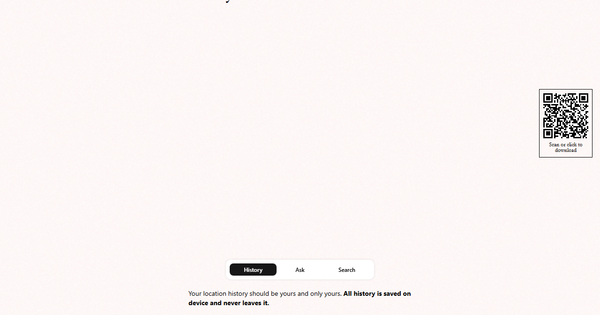
Marauder (full name: Marauder - retrace your steps) is an iOS-only utility app developed by Mike Choi that automatically tracks and stores your complete location history directly on your iPhone. Unlike Google Timeline or Apple’s Significant Locations, which may sync data to the cloud or share it with third parties, Marauder keeps everything local by design, allowing users to retrace steps, search visited places, view daily timelines, and “rewind” their movements without external servers accessing the raw data.
Primary use cases include recalling where you parked, retracing a day’s activities, searching past visits to restaurants or stores, and maintaining a personal movement journal for memory or productivity purposes. The target audience is privacy-conscious iPhone users who want the convenience of location history without handing data to big tech companies—everyday individuals, travelers, or anyone wary of surveillance capitalism rather than developers, marketers, or designers. This review is based on research conducted in March 2026 using the official App Store page, website, privacy policy, and available user feedback.
Key Features & Capabilities
Core functionality revolves around continuous background GPS monitoring with fully on-device storage and processing. Users get an interactive timeline view, place search, custom place naming, categories for automatic triaging (e.g., home, work, coffee shops), morning summaries of the previous day’s activities, home-screen widgets (including map previews), dark mode, and horizontal timeline scrolling.
Standout features that differentiate Marauder include its uncompromising privacy stance (marketing emphasizes “your data never leaves your device and always remains yours”) and premium AI-powered location prediction plus route calculation across multiple transport modes (walking, biking, transit, etc.) via the “Marauder Voyager” subscription. Additional pro perks include Google Maps integration for richer point-of-interest search and a “Timeline Rewind” UI for scrolling through years of history. Recent updates (up to version 1.4.8 in November 2024) added smarter place detection, increased map interaction FPS, and more consistent route rendering.
Limitations and missing features are notable: the app is iOS-only with no Android or web version; the free tier often misses data points or shows incomplete tracking; route guessing between known destinations is frequently inaccurate (users report wrong roads being filled in); and some basic features like transport-mode detection or advanced summaries remain paywalled. Critically, while marketing promises strictly on-device storage, the official privacy policy (last updated September 2023) states that location information “may be uploaded to the Company’s servers and/or a Service Provider’s server” with user permission and can be shared with affiliates or for legal reasons—creating a potential contradiction that privacy purists should verify.
User Experience
Marauder boasts a “best-in-class” intuitive UI that makes viewing history feel effortless, with clean timeline interfaces, interactive maps, and quick-access widgets. The learning curve is minimal: after granting “Always” location permission, the app runs silently in the background with no manual input required. Dark mode and customizable widgets enhance daily usability for quick glances.
Documentation is sparse—limited to the App Store description and brief website pages—with no extensive help center or video guides. Support is handled through standard Apple channels or the developer’s site; response times are unknown due to the small user base. Overall, the interface earns praise for simplicity, though a handful of reviews mention occasional crashes (addressed in updates) and the need to understand subscription tiers upfront.
Performance & Reliability
Background tracking is efficient enough for all-day use without excessive battery drain in most cases, and recent updates have improved stability, search responsiveness, and route calculation consistency. Speed of loading timelines and maps is generally snappy on modern iPhones.
Known issues from the limited reviews (only 10 ratings totaling 3.6/5 as of March 2026) include inconsistent data capture (some users report ~90% accuracy but missing locations), inaccurate route paths between correct destinations, and occasional unavailability of AI summaries. A small number of users expressed concern over possible server uploads despite the privacy claims. No widespread outages or major reliability complaints exist, likely due to the app’s niche status, but the “as is” terms of service offer no guarantees of accuracy or continuous availability.
Pricing & Value
Marauder follows a freemium model: the basic version is completely free to download and use for core tracking and basic timeline viewing, allowing users to test the privacy-first experience. Advanced capabilities require the Marauder Voyager subscription, handled entirely through Apple’s in-app purchase system (exact pricing and trial details appear in the App Store and can change). No enterprise plans or one-time purchase options are offered; billing and cancellations are managed by Apple, with no direct refunds from the developer.
Value is strong for privacy enthusiasts who want a Google Timeline alternative without data selling or cloud dependency—the free tier already delivers usable functionality. Compared to paid alternatives like paid GPS trackers or cloud services, Marauder’s on-device approach and low barrier to entry provide excellent privacy value, though route inaccuracies and paywalled features may reduce appeal for users needing perfect reliability.
Practical Tutorial
No official video tutorials or detailed guides exist beyond the App Store description, so here is a step-by-step walkthrough (created March 2026) for the common task of setting up Marauder and retracing yesterday’s steps.
-
Open the App Store on your iPhone and search for “Marauder - retrace your steps” (or visit directly: https://apps.apple.com/us/app/marauder-retrace-your-steps/id6456485422). Tap Get to download the free app.
-
Launch Marauder and grant “Always” location permission when prompted—this is required for background tracking (the app will explain why).
-
Allow a full day of normal use (the app works silently). For best results, keep Location Services enabled and avoid Low Power Mode if possible.
-
The next day, open the app. You’ll land on the main Timeline view showing a horizontal or vertical scroll of your movements with place markers and approximate routes.
-
Tap the Search tab or use the map to query a specific place or time (e.g., “coffee yesterday”). Tap any entry to see details, custom name it, or view the full route.
-
For premium features like accurate multi-modal routes or Timeline Rewind, tap the upgrade prompt and subscribe to Marauder Voyager via Apple’s system.
-
Optional: Add the timeline or map widget to your home screen for at-a-glance yesterday’s summary. To export or backup data, use iOS built-in tools since everything stays local.
For the latest updates or troubleshooting, check the App Store “What’s New” section or the developer’s privacy/terms pages at marauder.world.
Final Verdict
Marauder earns a 3.7 out of 5 rating. It excels as a lightweight, privacy-first location journal for iPhone users who value data sovereignty over pixel-perfect accuracy. Privacy-focused individuals tired of Google or Apple cloud syncing should try the free tier immediately. Avoid it if you need cross-platform support, flawless route mapping, or extensive documentation, or if any server involvement (even optional) violates your threat model.
Try Marauder today if you want your location history to truly stay yours—download the free version and see how much you can rewind without anyone else knowing.