Masterpiece X Review: Create Game-Ready 3D Assets with AI
Overview & Purpose
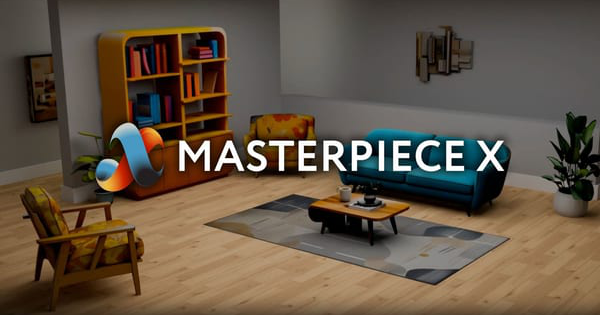
Masterpiece X - Generate is a browser-based AI tool that transforms simple text descriptions into complete 3D assets, including meshes, textures, rigging, and animations. Users describe what they want through a guided step-by-step interface, and the system produces game-ready GLB models in minutes—no software installation, hardware requirements, or 3D modeling experience needed. Primary use cases include rapid prototyping for games, concept exploration, environment props, characters, animals, and objects, as well as quick iteration on ideas for virtual worlds, VR/AR, or creative projects. It also integrates with a community CC0 library for sharing and remixing assets, and models export directly to popular tools like Blender, Unity, and Unreal Engine (with format conversions coming soon).
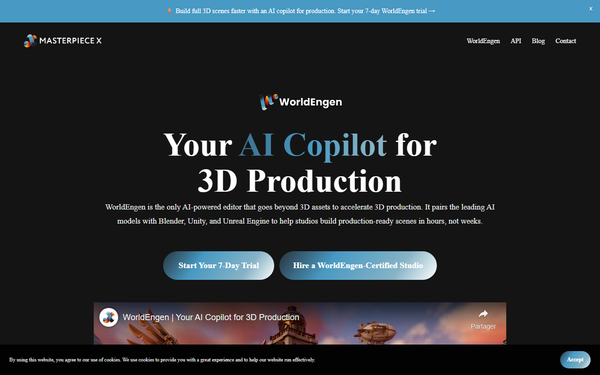
The target audience spans beginners and non-technical creators who want to enter 3D without steep learning curves—indie game developers, marketers, designers, educators, and hobbyists. It is explicitly not aimed at experienced 3D professionals seeking from-scratch high-fidelity modeling or pixel-perfect control, though they may use it for fast baselines. The broader Masterpiece X platform includes a paid Meta Quest VR remixing app and the newer WorldEngen desktop AI co-pilot for studio-scale scene production.
Key Features & Capabilities
Core functionality revolves around text-to-3D generation powered by proprietary models (in collaboration with NVIDIA Picasso for optimized inference). Users answer guided questions (“What kind of model?”, “Shape?”, “Appearance?”) to build detailed prompts, resulting in textured, rigged, and animated models that are low-poly (under 100k polys), UV-mapped, and optimized for real-time use. Standout features include full asset output in one go (mesh + textures + animations), direct game-engine compatibility, a public CC0 Community Library for inspiration and reuse, and seamless editing/remixing in the optional Quest VR app. Assets are described as “game-ready” with proper topology, auto-rigging, skinning, and animation support—positioning it as one of the first tools claiming production usability without heavy post-processing.
Differentiators from competitors (such as general image-to-3D tools) are the emphasis on usable, interoperable outputs and the no-prompt-engineering wizard interface. Limitations include generative variability (identical prompts yield similar but not exact results), maximum texture resolution of 1024×1024, support constraints (no sub-meshes, UDIMs, vertex painting, or animated meshes in some cases), and no manual from-scratch modeling—only generate/remix. Exports are currently GLB only (Unity users may need conversion), and it is not suited for AAA high-fidelity assets requiring precise control.
User Experience
The tool boasts an exceptionally low learning curve: anyone with basic English and imagination can start creating immediately via a clean web interface—no downloads or accounts beyond a quick signup. The guided question flow eliminates the need for expert prompting, and mobile browser support adds accessibility. Interface quality is modern and intuitive, with sections for generation, history of past models, and the Community Library. Documentation consists of helpful FAQs, blog posts, and API guides for developers, but lacks an in-depth user manual or video library (support is email-based at [email protected]). Overall, it feels empowering for newcomers while remaining simple enough for quick sessions.
Performance & Reliability
Generation typically completes in 2–8 minutes per model, leveraging cloud NVIDIA infrastructure for consistent speed regardless of user hardware. Efficiency is high for prototyping, allowing multiple iterations in one sitting with the starter credits. Reliability is solid for a 2025-launched tool, with few widespread complaints reported; outputs are generally production-viable for indie or mid-tier projects. Common minor issues include occasional variance in mesh quality or animation fidelity (requiring light cleanup in Blender) and format-conversion steps for certain engines. Older VR app versions had occasional login glitches, but the web Generate experience appears stable. No major downtime or security concerns surfaced in available sources as of March 2026.
Pricing & Value
Masterpiece X - Generate operates on a credit system: new users receive 250 free credits upon signup (enough for several full models). Additional credits are purchased via flexible packs or subscription-style plans (third-party reports indicate entry-level options around $9–15/month for hundreds of additional credits, with each generation typically consuming ~50 credits). The separate Quest VR remixing app requires a one-time purchase on the Meta Store. No enterprise tiers are publicly detailed, though studios can explore WorldEngen’s 7-day trial.
Value is excellent for the target audience—dramatically lower barrier and cost than hiring artists, buying marketplace assets, or investing months learning Blender. Compared to alternatives, it stands out for claimed game-readiness and zero-setup accessibility, making rapid ideation affordable and inspiring. Heavy users may find credit costs add up for large-scale projects, but for prototyping and exploration it delivers strong ROI.
Practical Tutorial
Official documentation focuses more on API integration than end-user walkthroughs, but the process is straightforward and well-described across the launch blog and FAQs. Here is a complete step-by-step tutorial for a common task: generating and exporting a simple animated 3D asset (e.g., “a cute red dragon character for a fantasy game prototype”). All steps use the free web version—no VR or extra software required.
- Visit https://app.masterpiecex.com/ and sign up for a free account (email or social login). Claim your 250 starter credits automatically.
- Click “Generate 3D Now” or navigate to the creation interface.
- Follow the guided wizard:
- Select type: “Character” or “Animal”.
- Describe shape: “quadruped dragon with wings and long tail”.
- Describe appearance: “cute cartoon style, bright red scales, big friendly eyes, cartoonish proportions”.
- Add any extra details (style, pose, animation type—e.g., “idle flying animation”).
- Review the prompt summary and click Generate. Wait 2–8 minutes while the AI processes (progress shown on-screen).
- Once complete, inspect the model in the viewer: rotate, play animations, check textures. If unsatisfied, regenerate or remix later in the Quest app.
- From the History or asset page, download the GLB file (includes mesh, textures, rig, and animations).
- Import into your tool of choice:
- Blender: File > Import > glTF 2.0.
- Unity/Unreal: Drag in (or convert to FBX via free online tools or Blender).
- Test in-engine: apply materials, play animation, and iterate.
Real example outcome (based on community library and blog demos): a low-poly dragon ready for immediate use in a Unity scene or VRChat world. For visual inspiration and more examples, see the official launch announcement: https://www.masterpiecex.com/blog/introducing-masterpiece-x-generate. Advanced users can explore the MPX GenAI API docs at https://docs.masterpiecex.com/ for programmatic generation.
Final Verdict
Overall rating: 4.3/5. Masterpiece X - Generate excels at democratizing 3D creation for rapid ideation and prototyping. It should be used by beginners, indie developers, designers, marketers, and anyone needing quick 3D assets without traditional barriers—its accessibility, speed, and game-ready focus deliver genuine workflow acceleration. Avoid it if you require AAA-level precision, complex manual control, or high-volume production without post-editing, as generative variance and technical limits may frustrate professionals. One-sentence recommendation: If you’ve ever wished you could type a few words and instantly hold a usable 3D model, Masterpiece X - Generate makes that magic real and accessible right now.