MeetGeek Review: The Ultimate AI Meeting Assistant for Teams
Overview & Purpose
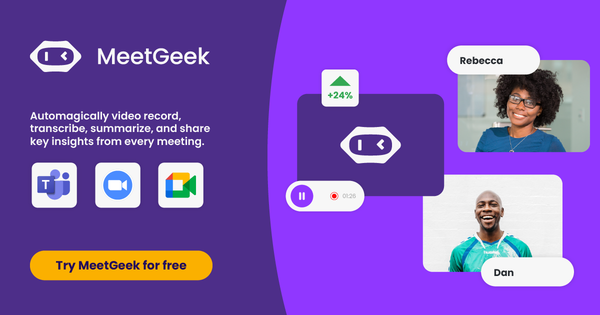
MeetGeek is an AI-powered meeting assistant designed to automatically record, transcribe, summarize, and extract actionable insights from meetings across platforms like Zoom, Google Meet, Microsoft Teams, and even offline or uploaded recordings. It functions as a virtual notetaker that joins calls (via bot or browser extension), generates personalized AI summaries with highlights, action items, topics, and sentiment analysis, and stores everything in a searchable workspace. The tool also supports workflow automations, integrations with CRM and project management apps, and an AI chat interface for querying past meetings.
Primary use cases include customer discovery and sales calls, team syncs and internal meetings, HR interviews and onboarding sessions, training workshops, and online classes or webinars. It helps users focus on the conversation instead of note-taking, reduces follow-up time, and turns meeting data into searchable knowledge for teams.
The target audience spans sales, HR, customer success, product, marketing, and C-level executives—essentially any professional or team that relies heavily on meetings for collaboration, decision-making, or client interactions. It is particularly valuable for small-to-medium businesses and growing teams seeking affordable automation without heavy IT overhead, though it is less tailored to pure developers or designers unless their work involves frequent client or cross-team calls.
Key Features & Capabilities
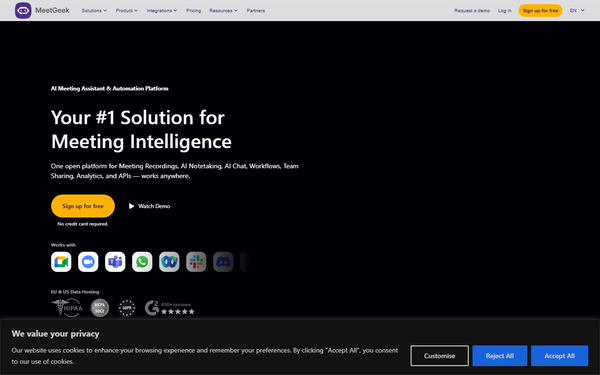
Core functionality includes one-click calendar integration for automatic meeting joining, real-time transcription in 50–100+ languages with auto-detection, AI-generated summaries (including next steps, decisions, and context-aware templates based on meeting type like sales or interviews), highlights, keyword extraction, and searchable storage of transcripts, audio, and video. Users can upload prior recordings for retroactive analysis, create clips/reels, and share snippets externally.
Standout features that differentiate MeetGeek include:
- Context-aware AI that auto-detects meeting types and applies customized summary templates, KPIs, or acronyms.
- AI Chat for querying all past meetings (e.g., “What were the action items from last week’s sync?”).
- Flexible recording options: bot join, no-bot browser/desktop recording, mobile app for in-person/offline meetings, and API/MCP for custom integrations.
- Robust automation workflows via Zapier, Make, n8n (20,000+ apps), plus direct CRM/PM integrations (HubSpot, Salesforce, ClickUp, Jira, Notion, Slack) and AI follow-up emails.
- Conversation intelligence analytics: speaker time distribution, sentiment, engagement scores, team performance insights, and sales-specific coaching tools (objection detection, win/loss signals).
- Team collaboration tools: shared workspaces, folders/tags, comments, private notes, and guest views.
Limitations include transcription hour caps on lower plans (3 hours/month on free, 20 hours on Pro), potential speaker identification inaccuracies in noisy or heavily accented conversations, waiting-room delays on some platforms, and less advanced features like custom speech-to-text models reserved for Enterprise. Multi-language support is strong but accuracy can vary by dialect. No major missing categories compared to peers, but very large enterprises may need the custom on-premise options only available at the top tier.

User Experience
MeetGeek offers a low learning curve with 1-click signup via Google or Outlook and automatic calendar sync—no admin permissions or complex setup required. The dashboard clearly lists upcoming meetings with toggles for bot participation, and post-meeting summaries arrive via email or in-app with clean, structured layouts (facts, decisions, next steps). Mobile apps enable offline recording, and the Chrome extension simplifies ad-hoc invites.
The interface is modern, intuitive, and professional, with searchable past meetings, tags, and an AI chat sidebar that feels like interacting with a personal assistant. Documentation is solid via the in-app help center and support articles; live chat and email support are available (with dedicated managers on higher plans). Users consistently rate ease of use highly (4.5+ on G2 and Capterra). Minor complaints involve occasional UI clutter in team workspaces or the need to re-run analysis for language tweaks.
Performance & Reliability
Summaries and transcripts typically generate within minutes after meetings end, with fast search and AI chat responses. Transcription accuracy is generally strong for clear English and supported languages, and the tool handles concurrent meetings well. Reliability is high for calendar-linked calls, with transparent bot presence and recording disclaimers.
Common user complaints (from G2 and Trustpilot as of April 2026) include occasional transcription errors with heavy accents, multiple speakers, or technical jargon; bot join failures in strict waiting rooms (mitigated by browser/no-bot options); and rare delays in email delivery or analytics processing on high-volume days. Speaker diarization (identifying who said what) is not 100% perfect. Overall, the platform earns strong reliability marks, with most users reporting it saves 30+ minutes per meeting.
Pricing & Value
MeetGeek uses a freemium model with generous entry:
- Basic (Free): 3 transcription hours/month, 3-month transcript storage, core AI summaries and search—ideal for testing or light use.
- Pro: ~$9.99/user/month (billed annually; higher monthly) for 20 hours/month, 1-year storage, meeting templates, advanced exports, and more integrations.
- Business: ~$17/user/month (annual) for unlimited hours/storage, HD video, custom branding, team analytics, automations, and Slack assistant.
- Enterprise: Custom pricing with SSO/SCIM, HIPAA, dedicated support, custom AI models, and on-premise options.
Annual billing saves up to 40%; 30% discounts available for startups, non-profits, and education. Unlimited free Basic licenses can be mixed with paid seats. Compared to alternatives like Otter.ai or Fireflies, MeetGeek offers competitive or lower pricing with stronger team collaboration and analytics at the Business tier, delivering excellent value for teams that regularly exceed free limits. The free tier alone provides more utility than many competitors’ trials.
Practical Tutorial
MeetGeek provides official getting-started resources and video overviews. Below is a step-by-step walkthrough for the most common task: setting up automatic recording and receiving AI summaries for a recurring team meeting (tested conceptually from official docs as of April 2026).
-
Sign up: Go to meetgeek.ai or app.meetgeek.ai/login and sign in with Google or Outlook. No credit card required. Your calendar events with Zoom/Meet/Teams links will auto-populate.
-
Configure preferences: In the dashboard’s Upcoming Meetings tab, review listed events. Toggle the Notetaker on for your target meeting (or set default rules in General Settings for internal vs. external meetings). Set preferred language and email summary recipients (e.g., “Team members only”).
-
Customize (optional, Pro+): Go to Settings > Meeting Assistant to change the bot name, add a custom recording disclaimer, or enable meeting-type auto-detection.
-
Join or host the meeting: At the scheduled time, enter the call as usual. MeetGeek’s Notetaker joins automatically (appears in the participant list—inform attendees for transparency). For ad-hoc meetings, paste the link into the app, email it to [email protected], or use the Chrome extension.
-
Run the meeting: Focus on discussion; MeetGeek records, transcribes, and analyzes in real time. It can handle up to the plan’s per-meeting duration limit (2–4 hours).
-
Access results: Within minutes after the meeting ends, receive an email with summary, transcript link, highlights, and action items. Log into the dashboard to view the full transcript, edit speaker labels if needed, generate clips, or query via AI Chat. Re-run analysis via the three-dot menu if language tweaks are required.
-
Share & automate: Tag the meeting, add private notes, share snippets, or trigger workflows (e.g., auto-post action items to Slack or update CRM). For recurring meetings, the setup persists.
Official tutorial video and full support articles are available at support.meetgeek.ai. For advanced automations, explore the API docs at docs.meetgeek.ai.
Final Verdict
Overall rating: 4.6/5 – A highly capable, affordable AI meeting intelligence platform that excels in automation and team knowledge sharing.
Teams with frequent meetings (sales, HR, customer success, or product) who want time-saving summaries, searchable history, and seamless integrations should use this tool—it delivers strong ROI through reduced admin work and better follow-through. Individuals or very small teams with minimal meeting volume may find the free tier sufficient but could outgrow it quickly. Avoid if you need perfect accuracy in highly specialized technical discussions with heavy accents or require on-premise deployment without Enterprise investment.
One-sentence recommendation: MeetGeek is an excellent choice for any meeting-heavy team seeking reliable AI-powered notes, insights, and automations at a fair price—start with the free plan and upgrade as your needs scale.