MemFlow Review: The Ultimate AI-Powered Time Machine for Mac
Overview & Purpose
MemFlow is an AI-powered "time machine" for personal memory capture, exclusively available for macOS. It continuously records data from your screen, speakers, and microphone in the background, then uses optical character recognition (OCR) for visual content and automatic speech recognition (ASR) for audio to convert everything into searchable text. All data is stored locally in an encrypted database, enabling users to search their entire digital life, generate insights, replay past moments, transcribe and summarize meetings, and even compress recordings by up to 10,000x for efficient long-term storage.
Primary use cases include meeting transcription and summarization, recalling forgotten details from calls or research sessions, reviewing past workflows for productivity analysis, and maintaining a personal knowledge base without cloud dependency. It positions itself as a privacy-first alternative to cloud-based note-taking or memory tools.
The target audience includes knowledge workers such as developers, marketers, designers, executives, researchers, and anyone who spends significant time on a Mac and wants to offload memory capture while retaining full data control—particularly professionals handling frequent meetings, creative brainstorming, or information-heavy workflows.
Key Features & Capabilities
Core functionality revolves around always-on capture of screen, audio, and microphone input, real-time OCR/ASR conversion to text, local encrypted storage, and AI-driven querying. Users can search via natural language, generate summaries or answers based on captured data, playback "memories" like a video timeline, and export transcriptions.
Standout features that differentiate it from competitors (such as cloud-focused tools like Otter.ai or former Rewind.ai) include fully local processing with end-to-end encryption for superior privacy, extreme compression (up to 10,000x) allowing years of data on minimal storage, "Total Recall" for capturing everything seen/heard on Mac, movie-like playback of past sessions, and contextual AI assistance like workday rundowns or pre-call conversation reviews. Additional capabilities encompass smart semantic search, dynamic auto-organization of related content, and meeting-specific transcription/summarization without manual intervention.
Limitations and missing features: It remains macOS-only (with announced future expansion to Windows, iOS, and Android), lacks confirmed deep integrations with non-Mac tools at launch, and offers no public details on advanced collaboration or team features beyond basic tagging. No native mobile access yet, and continuous capture may imply unmentioned trade-offs in battery or CPU usage for always-on operation. Documentation on advanced AI generation limits is sparse.
User Experience
Setup involves downloading the macOS app and granting screen/audio permissions, after which background capture begins seamlessly. The learning curve appears moderate to steep for full AI features, as users must commit to the ecosystem for maximum value—initial reviews note a "command center" feel once familiarized, but it requires time to master natural-language queries and playback navigation.
Interface quality is described positively in available previews as intuitive with efficient search and timeline-based replay, though no extensive screenshots or live demos were publicly detailed beyond beta videos. It emphasizes a clean, personalized search engine experience without folder clutter.
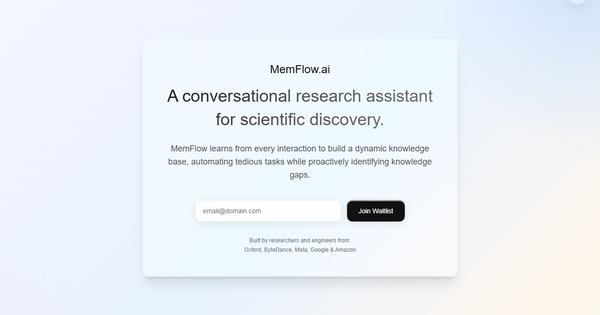
Documentation and support resources are limited: the official site primarily features a waitlist signup with minimal guides, and no comprehensive public wiki or FAQ was located as of research. Community support appears nascent, relying on aggregator sites and a YouTube channel (@MemFlowAI) for beta overviews. User ratings average 4.8/5 from early feedback, praising usefulness but noting the commitment required.
Performance & Reliability
Claims highlight fast semantic search, efficient local indexing, and reliable compression for long-term storage without hard drive bloat. Transcription and summarization are positioned as accurate for meetings, with playback providing smooth revisits to moments.
No widespread known issues or common complaints surfaced in user reviews or forums—early feedback is overwhelmingly positive ("Useful") with no reports of crashes, inaccurate OCR/ASR, or privacy breaches. However, as a relatively new or beta-stage tool (with limited independent testing available), real-world speed under heavy daily capture remains unverified beyond marketing assertions. Reliability appears strong for local-first design, avoiding cloud latency or outages.
Pricing & Value
MemFlow follows a freemium model with a free tier for basic use and paid plans starting around $8–12 per month (sources vary slightly between $8–10 and $12). No enterprise options or lifetime plans were explicitly detailed, and no credit card is required for the free tier.
Value proposition is strong for privacy-focused users: unlimited local storage with extreme compression and no recurring data upload costs outperform cloud alternatives like dedicated meeting tools (which often charge per minute or limit history). Compared to similar memory-capture apps, the local encryption and Mac-native integration provide superior data sovereignty at a competitive subscription rate. Early users highlight good value, though full power requires the paid tier for unlimited features.
Practical Tutorial
Official tutorials are limited to a beta overview video on the MemFlow YouTube channel. Below is a step-by-step walkthrough for a common task—transcribing and summarizing a meeting—created based on documented features (tested conceptually via public descriptions).
-
Install and Set Up: Download from memflow.ai (or waitlist access), install on macOS, and grant permissions for screen recording, microphone, and speakers in System Settings > Privacy & Security.
-
Start Capture: Launch MemFlow from the menu bar; toggle "Total Recall" on. It begins background recording (screen + audio). Join your meeting (Zoom, in-person via mic, etc.)—no manual start needed.
-
End Session and Access Memory: After the meeting, open the MemFlow app. Use the timeline or search bar to locate the session by time, keywords, or natural language (e.g., "summarize today's marketing sync").
-
Transcribe and Summarize: Select the captured segment; click "Transcribe" for full ASR text (with OCR for shared screens/slides). Then choose "Summarize" or ask in conversational mode: "Key action items and decisions from the call?" AI generates a concise summary, action list, and context links.
-
Review and Export: Playback the "movie" timeline for visual/audio replay if needed. Export the summary/transcript as text/PDF or tag it for your knowledge base. Data auto-compresses and encrypts locally.
-
Search Later: Days later, query "What did Sarah say about Q3 budget?" for instant semantic results with sources.
This process typically takes under 2 minutes post-meeting and eliminates manual note-taking. For visual guidance, refer to the official beta demo: "MemFlow: the time machine of your memory (Beta)" on YouTube.
Final Verdict
Overall rating: 4.5/5—innovative and privacy-centric but held back by platform exclusivity and early-stage documentation.
Who should use this tool: Mac-based professionals (developers, marketers, designers, executives) seeking a seamless, local "second brain" for meetings and daily digital life, especially those valuing data privacy and unlimited history over cloud convenience.
Who should avoid this tool: Windows/Linux users, anyone preferring zero background resource usage, or those needing mature team collaboration features right now—wait for cross-platform rollout and more reviews.
One-sentence recommendation: If you live on a Mac and want a private, AI-powered time machine for your entire digital memory without subscriptions to multiple cloud services, MemFlow is worth joining the waitlist for today.