Mindly AI Review: The Ultimate Automated Second Brain for Mac

Overview & Purpose

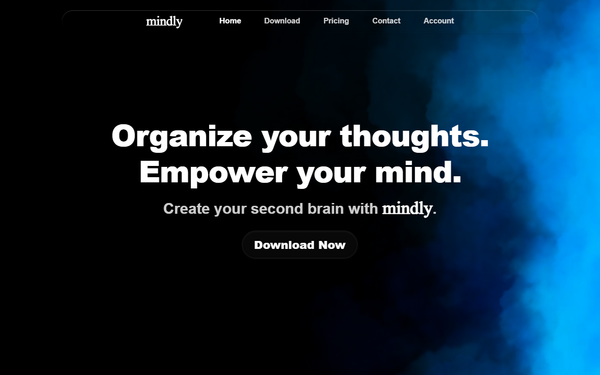
Mindly AI is a macOS-native application designed as a digital "second brain" that automatically captures, organizes, categorizes, summarizes, and connects your saved information using artificial intelligence. Users capture content instantly via a global keyboard shortcut—such as links, selected text, voice memos, files, tasks, or notes—and the AI handles the rest, turning scattered inputs into a structured, searchable knowledge base without any manual tagging or filing required. Primary use cases include managing research notes, journaling ideas, processing meeting recordings, saving web articles, and building personal knowledge graphs for long-term retention and retrieval. It targets knowledge workers, researchers, content creators, developers, marketers, and anyone experiencing information overload who prefers a hands-off approach to personal knowledge management (PKM) rather than traditional manual tools like Notion or Obsidian. The app emphasizes speed, privacy (local-first storage), and visual clarity, making it especially appealing to Mac users who want to focus on insights instead of organization.
Research for this review was conducted as of March 2026, when the product was still in its early post-launch phase (approximately 6–8 months after its Product Hunt debut).
Key Features & Capabilities
Core functionality revolves around instant capture and AI-driven processing: a system-wide shortcut lets you save content in seconds, after which Mindly automatically generates summaries, assigns relevant tags based on context, categorizes items, and builds connections between related pieces of information. The standout feature is its interactive visual mind-map-style graph that displays your entire knowledge base as connected nodes, allowing users to explore relationships intuitively rather than scrolling through lists. Additional capabilities include AI-powered search across all saved items, voice transcription (Premium only), task extraction, and smart suggestions for related content. These differentiate Mindly from competitors by eliminating nearly all manual organization—unlike tools requiring users to create folders, tags, or links themselves, Mindly does this proactively while remaining lightweight and native to macOS for snappy performance.
Limitations include its macOS exclusivity (no iOS, Windows, web, or Android versions mentioned), a very restrictive free tier capping users at 25 item cards with limited summaries, and an early-stage ecosystem lacking deep third-party integrations (e.g., no native Slack or Notion sync). Advanced querying or custom AI fine-tuning is not highlighted, and the visual graph may feel basic compared to dedicated mind-mapping tools. No offline limitations are noted beyond standard app behavior, but heavy reliance on AI accuracy means users should occasionally verify auto-generated summaries and connections.

User Experience
Mindly boasts a low learning curve thanks to its intuitive Mac-native design and shortcut-driven workflow—most users can start capturing productively within minutes of installation without reading extensive guides. The interface is clean, modern, and focused: a minimal dashboard leads directly into the interactive graph visualization, with smooth zooming, panning, and clicking to drill into cards, summaries, and connections. No cluttered menus or steep onboarding; the emphasis is on "capture once, let AI organize." Documentation and support resources are currently minimal (primarily in-app hints and a basic website FAQ), which is typical for an indie launch, though Premium users receive priority email support. Early feedback highlights the seamless, "lightning-fast" feel and lack of bloat, making it accessible even for non-technical users who dislike complex PKM apps.

Performance & Reliability
As a lightweight native macOS app with local-first architecture, Mindly delivers excellent speed and efficiency—captures are near-instant, AI processing happens quickly in the background, and the visual graph renders responsively even with dozens of items. Users report no lag or heavy resource usage, aligning with its privacy-focused design that avoids constant cloud syncing. Known issues or common complaints are virtually nonexistent in public sources, likely due to the product's recent launch and small user base; no widespread reports of crashes, inaccurate AI connections, or data loss appear in reviews or forums. Reliability seems solid for daily capture, though long-term scalability with thousands of cards remains untested publicly. Occasional AI summarization quirks (e.g., overly generic tags) are possible but not flagged as systemic problems.
Pricing & Value
Mindly follows a straightforward freemium model with two tiers. The Basic plan is free, allowing up to 25 item cards and limited AI summaries. The Premium plan costs €7.99 per month (or yearly billing with a 47% discount for significant savings) and unlocks unlimited cards, unlimited summaries, enhanced AI performance and suggestions, customization options, full voice transcription, and priority support. No enterprise tier is currently offered.
Value is strong for Mac users seeking automation: at under €8/month, it undercuts many AI-enhanced PKM tools (e.g., those charging $10–20 monthly) while delivering more hands-off organization than free alternatives like Apple Notes or basic Obsidian. The low entry barrier via the free tier lets users test core capture and visualization before committing. Compared to alternatives, Mindly excels in simplicity and visual connectivity but trades off cross-platform access and mature features found in established platforms.
Practical Tutorial
Official video or written tutorials are not yet available on the website or Product Hunt page, so the following step-by-step walkthrough is based on the app's documented workflow and early user descriptions. It covers a common task: capturing web research articles on a topic and exploring auto-generated connections to build a knowledge cluster.
Capturing Research Notes and Discovering Connections
-
Install and Set Up: Visit https://www.mindly-ai.com/, download the macOS app, and install it. Launch Mindly and (optionally) configure your preferred global keyboard shortcut in settings (e.g., Cmd + Shift + M for quick access from any app).
-
Capture Content: While reading an article (e.g., on AI ethics in a browser), highlight key text or simply hit your shortcut. Paste the link, type a quick note, record a voice memo summarizing the piece, or attach a PDF/file. Confirm to create a new "item card." Repeat for 3–5 related articles.
-
Let AI Process Automatically: Mindly immediately generates a concise summary, assigns contextual tags (e.g., "#AI #Ethics #Research"), categorizes the item, and analyzes connections to your existing cards (e.g., linking to a previous note on machine learning bias).
-
Open the Visual Graph: Launch or switch to the Mindly window. View your dashboard or interactive mind-map graph, where each captured item appears as a node. Zoom out to see the full structure; related cards cluster together visually with connecting lines.
-
Explore and Leverage Insights: Click any node to read the full card, AI summary, tags, or linked content. Use the built-in search bar for queries like "AI ethics connections" to surface AI-suggested relationships. Export or copy summaries for reports. In Premium, enable voice transcription for spoken meeting notes and enjoy unlimited storage for growing your knowledge base.
This process typically takes under a minute per capture and reveals unexpected connections (e.g., linking ethics articles to your earlier productivity notes). For visuals and updates, check the official site or Product Hunt page. Experiment with voice memos for hands-free journaling to see the full automation in action.
Final Verdict
Mindly earns an 8/10 rating—highly promising for its innovative automation and visual elegance, though held back slightly by its early-stage maturity and platform limitations.
This tool is ideal for Mac-based knowledge workers, researchers, and creators who want to reclaim time from manual organization and instead focus on synthesizing ideas through an always-updated, connected second brain. It shines for anyone frustrated by information overload who values speed, privacy, and minimal effort.
Avoid Mindly if you need cross-platform support (Windows, mobile, or web), rely on a large existing ecosystem of integrations, prefer full manual control over your notes, or operate on a tight budget where the free tier's 25-card limit feels too restrictive.
In one sentence: If you're on macOS and ready to stop wrestling with note organization, Mindly delivers an effortless AI-powered second brain that just works—give the free tier a spin today.