Minduck Review: The Ultimate AI Mind Mapping Tool for Creators
Overview & Purpose

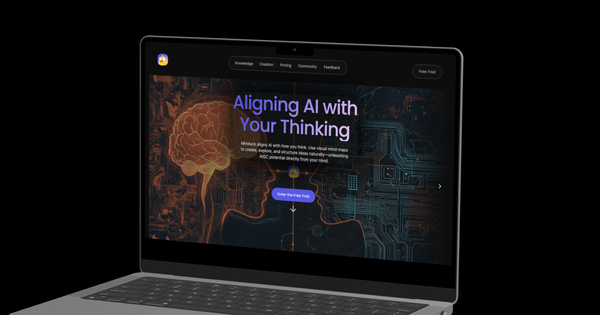
Minduck is a web-based AI-generated content (AIGC) platform that replaces traditional chat interfaces with interactive visual mind maps, allowing users to structure ideas naturally while guiding AI generation in real time. By inputting an initial concept or question, users watch the AI build, expand, and refine branching mind maps that organize thoughts, predict connections, and recommend optimal content formats such as articles, images, presentations, or outlines. The two core modes—Minduck Creation for turning maps into polished outputs and Minduck Discovery for transforming searches into interactive knowledge maps with linked sources—streamline research, planning, writing, and visualization. Primary use cases include brainstorming project frameworks, developing content strategies, summarizing complex topics, and creating visual aids for presentations or reports. It targets visual thinkers who struggle with linear prompting, making it particularly suitable for students, researchers, educators, writers, content creators, graphic designers, managers, customer success teams, and academics who need structured, comprehensive drafts without extensive prompt engineering.

Key Features & Capabilities
Core functionality centers on dynamic mind maps where every node change influences AI outputs: users add branches, elaborate concepts, or request explanations, and the platform auto-generates structured content while maintaining visual transparency so the AI’s reasoning process remains observable and editable. Standout differentiators include proactive content-type recommendations based on map structure (e.g., suggesting an infographic from image-friendly branches), specialist AI agents for text or visual tasks, document upload that converts files into editable maps, multiple export formats (Xmind, Markdown), and Discovery-specific tools like Pro-Search, follow-up questions, related queries, and an Insight Book for deeper dives with credible sources. Upcoming Pro enhancements include social-sharing images, editable knowledge books, and advanced model access. These visual-first mechanics set Minduck apart from chat-only competitors like ChatGPT or Claude by aligning directly with human thought patterns rather than requiring iterative text refinement.
Limitations include occasional inaccurate or irrelevant search results in Discovery mode, advanced features (such as higher chip limits for Creation and Pro functions) locked behind subscription, interface clutter with multiple large projects, limited mobile and cross-platform support, and underdeveloped project reporting. No native collaboration tools or extensive third-party integrations are currently available, and the platform remains relatively new with evolving capabilities.

User Experience
Minduck offers an intuitive visual interface with a minimal learning curve, especially for users comfortable with mind-mapping concepts; most reviewers note that non-technical users can start generating meaningful outputs within minutes without mastering prompts. The clean, interactive canvas allows real-time dragging, expanding, and editing of nodes, with AI suggestions appearing seamlessly. Interface quality is praised for clarity and engagement among visual learners, though it can become overwhelming when handling expansive projects or numerous open maps simultaneously. Documentation consists of an active changelog, blog, and community-driven YouTube/LinkedIn walkthroughs rather than exhaustive formal guides, while support appears community-oriented with no dedicated helpdesk highlighted in sources. Overall accessibility is a major strength, lowering barriers for anyone intimidated by traditional AI tools.
Performance & Reliability
Generation is generally fast and efficient for mapping ideas and producing initial structured outputs, with users reporting more professional and comprehensive results than conversational AI due to the guided visual process. Discovery mode quickly converts queries into interconnected knowledge graphs with source links, aiding rapid learning and research. Known issues include inconsistent search relevance (common to AI tools but noted specifically here), occasional slowdowns or confusion in complex multi-map workspaces, and dependency on the free-tier daily limits for advanced functions. No widespread outages or major reliability complaints surfaced in reviews as of March 2026, though accuracy requires user verification and editing for critical work. Performance improves significantly with the Pro plan’s extra chips and functions.
Pricing & Value
Minduck offers a generous free “Ducker” tier with unlimited quick searches and 5 Pro function units per day, sufficient for light exploration and basic mind mapping. The Minduck Pro plan unlocks full capability at $29.99 per month or $19.99 per month when billed yearly, providing 1,000 chips monthly for Creation tasks, 300+ Pro units, advanced search/follow-up tools, and priority access to upcoming features; a launch-period free trial grants temporary full Pro access. No enterprise tier is listed. Value is strong for visual creators who benefit from the integrated mind-map workflow—often replacing separate tools for brainstorming, outlining, and generation—though users needing heavy daily usage or mobile-first access may find the subscription cost (and limits on free tier) less competitive against unlimited chat-based alternatives.
Practical Tutorial
No official step-by-step video series exists on the site, but community demos (YouTube/LinkedIn) and changelog examples illustrate usage clearly. Here is a practical walkthrough for a common task—researching and generating a content plan for “latest trends in YouTube educational content about AI tools”—using Minduck Creation and Discovery (tested conceptually via public descriptions; actual results may vary with updates).
- Sign up for free at minduck.com and start a new project in Creation or Discovery mode.
- Enter your prompt in the central node: “Create a mind map on the latest trends in YouTube educational content about AI tools and business applications.”
- The AI instantly generates a visual mind map with a central topic and auto-expanded branches (e.g., Trend Drivers, Popular Formats, Key Influencers, Monetization Strategies).
- Click any branch to elaborate: select “Pro-Search” or “Explain” (uses one Pro unit) to deepen a node with sources and sub-branches; edit or add your own nodes manually.
- Request content generation: highlight a cluster (e.g., “Popular Formats”) and choose “Generate Article Outline” or “Image Ideas”—AI produces polished text or visual suggestions directly tied to the map.
- Refine iteratively: drag nodes, merge concepts, or use “Related Question” for follow-ups; export the full map as Xmind/Markdown or generated content as a document.
- For deeper research, switch to Discovery mode with the same prompt to receive a knowledge map with linked sources and an Insight Book summary.
Repeat expansions until satisfied, then share or export. This process typically takes 10–20 minutes and yields a ready-to-use framework far more organized than chat-only prompting. Community examples are available via searches for “Minduck AI tutorial” on YouTube.
Final Verdict
Overall rating: 4.5 out of 5. Minduck excels for visual thinkers, researchers, writers, designers, and educators who want AI to mirror their natural idea-flow rather than forcing linear chats, delivering organized, comprehensive outputs that boost productivity and creativity. Avoid it if you prioritize mobile access, require perfect search accuracy without verification, or manage very large collaborative projects, as these areas still need refinement. One-sentence recommendation: For anyone tired of wrestling with chat prompts and craving structured visual creativity, Minduck is a standout choice worth trying on its free tier today.