MixMemo AI Review: The Ultimate AI-Powered Infinite Canvas
Overview & Purpose

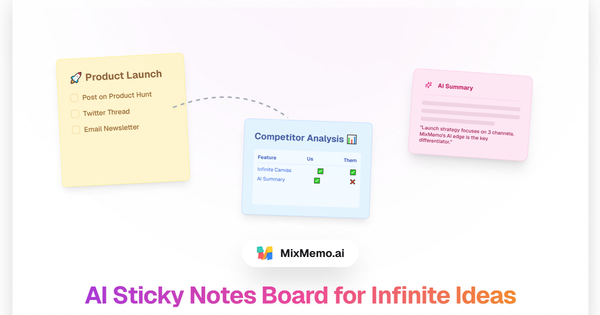
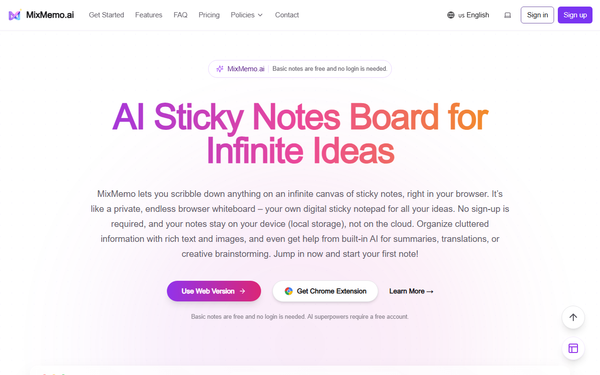
MixMemo.ai is an AI-powered infinite sticky-notes board and notepad available as a web app and Chrome extension, designed for capturing, organizing, and enhancing ideas on a boundless canvas with rich text, images, and file attachments. Notes are stored locally in the browser's IndexedDB database by default, requiring no login for basic use, while AI features (which process only the selected content by uploading it to the cloud when invoked) require a free account. The tool emphasizes privacy, speed, and visual thinking without the complexity of full note-taking suites or whiteboards.
Primary use cases include organizing study materials and generating flashcards for students and exam takers, brainstorming and project tracking for knowledge workers, plotting ideas or character boards for writers, and preparing lesson plans for teachers. It targets students, exam takers, writers, teachers, and knowledge workers who value spatial organization on an infinite canvas combined with quick AI assistance for editing and insights, particularly those prioritizing data privacy over cloud sync or collaboration. Research conducted as of March 5, 2026.
Key Features & Capabilities
Core functionality revolves around an endless canvas where users click to create draggable, resizable sticky notes supporting full rich-text formatting (bold, lists, code blocks, tables, colors), image uploads, and file attachments (PDFs, DOCX, spreadsheets). Navigation includes mouse-drag panning, wheel scrolling, and a built-in minimap for quick jumps; notes can be exported as PNG/PDF or shared via permanent public read-only links. In the Chrome extension, notes become semi-transparent when not focused to reduce visual clutter from overlaps.
Standout features that differentiate it from competitors like Miro, Milanote, or Notion include its strict local-first storage (no automatic cloud sync, keeping raw data device-bound) paired with integrated AI tools that act on selected text or entire notes: rewriting (formal/casual/concise/expand), summarizing (brief/bullets/to-dos/keywords), translation, quiz-card generation (flashcards, multiple-choice), and one-click infographic creation (mindmaps, flowcharts, timelines, sequence diagrams, pie charts, Gantt charts). Additional AI capabilities mentioned in the extension description include image generation, OCR, document analysis, and data visualization. AI relies on models such as Google's Gemini and uploads only the necessary content.
Limitations include no mobile app, no automatic synchronization between the web version and Chrome extension (manual export/import required), credit-based metering for AI usage (potentially limiting heavy use on free tiers), reliance on browser storage (risk of data loss if cache is cleared without backups), and a lack of real-time collaboration or advanced search. No enterprise-grade security certifications or team workspaces are highlighted.
User Experience
MixMemo.ai offers an exceptionally low learning curve: users can open the site or extension and begin creating notes instantly with zero setup or login for basics. The interface feels clean and intuitive—click anywhere to spawn a note, drag handles to move/resize/delete, and access formatting or AI tools via simple menus or selections. The minimap and transparent extension notes enhance navigation and reduce frustration on dense canvases. Overall interface quality is modern and distraction-free, with fast editor loading and smooth pasting from external sources (webpages, screenshots, documents).
Documentation is basic but sufficient for core use, consisting of an on-site "How to Use" guide covering canvas basics and a short FAQ; no extensive knowledge base, video library, or community forum exists. Support resources include a contact form and priority email for paid users; the tool is still early-stage, so self-service help is limited.
Performance & Reliability
Performance is snappy thanks to local-first storage and IndexedDB—no loading delays for note creation, dragging, or basic editing even on large canvases. AI processing is quick for text-based tasks and visual generation, with only selected content sent to the cloud, minimizing latency and data exposure. The Chrome extension (updated as recently as March 5, 2026) runs efficiently within the browser.
No widespread known issues or common complaints appear in public sources, likely due to the tool's recent launch (~early 2026). Minor reliability notes include the need for manual backups to avoid browser-cache data loss and potential IndexedDB storage quotas on very large boards. The 4.3/5 Chrome Web Store rating (from 6 ratings, ~3,000 users) shows early positive reception with no detailed negative feedback publicly available.
Pricing & Value
MixMemo.ai follows a freemium model. Basic note-taking is completely free with no login required. A free account (Starter tier) unlocks AI features with limited monthly credits (approximately 5,000 credits, equating to roughly 500 standard AI actions or image generations). Paid plans include Creator at $23.99/month (or $287.90 billed yearly) with 25,000 credits (5× Starter), full access to advanced models, no watermarks, HD output, commercial licensing, priority support, and upcoming features like AI music/video generation. Enterprise is $79.99/month (or $959.90 yearly) with 100,000 credits (20× Starter) and is aimed at teams/studios. Credits reset monthly and do not roll over; no refunds are mentioned.
Value is strong for solo users who need occasional AI assistance alongside privacy-focused visual organization—far more affordable and private than subscription-heavy alternatives like Miro or Heptabase for light-to-moderate use. Heavy AI users or businesses will find the Creator plan competitive, though credit consumption rates (especially for image-heavy tasks) should be monitored. Compared to free tools like basic whiteboards or local apps, the seamless AI-to-infographic workflow adds significant productivity upside.
Practical Tutorial
Official tutorials are limited to the homepage "How to Use" guide; the following is a self-contained, real-world walkthrough for a common student task—turning pasted lecture notes into a structured mindmap and flashcards (based directly on site functionality).
Turning Lecture Notes into a Mindmap and Flashcards in MixMemo.ai
- Access the Canvas — Go to https://mixmemo.ai/ (or click the Chrome extension icon). The infinite board loads instantly—no login needed for notes.
- Capture Content — Click any empty spot to create a sticky note. Paste your lecture text (e.g., "WWII key events: 1939 invasion of Poland, 1941 Pearl Harbor..."), upload related images (diagrams or timelines), or attach a PDF syllabus. Repeat for sections; use rich-text tools to bold headings or add bullets.
- Organize Visually — Drag notes by the top-left handle to arrange spatially (e.g., causes left, events center). Resize via bottom-right handle; use the minimap (bottom-right) to navigate large boards.
- Apply AI for Structure — Select text or an entire note. Open the AI tools menu and choose "Infographic" → "Mindmap" (or "Timeline"/"Flowchart"). The AI processes only the selected content and inserts a new visual note. Repeat with "Summarize" for bullet highlights if needed.
- Generate Flashcards — Select key facts or the whole note, then choose "Generate quiz cards" (flashcards, multiple-choice, or mixed). AI creates question-answer pairs as new sticky notes.
- Refine and Export — Drag the generated mindmap/flashcards around the canvas, rewrite any text for clarity, or add connecting notes. Export the entire board or selections as PDF/PNG. For backup or transfer to the extension, use the import/export feature; generate a public share link if you want to review on another device.
Example outcome: A student pasting a biology chapter summary instantly receives a mindmap of cell processes and 20 ready-to-study flashcards—perfect for visual exam prep. For more basics, see the official guide on the homepage.
Final Verdict
Overall rating: 4.3 out of 5. MixMemo.ai excels for students, writers, and solo knowledge workers who want a fast, private, infinite sticky-note canvas with genuinely useful AI for quick editing and visual structuring—its local-first design and one-click infographics set it apart from cloud-heavy alternatives. It should be avoided by teams needing real-time collaboration, mobile access, or heavy unlimited AI usage without monitoring credits, and by users uncomfortable with manual backups or early-stage tool support. One-sentence recommendation: If you crave an endless private whiteboard where sticky notes come alive with AI-powered mindmaps and flashcards, MixMemo.ai is an outstanding, low-friction choice worth trying today.