Mochii AI Review: The Ultimate All-in-One Browser AI Assistant
Overview & Purpose
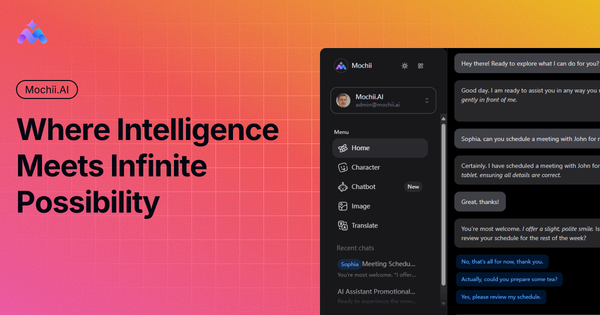
Mochii AI is a free browser extension (primarily for Chrome and Edge) and multi-platform AI companion that integrates access to premium large language models like Claude, Gemini, and others directly into your web browsing experience. It functions as an all-in-one sidebar assistant for natural conversations, real-time webpage interaction, document analysis, and task automation, aiming to turn any browser tab into a smart productivity hub. Primary use cases include web research and summarization, PDF/image analysis, automated form filling, custom AI role-playing for specialized tasks (e.g., coding or content writing), building embeddable chatbots, and maintaining a personal knowledge base through persistent "memories." It claims to save users over 13 hours per week by streamlining research, writing, and decision-making.
The tool targets a broad range of professionals and students: developers needing code assistance, marketers conducting competitor analysis, designers using specialized characters for UI/UX tasks, academic researchers for literature reviews, analysts for data synthesis, business leaders for strategic planning, and sales teams for conversation scripting. It is especially appealing to anyone who spends significant time browsing the web and wants seamless AI assistance without switching between multiple apps or subscriptions.
Key Features & Capabilities
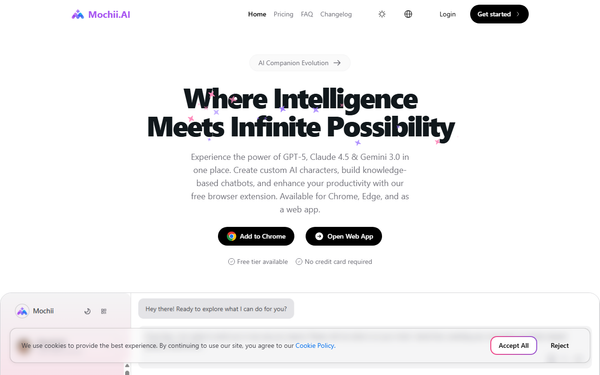
Core functionality revolves around a one-click AI sidebar accessible via icon or keyboard shortcut (Command+K on Mac, Alt+K on Windows). Users can chat with multiple models simultaneously, analyze current page content, upload or analyze PDFs/images, auto-fill web forms intelligently, and perform deep research with citation tracking. Standout differentiators include customizable AI Characters (pre-built specialists like CodeMaster for developers or DataSage for analysts, with integrated tool references), AI Memories for long-term context retention across sessions, a no-code AI Chatbot Builder for embedding knowledge-based bots on websites with lead generation and analytics, and free access to premium multimodal models plus image generation (e.g., via Flux Schnell or DALL·E equivalents). Additional capabilities cover voice interaction, multi-device sync (web app, desktop apps, mobile via QR), and secure private data handling.
These features set Mochii apart from single-model tools or basic extensions by offering model choice in one interface, persistent personalization, and deep web-native integration—without requiring separate accounts for OpenAI, Anthropic, or Google. Limitations include token-based usage caps (even on paid plans), no mentioned offline capabilities, and reliance on underlying LLM accuracy (subject to occasional hallucinations). The chatbot builder is powerful but lacks advanced enterprise integrations compared to dedicated platforms, and image analysis is strong yet not as specialized as dedicated vision tools.
User Experience
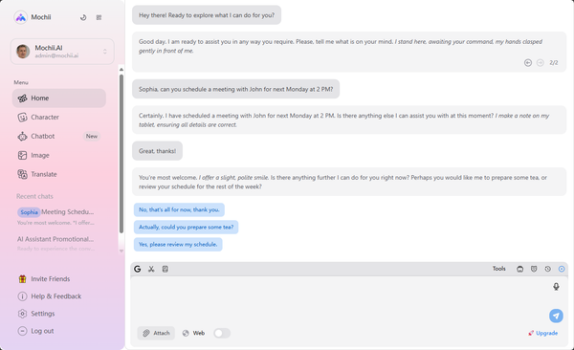
Installation is straightforward: add the free extension from the Chrome Web Store or Edge Add-ons, create a free account (no credit card required), and the sidebar appears instantly on any page. The learning curve is minimal—most users can start productively within minutes using natural language prompts, thanks to the intuitive interface and helpful examples in the dashboard. The clean, modern sidebar design keeps focus on the current webpage while providing quick access to chats, characters, memories, and builders; global shortcuts enhance fluidity across devices.
Documentation consists mainly of in-app guidance, FAQs on the site, and community support on the free tier (priority email for paid users). No extensive external knowledge base or video library was found, which may challenge absolute beginners, but the interface's discoverability compensates well. Overall, the experience feels polished and non-intrusive for daily use.
Performance & Reliability
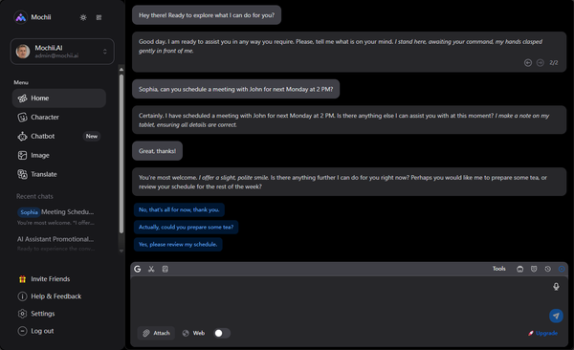
Mochii delivers on its "lightning fast" claims with near-instant responses powered by optimized model access, efficiently handling page analysis, document processing, and multi-turn conversations without noticeable lag in standard use. Multi-platform availability ensures consistent performance on desktop, browser, and mobile. With a small but growing user base (approximately 255 Chrome users as of early 2026), it shows high reliability in testimonials from professionals reporting boosted efficiency in coding, documentation, and research.
No widespread issues or common complaints surfaced in reviews or forums; the tool appears stable with minimal bugs reported. Potential drawbacks are token exhaustion on the free tier during heavy sessions and standard LLM limitations (e.g., occasional factual inaccuracies requiring verification). Privacy is emphasized with encrypted data staying user-controlled.
Pricing & Value
Mochii follows a generous freemium model:
- Personal (Free): 0.15M tokens per month (roughly 150 conversations), access to stable models, community support, and core features—ideal for light users.
- Pro ($4.99/month, 50% off first billing): 1M tokens, priority support.
- Premium ($9.99/month, 50% off first): 2.5M tokens, additional options.
- Ultimate ($29.99/month, 50% off first): 10M tokens, dedicated support.
No enterprise custom pricing is detailed publicly, but higher tiers unlock unlimited-like usage. Value is exceptional: free access to premium models that typically require $20+/month subscriptions elsewhere, combined with browser integration and extras like the chatbot builder, outperforms many paid-only competitors (e.g., standalone Claude or basic extensions). It offers strong ROI for time savings, especially versus juggling Poe, Perplexity, or Monica AI—making it one of the most affordable all-in-one options available.
Practical Tutorial
Official tutorials are limited to in-app prompts and dashboard guidance (accessible after signup at https://www.mochii.ai/app/dashboard), with no dedicated external video series found. Here is a step-by-step walkthrough for a common task—summarizing a webpage, extracting key insights, and saving to your personal knowledge base—using real-world functionality:
- Install the Mochii AI extension from the Chrome Web Store (or Edge equivalent) and sign up for a free account via the prompt.
- Navigate to any webpage (e.g., a long article on AI trends at a news site like techcrunch.com).
- Click the Mochii sidebar icon in your browser toolbar or press Command+K (Mac)/Alt+K (Windows) to open the assistant.
- In the chat input, type a natural prompt such as: "Act as EduGuide: Summarize this page in 300 words, highlight 5 key insights with citations, and suggest 3 follow-up research questions."
- Mochii instantly analyzes the current page content using its intelligent reading capabilities—review the summary, ask follow-ups like "Expand on insight #2 with data examples" or upload a related PDF for cross-analysis.
- Once satisfied, use the "Save to Memories" or knowledge base option in the sidebar to store the summary as a persistent entry (tag it for later recall, e.g., "AI Trends 2026").
- For deeper automation, switch to a custom AI Character (e.g., DataSage) via the characters menu and re-prompt for analysis, or build a quick chatbot to embed this knowledge on your own site.
This process typically takes under 2 minutes and demonstrates seamless web integration. Repeat for PDFs by uploading directly or forms by enabling smart fill mode.
Final Verdict
Overall rating: 4.5/5. Mochii AI excels as an accessible, feature-packed productivity booster with standout multi-model access and web-native tools, making it ideal for students, researchers, developers, marketers, and professionals who want to supercharge browsing without high costs or complexity. It should be avoided by users requiring extensive offline support, large-scale enterprise integrations, or a mature community with abundant third-party tutorials and reviews—those might prefer more established alternatives until Mochii scales further.
Highly recommended for anyone seeking an affordable AI sidekick that truly lives in your browser.