Moonvalley Review: Professional AI Video Generation with Control
Overview & Purpose

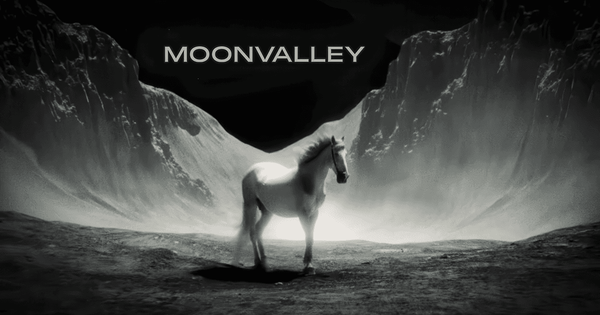
Moonvalley (accessible at moonvalley.com, with moonvalley.ai resolving to the same platform) is an AI-powered video generation platform centered on its core model, Marey. It specializes in text-to-video and image-to-video creation, producing studio-grade cinematic and animated clips with precise, director-level control. Primary use cases include generating short-form content for film pre-visualization, marketing assets, indie productions, and professional storytelling—such as animating still images into dynamic scenes or transferring motion across characters while maintaining natural physics and lighting.
The platform targets professional filmmakers, indie creators, studios, marketers, and designers who require commercially safe outputs and fine-grained control rather than simple prompting. Unlike consumer-focused tools, Marey emphasizes hybrid workflows that blend AI generation with traditional filmmaking techniques, making it ideal for those integrating AI into paid productions or avoiding IP risks.
Research note: This review is based on sources consulted as of March 2026.
Key Features & Capabilities
Core functionality revolves around Marey’s text-to-video and image-to-video generation, supporting up to 5–10 second 1080p clips at 24 FPS with aspect ratios ranging from widescreen to vertical. Users input prompts, upload reference images, or apply controls to produce high-fidelity footage featuring astonishing detail (fine textures, clean edges), natural physics, dynamic motion, advanced lighting continuity, and strong prompt adherence.
Standout features that differentiate it from competitors (e.g., Runway, Luma, or OpenAI Sora) include:
- Motion-guided controls: Pose transfer (apply performance from reference images), motion transfer (capture timing/energy from videos), trajectory control (draw object paths), and camera control (turn 2D images into 3D-navigable scenes for cinematic moves).
- Composable layers: Stack motion, style, camera direction, and more without structural breakdown.
- Ethical training data: Exclusively trained on fully licensed or owned 1080p material (including partnerships with Vimeo and independent filmmakers), ensuring commercially safe, lawsuit-resistant outputs with indemnity protections.
Limitations include short clip lengths (no native long-form or audio generation), occasional hit-or-miss consistency in complex scenes, no built-in analytics or trending community gallery (features referenced in earlier descriptions appear absent or deprioritized), and no support for NSFW or heavily restricted prompts. Missing elements common in rivals: longer generations, real-time preview, or extensive style libraries.

User Experience
The interface is clean and professional, centered on a web-based creator dashboard accessed after sign-up. It feels filmmaker-oriented with dedicated panels for controls (e.g., drawing trajectories or selecting camera paths), making advanced features intuitive once learned. Ease of use is high for those familiar with video tools, but beginners face a moderate learning curve due to the precision-focused controls rather than pure text prompting.
Documentation is lightweight—primarily blog posts on vision and ethics, plus an active official YouTube channel (@trymoonvalley) with targeted tutorials. Support resources include email/contact forms and inference partners (e.g., Fal.ai hosting); no extensive knowledge base or live chat is prominently featured. Overall, the UX prioritizes control and quality over speed or hand-holding.
Performance & Reliability
Generation typically produces sharp, artifact-free 1080p footage with excellent temporal consistency in simple scenes, but speeds are a noted drawback—often described as slow compared to lighter tools. Clips render reliably for licensed, controlled inputs, with strong physics and lighting adherence.
Common complaints from users include inconsistent results on complex or highly detailed prompts (“hit or miss”), limited credit efficiency for iteration, and occasional jitter in motion-heavy sequences. No widespread outages reported; reliability shines in professional test cases (e.g., indie filmmakers cutting costs 20–40%). Environmental impact and energy use align with industry norms for video AI but are not highlighted as superior.
Pricing & Value
Moonvalley operates on a credits-based subscription model with no free tier:
- Starter: $14.99/month for 100 credits (roughly 50–100 short clips depending on complexity).
- Pro: $34.99/month for 250 credits.
- Enterprise/Power: $149.99/month for 1,000 credits, plus custom plans with dedicated support and advanced features (contact sales).
All plans include full commercial rights and 1080p output. Value is strong for professionals: the licensed-data safety and precise controls justify the cost versus riskier free/cheap alternatives, especially for studios facing copyright scrutiny. Casual users may find credits restrictive compared to unlimited or longer-clip competitors. Enterprise options scale well for teams.
Practical Tutorial
Official tutorials are available on Moonvalley’s YouTube channel. Below is a step-by-step walkthrough for a common task—creating an image-to-video clip with camera control (e.g., turning a static landscape photo into a cinematic dolly shot). This is synthesized from official resources and works as of March 2026.
- Visit https://www.moonvalley.com/, click “START CREATING,” and sign up/log in with a paid plan active.
- In the Marey dashboard, select “Image to Video” mode and upload your reference image (e.g., a high-res still from your portfolio).
- Enter a descriptive text prompt (e.g., “A serene mountain lake at dawn with gentle wind ripples, cinematic lighting”).
- Enable Camera Control: Transform the 2D image into a 3D environment. Draw or select a path (e.g., forward dolly zoom) and set parameters like speed, angle, and focal length.
- (Optional) Layer additional controls: Add trajectory for foreground elements or pose transfer if animating subjects.
- Adjust settings (resolution 1080p, duration up to 5–10 seconds, FPS 24) and hit “Generate.” Processing time varies (typically minutes).
- Review the output in the preview player, iterate with refinements if needed, then download the MP4.
For visual guidance, watch the official “How to use Camera Control with Marey by Moonvalley” tutorial: https://www.youtube.com/watch?v=SJ-R6Mg15G0 or the “Getting Started with Marey” video: https://www.youtube.com/watch?v=RDR86CAhKhM. Experiment with motion/pose transfer for character animations using similar steps.
Final Verdict
Overall rating: 4.2/5 (strong ethics and control elevate it for pros; length and speed limit broader appeal).
Who should use this tool: Professional filmmakers, indie studios, and designers needing commercially safe, director-level precision in short cinematic clips—especially those wary of IP risks from scraped-data models.
Who should avoid this tool: Beginners or hobbyists seeking free, instant, long-form, or highly consistent generations without a learning curve and subscription commitment.
One-sentence recommendation: Moonvalley’s Marey delivers ethical, filmmaker-first AI video that stands out for control and safety—ideal if you’re ready to direct every frame.