Motiff Review: The AI-Powered UI Design Tool for Rapid Prototyping
Overview & Purpose
Motiff is an AI-powered professional interface design tool that generates production-ready UIs from diverse inputs including text prompts, images, PDFs, and markdown files. It redefines the design workflow by enabling seamless human-AI collaboration, turning concepts into consistent, editable interfaces ready for any platform with automatic code export options. Primary use cases include rapid prototyping of mobile apps, e-commerce checkouts, dashboards, and web tools; iterative refinement for product discovery; and streamlined design-to-development handoff. The target audience spans UI/UX designers, front-end and full-stack developers, product managers, consultants, business analysts, and indie creators who benefit from accelerated visualization without traditional design expertise.
As of March 2026 research across the official site and trusted reviews, Motiff positions itself as a focused UI generator rather than a general-purpose canvas, distinguishing it in an ecosystem dominated by tools like Figma.
Key Features & Capabilities
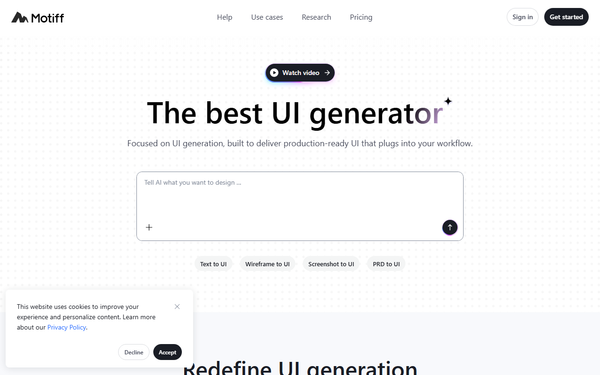
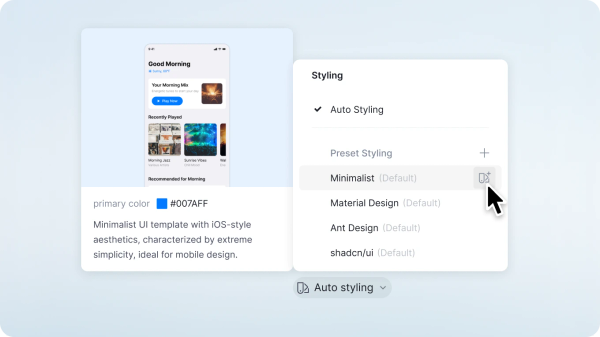
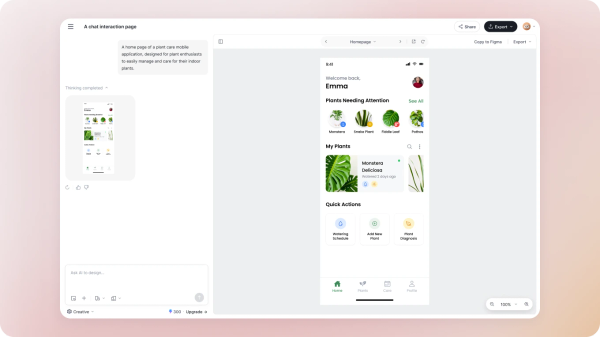
Core functionality centers on AI-driven UI generation with context-aware understanding of user inputs, followed by instant refinement through natural language descriptions on selected elements. Built-in preset design systems (Material Design, Ant Design, shadcn/ui) enforce consistency automatically, while auto-layout, real-time collaboration, and one-click exports to clean React/HTML or image formats handle the full pipeline from ideation to handoff.
Standout features include multi-modal input processing (beyond simple prompts), smart duplication and reduplication for variant creation, layout optimization with consistency checking, and Dev Mode for developer-friendly code transfer. These differentiate Motiff from competitors by delivering production-ready outputs rather than mere inspiration, with AI handling tedious tasks like spacing, alignment, and component inventory maintenance far faster than manual work.
Limitations include a smaller plugin ecosystem and less granular creative flexibility compared to established tools—AI outputs can occasionally feel rigid or templated, requiring manual tweaks for highly bespoke designs. Advanced design token management and complex multi-file workflows are less mature, and some generative features remain beta-like with occasional polishing needed.
User Experience
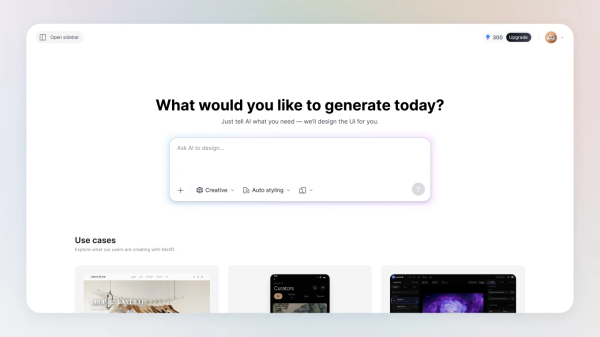
Motiff features a clean, Figma-familiar interface with intuitive keyboard shortcuts (e.g., F for frames) and a prominent AI panel for prompt-based assistance, resulting in a gentle learning curve—especially for users already versed in vector-based editors. Beginners and non-designers praise the low barrier, as simple text prompts or uploads yield high-fidelity results quickly.
Interface quality is professional and performant, emphasizing real-time edits and collaboration without clutter. Documentation includes official quick-start guides on prompting and use cases, supplemented by abundant community YouTube tutorials and help resources. Support is primarily email-based with responsive community feedback, though deeper enterprise resources scale with paid plans.
Performance & Reliability
Generation and iteration occur in seconds, delivering clean, aligned UIs with strong efficiency gains reported across reviews—users note dramatic time savings on repetitive tasks like layout adjustments and component creation. Reliability shines in standard professional scenarios, with automated testing and daily expert oversight ensuring aesthetic and functional consistency.
Known issues include occasional misalignment in complex outputs or the need for multiple refinement iterations on intricate customizations; some users mention minor performance lags in very large projects. Common complaints center on AI occasionally producing generic results rather than fully innovative ones, though these are outweighed by overall speed and quality in most feedback.
Pricing & Value
Motiff follows a credit-based freemium model. The free Starter tier provides limited monthly credits for basic generations and image exports, suitable for testing or light use. Paid Professional plans (approximately $16–20/month, with annual discounts) unlock higher credit limits, full UI/code exports, Dev Mode access, and advanced collaboration—Organization/Enterprise options scale for teams. Details and exact tiers appear on the official pricing page, which emphasizes upgrades for seamless workflow integration.
Value stands out through significantly lower costs than Figma equivalents while delivering superior AI automation, making it especially compelling for individuals, startups, and teams prioritizing speed and code handoff over extensive plugins. Third-party comparisons consistently highlight the strong ROI for AI-assisted workflows.
Practical Tutorial
Official documentation and use-case galleries provide inspiration, while community resources (including YouTube walkthroughs) supplement hands-on learning. Here is a step-by-step tutorial for a common task—generating and refining an "AI Support Insights Dashboard" from a text prompt, based on real site examples and established workflows.
-
Sign up or log in at motiff.com and create a new project/file. The interface loads with a familiar canvas and AI generation panel on the right.
-
In the AI prompt area (often labeled as the generator or "Motiff Lab" equivalent), enter a detailed description: "Create a modern desktop dashboard for AI Support Insights with dark theme, key metrics cards, interactive charts for ticket volume and resolution time, agent performance table, and sidebar navigation. Use shadcn/ui styling."
-
Select a preset styling (e.g., shadcn/ui or Minimalist) and generate. Motiff produces a full high-fidelity layout in seconds, complete with auto-layout and consistent components.
-
Click any element (e.g., a chart) and use natural language refinement: "Optimize spacing, add tooltips to the bar chart, and ensure mobile responsiveness." Repeat for other sections as needed—AI updates instantly while maintaining consistency.
-
Apply smart duplication: Select a metrics card, describe "Create three more variants with different icons and colors for support tickets, average response time, and satisfaction score." Use built-in consistency checking to scan and auto-fix any discrepancies.
-
Test interactivity in prototype mode, then switch to Dev Mode for clean React/HTML code export or Figma-compatible assets.
-
Save, collaborate in real-time if team-based, and download. Total time: under 10 minutes for a polished, editable result.
For official examples matching this flow, visit motiff.com/use-cases (e.g., the AI Support Insights Dashboard demo). Additional video tutorials on YouTube demonstrate variations with image uploads or PDF references.
Final Verdict
Motiff earns a 4.5 out of 5 rating for its exceptional AI acceleration of professional UI workflows, balanced against minor maturity gaps in flexibility and ecosystem depth.
Teams and individuals seeking to streamline UI design, boost collaboration, and achieve rapid design-to-code results—especially cost-conscious developers, product managers, or AI-curious creators—should use this tool for its unmatched generation speed and consistency.
Traditionalists or large enterprises reliant on extensive plugins, pixel-perfect custom control, or massive existing asset libraries should avoid it until further ecosystem expansion.
If you want to transform ideas into production-ready interfaces faster than ever while keeping costs low, start with Motiff’s free tier today.