Move AI Review: Professional Markerless Motion Capture Made Easy
Overview & Purpose

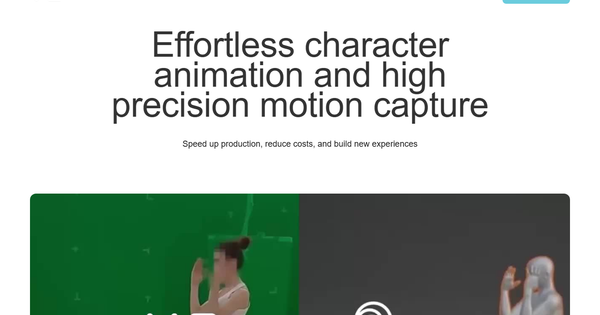
MOVE AI is a markerless motion capture platform powered by patented artificial intelligence that extracts high-fidelity 3D motion data from ordinary video footage captured with any cameras, including smartphones. It eliminates the need for traditional suits, markers, or expensive studio setups by using computer vision, biomechanics, and physics-based models to track human movement and convert it into clean, retargetable animation data (typically in FBX format). The company also provides motion licensing services and enablement tools that allow creators to scale motion into digital environments such as games, VFX, films, AR/VR experiences, and real-time content.
Primary use cases include creating realistic character animations for video games and films, accelerating VFX production pipelines, enabling indie filmmakers to add professional-grade motion without budgets for traditional mocap, and supporting digital self-expression through motion data licensing or direct integration into tools like Unreal Engine, Unity, Blender, or Maya. As of April 2026, MOVE AI offers both consumer-friendly single-camera solutions (Move One, primarily via iPhone app) and enterprise-grade multi-camera systems (Move Pro/Genesis), making it accessible across scales.
Target audience spans indie animators, game developers, filmmakers, VFX studios, digital content creators, and marketers/designers working in interactive media or virtual production. It appeals to anyone needing authentic human motion data without the logistical overhead of legacy mocap hardware.
Key Features & Capabilities
Core functionality revolves around AI-driven pose estimation and motion extraction from 2D video, producing 3D skeletal data with full-body tracking (including hands and fingers in advanced models) that can be retargeted to any character rig. Users upload video, select an AI model (e.g., s1/s2 for single-camera, m1/m2 for multi-camera), and receive processed animation files ready for downstream software.
Standout features that differentiate MOVE AI from competitors include its true markerless approach (no suits or special hardware required beyond standard cameras), support for any environment with good lighting and framing, Gen 2 AI models released in 2025 that improve accuracy in occlusions and complex motions, cloud (and now partial local) processing options, and seamless export formats compatible with major 3D tools. Multi-camera setups scale to multiple actors and larger capture volumes, while single-camera Move One democratizes access for mobile creators. Motion licensing adds a marketplace-like dimension for sharing or selling captured data.
Limitations include heavy dependence on input video quality (poor lighting, motion blur, or occlusions can degrade results, often requiring manual cleanup in animation software), primarily cloud-based processing (introducing upload/download delays and internet reliance, though local options are expanding in Pro 2.0), single-camera accuracy trade-offs compared to multi-cam or traditional optical systems, and no native real-time capture in all workflows (though real-time partnerships exist). Facial capture is not supported, and output may exhibit minor artifacts like foot sliding in challenging poses.
User Experience
MOVE AI earns high marks for ease of use, particularly with the Move One iPhone app, which features a straightforward interface for recording, calibration (simple T-pose guidance), and one-click upload/processing. The web dashboard for asset management, model selection, and downloads has received recent UI improvements for better organization and an “Explore” section for community mocap data. Learning curve is low for basic single-camera tasks (minutes to get started) but moderate for professional multi-camera setups involving synchronization and optimal framing.
Interface quality is clean, modern, and mobile-first where appropriate, with real-time previews in the app and progress tracking in the web portal. Documentation at docs.move.ai includes quick-start guides, model overviews, and knowledge-base articles, supplemented by extensive official and community YouTube tutorials. Support resources include email/contact sales for enterprise users and active Discord/YouTube channels. Some users note a desire for more beginner tutorials, but overall feedback praises the intuitive workflow that removes traditional mocap friction.
Performance & Reliability
Processing speed is efficient for the complexity involved—typically minutes per clip on standard hardware—but varies with video length, resolution, FPS, and model choice; cloud jobs can take 10–20 minutes including upload for longer takes. Gen 2 models deliver studio-comparable accuracy to optical systems in well-lit, controlled environments, with strong performance in multi-camera configurations.
Known issues include reduced precision during heavy occlusions (e.g., crossed arms or floor contact), occasional jitter requiring post-processing smoothing or foot-locking, and sensitivity to fast movements or suboptimal camera angles. Users report high reliability for planned shoots but note that results are only as good as the input footage. Internet dependency and occasional upload interruptions are common complaints, though local processing in newer Pro versions mitigates some cloud issues. Community feedback on Reddit, G2, and App Store is generally positive for value and output quality, with isolated reports of jittery data in early versions now largely addressed.
Pricing & Value
MOVE AI uses a flexible, usage-based pricing model centered on per-second processing rates through its API and apps, with no large upfront hardware costs. Single-camera models start at $0.012 per second (s1) or $0.024 (s2), while multi-camera rates are $0.024 (m1) or $0.043 (m2) per second per camera, multiplied by resolution, FPS, and camera-count factors. Minimum job charge is $0.10. Subscription-style plans (via the app or web) provide monthly credit allowances—personal plans from approximately $15/month, advanced tiers around $250/month for thousands of seconds—preventing pure pay-per-use shock for regular users. Overages and enterprise custom/on-premise options require contacting sales. New users often receive limited free credits (e.g., 2 minutes).
Value proposition is strong compared to traditional marker-based systems (which require $10,000+ suits and studios) or even some competitors with higher fixed costs; it makes professional mocap accessible to indies while scaling affordably for studios. However, heavy users may find cumulative credit costs higher than unlimited local alternatives, and unused monthly credits typically expire. Overall, it delivers excellent ROI for projects needing quick, high-quality motion without infrastructure investment.
Practical Tutorial
Official tutorials and documentation are available at docs.move.ai and the company’s YouTube channel. Below is a step-by-step walkthrough for a common task—capturing a simple dance performance with Move One (single-camera) and exporting usable animation data—as of April 2026. This is based on official guides and popular community videos.
-
Setup and Sign-up: Download the free Move AI 3D Motion app from the App Store on an iPhone (recommended: iPhone 12 or newer for best quality). Create or log in to a MOVE AI account (new users often get free trial credits).
-
Record the Performance: Open the app, select “New Capture.” Follow on-screen prompts for calibration—stand in a T-pose in a well-lit, open space with a clear background. Record at least 60 fps in HD or higher (portrait or landscape). Perform your action (e.g., a 10–30 second dance routine). Keep the performer fully in frame; avoid occlusions. End with another T-pose for alignment.
-
Review and Upload: Preview the clip in the app. Tap to upload to the cloud for processing. Select your preferred model (s1 for speed/lower cost or s2 for higher fidelity).
-
Process the Motion: The app/web dashboard shows progress. Processing time varies (typically 1–5x real-time duration). Once complete, review the 3D preview.
-
Download and Retarget: Export as FBX (includes full-body and finger data). Import into your software of choice (e.g., Unreal Engine 5 via the Animation Blueprint or Blender with Mixamo-style retargeting). Use built-in retargeting tools to map the skeleton to your character rig. Fine-tune any foot contact or minor artifacts in the animation editor.
-
Iterate: For better results, try multiple takes or add a second synced iPhone for basic multi-cam (if upgrading to Pro workflow).
For multi-camera Pro setups or advanced retargeting, refer to the official “Move Pro QuickStart Guide” on docs.move.ai or the YouTube tutorial “Move Ai | Complete Guide to Getting Setup” and “Introduction Into Move AI.” Always check current model recommendations for optimal quality vs. cost.
Final Verdict
MOVE AI earns a strong 4.5 out of 5 overall. It excels for animators, game developers, VFX artists, and indie creators who want professional-grade, markerless motion capture without prohibitive hardware costs or studio time—delivering high-fidelity results with minimal friction. Studios scaling production or creators seeking authentic digital self-expression will find it transformative.
Avoid it if you need fully real-time capture without any post-processing, operate in consistently poor lighting conditions, or require unlimited local processing on a very tight budget where credit-based pricing could accumulate quickly. Those preferring completely offline, hardware-based solutions may lean toward traditional or competing local tools.
One-sentence recommendation: If you want to turn everyday video into studio-quality 3D animation data faster and cheaper than ever before, MOVE AI is one of the smartest tools available today.