Msty Review: The Ultimate All-in-One Private AI Studio
Overview & Purpose
Msty Studio (accessible via msty.ai, with the original domain msty.app now redirecting to the updated platform) is an all-in-one desktop and web-based AI studio that lets users interact seamlessly with local and online AI models in a single, intuitive interface. It eliminates complex setups like Docker or terminal commands, enabling single-click chats, real-time model comparisons, and integration of personal data or tools for grounded, accurate responses. Primary use cases include personal idea exploration, research assistance, content creation, workflow automation, team collaboration, and building custom AI assistants—all while maintaining full privacy through offline/local-first operation.
The tool targets a broad audience: beginners exploring AI without technical knowledge, professionals such as writers, researchers, marketers, and designers seeking productivity boosts, and teams or departments needing scalable, shared workflows. It appeals especially to privacy-focused users who want the flexibility of both local (e.g., Ollama-powered) and cloud models without vendor lock-in or data sharing. Research conducted as of March 10, 2026, confirms its evolution from a simple local LLM launcher into a full AI studio with ongoing updates through 2025 and beyond.
Key Features & Capabilities
Core functionality revolves around effortless model management: users can switch between local and online models mid-chat, run multiple models side-by-side in split views for instant comparisons, and ground responses with real-time web search, Knowledge Stacks (RAG for files, notes, transcripts, and web content), and MCP Toolbox integrations for APIs or custom tools. Standout features include Personas (custom AI assistants with defined tone and knowledge), Crew Conversations (multi-persona collaboration rooms), Prompts Studio for optimization (paid), Turnstiles for multi-step workflow automation with conditional logic, Forge Mode for focused writing/research, and Insights for analysis—plus fully local storage with zero telemetry.
These differentiate Msty from competitors like LM Studio, OpenWebUI, Jan, or LobeChat by emphasizing polish, focus, and hybrid local/online flexibility in a clean interface rather than raw power or open-source extensibility. Offline functionality is robust: local models run without internet, and conversations persist privately.
Limitations include a free tier that restricts advanced elements (e.g., full Prompts Studio, Turnstiles, unlimited Knowledge Stacks, Shadow Personas, and Azure/Bedrock support) to the paid Aurum plan; it is closed-source (though development decisions are transparently explained); and local performance depends on hardware (larger models require strong GPU/CPU/RAM). No native model training or fine-tuning is offered, and some users note occasional UI evolution during rapid updates.
User Experience
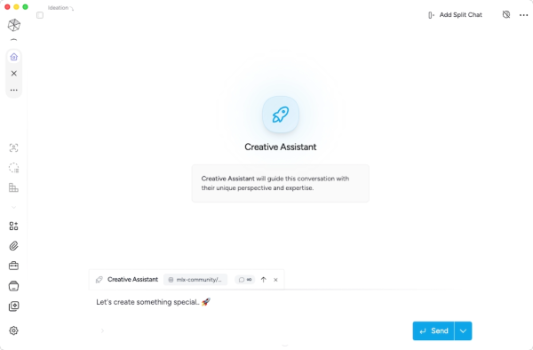
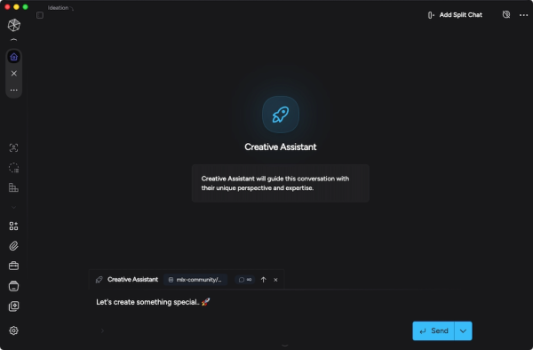
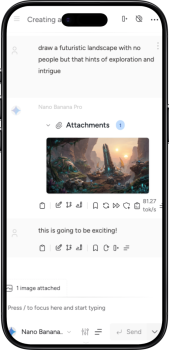
Msty Studio boasts an exceptionally low learning curve—most users are chatting productively within minutes of download. Installation is straightforward across Windows, macOS (including Apple Silicon optimization via MLX), and Linux, with automatic OS detection. The interface is clean, fast, customizable yet simple, and even performs well on portrait/9:16 screens, avoiding the clutter common in alternatives.
Documentation and support resources are strong: comprehensive docs at docs.msty.studio cover quick starts and how-tos; the official blog offers practical guides; an active YouTube channel provides video walkthroughs; a Discord community handles tips, feature requests, and support; and an FAQ addresses licensing, privacy, and upgrades. Testimonials consistently highlight the “slick,” “no-fluff” experience and rapid onboarding compared to more technical tools.
Performance & Reliability
The app delivers snappy performance for both local inference (via integrated Ollama, Llama.cpp, or MLX) and cloud providers, with seamless switching and real-time split-chat comparisons. Context limits are adjustable for longer, more accurate sessions, and Knowledge Stacks reduce hallucinations effectively when populated with quality data. Users report reliable offline operation and automatic syncing features.
Known issues are minor and typical of local LLM tools: performance scales with hardware (decent GPU recommended for larger models); occasional setup quirks on Linux or Intel Macs; and platform evolution can introduce temporary polish gaps in newer features. Community feedback on Reddit and YouTube is overwhelmingly positive, with few widespread bugs reported—most complaints center on paid feature gating or the closed-source nature rather than crashes or unreliability. Active development and Discord-driven fixes keep it stable.
Pricing & Value
Msty offers a generous free tier forever ($0) with core chatting, basic Knowledge Stacks, web search, Personas, and local/online model support—enough for personal exploration. The Aurum plan ($149 USD per user billed yearly or $349 lifetime one-time) unlocks the full desktop experience plus web access, Prompts Studio, Turnstiles, Forge Mode, Insights, more providers, and unlimited advanced features. Teams plans start at $300 per user yearly (minimum 5 seats) with SSO, role-based access, sharing, and audit logs.
Value is strong for privacy-conscious users: the lifetime option provides excellent long-term ROI versus subscription-heavy alternatives, and the free tier outshines many competitors’ limited trials. Compared to similar tools, Msty balances cost with superior polish and hybrid capabilities, making paid plans worthwhile for heavy or team use—though power users seeking completely free advanced workflows may prefer open-source options with more configuration effort.
Practical Tutorial
Official resources include a detailed blog quick-start guide and YouTube channel with feature videos. Here is a self-contained step-by-step walkthrough for a common task: comparing multiple AI models side-by-side while grounding responses in your personal documents (using Knowledge Stacks for accurate, context-aware replies). This example uses a real prompt: “Summarize the key differences between quantum computing and classical computing for a non-technical audience.”
-
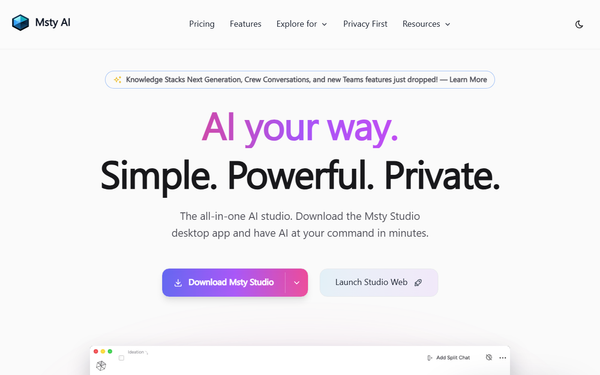
Download and install: Visit msty.ai, click “Download Msty Studio.” The site auto-detects your OS (Windows, macOS, or Linux) and downloads the installer. Run it and follow the simple prompts to install.
-
Onboard and set up models: Launch the app. On the onboarding screen, choose “Setup Local AI” for a quick starter model (e.g., a small Gemma or Qwen via Ollama/Llama.cpp/MLX—optimized automatically for your hardware). Or select “Add Remote Models Provider” and paste an API key for online options like OpenAI, Claude, Grok, or Gemini. Click the Model Hub in the sidebar to browse and install additional models with one click.
-
Create a Knowledge Stack (RAG): In the left sidebar, click the Knowledge Stacks icon. Select “New Knowledge Stack,” name it (e.g., “My AI Research Notes”), and upload files, folders, notes, or transcripts. Configure settings (e.g., chunk size or embedding model), then save. The stack auto-processes and syncs for use in chats.
-
Start a split chat: Create a new conversation. Assign different models to each pane (e.g., left: local Gemma; right: online Claude). Attach your new Knowledge Stack via the context/tools menu so both models reference your documents.
-
Run the comparison: Type your prompt (“Summarize the key differences between quantum computing and classical computing for a non-technical audience”) and send. Responses appear side-by-side in real time. Switch models mid-chat or adjust parameters (e.g., increase context tokens via the model parameters icon for better accuracy).
-
Refine and save: Rate responses, iterate with follow-ups, or save the chat. For automation, upgrade to Aurum and add a Turnstile workflow.
Results typically show one model being more concise while the other pulls richer details from your stack—highlighting strengths instantly. For visuals and variations, watch the official split-chat demo or Knowledge Stacks video on the Msty Studio YouTube channel (linked from msty.ai/blog/getting-started-with-msty-studio). Full docs and how-tos are at docs.msty.studio.
Final Verdict
Msty Studio earns a strong 4.7 out of 5. It excels as a polished, privacy-first gateway to AI for everyday productivity.
Individuals and teams who value simplicity, hybrid local/cloud flexibility, and data control should use it—especially beginners or professionals tired of juggling apps or sacrificing privacy. Avoid it if you require fully open-source code, zero-cost advanced automation, or heavy model fine-tuning/custom development.
Msty Studio delivers the AI experience most users actually want: powerful yet effortless and private.