Murf AI Review: The Best AI Voice Generator for Realistic Audio
Overview & Purpose

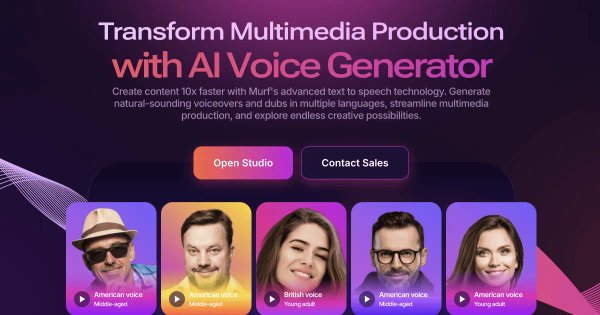
Murf.ai is an AI-powered text-to-speech (TTS) platform and voice generator that transforms written text into ultra-realistic, human-like voiceovers. It leverages advanced models like Gen2 (for customizable studio voiceovers) and Falcon (for low-latency conversational AI) to deliver natural-sounding speech with high pronunciation accuracy.
Primary use cases include creating voiceovers for videos, e-learning modules, podcasts, advertisements, audiobooks, presentations, product demos, and corporate communications. It also supports AI dubbing for multilingual content, real-time voice agents via API (e.g., customer service, sales calls, IVR systems), and accessibility features. The platform targets content creators, marketers, educators, businesses (including Fortune 2000 companies like Nestlé and Air France), developers building voice-enabled apps, and localization teams.
Key Features & Capabilities
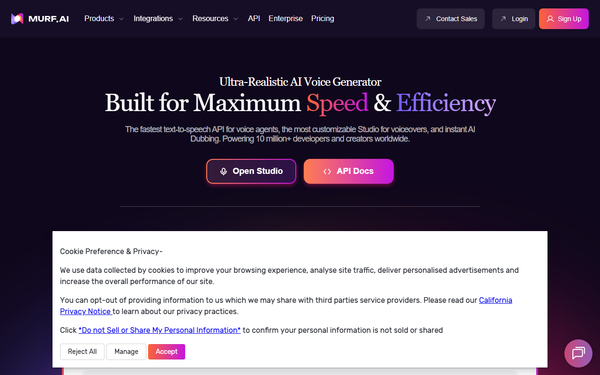
Core functionality revolves around a studio editor where users input text, select from 200+ AI voices across 30+ languages and accents, and generate speech instantly. Voices support unlimited styles and tonalities, with seamless language switching for realistic multilingual output.
Standout features include:
- Granular customization: Adjust pitch, speed, emphasis, variability, pauses, and pronunciation via a personal library or "Say It My Way" (mimic user-recorded tone/inflections).
- Timeline-based video/audio editor with stock media, Canva/PowerPoint/Google Slides integrations, and export in multiple formats (including Full HD).
- AI dubbing that preserves original voice tone and meaning.
- Falcon API for real-time applications (130ms end-to-end latency, competitive with or better than ElevenLabs/OpenAI in benchmarks).
- Enterprise extras: Voice cloning, SSO, custom integrations, HIPAA/SOC 2/ISO 27001/GDPR compliance, and data residency options.
Ethical development (voices based on consented professional actors with royalties) and high context awareness differentiate it from robotic competitors. Limitations include voice cloning and full team collaboration locked to Enterprise plans, occasional inconsistencies in non-English or highly emotional scripts (some voices sound more synthetic on long-form content), and usage measured in hours rather than unlimited characters. Advanced features like AI translation are also Enterprise-only.
User Experience
Murf.ai boasts an intuitive, low-learning-curve interface with a clean, professional design featuring drag-and-drop timeline editing, quick previews, and easy text import. Beginners can generate professional results in minutes, while advanced users appreciate fine controls without complexity.
Documentation and support are strong: An extensive Help Center, Murf Academy with video tutorials, blog resources, weekly live demos, and responsive chat/email support (average response under 3 minutes). Users on G2 and Trustpilot frequently praise the ease of use and polished UI.
Performance & Reliability
Generation is fast for short scripts (near-instant) and efficient for longer projects (typically 2-10 minutes processing, with high-speed renders on paid plans). The Falcon API excels in real-time scenarios with sub-150ms latency. Pronunciation accuracy reaches 99.38%, and voices often pass blind tests for naturalness.
Common complaints from user reviews include occasional robotic artifacts or intonation issues in extended content, variable quality in some non-English languages/accents, and rare timeouts on very long files. Reliability is generally high for professional workflows, with strong uptime and security, though caps can feel restrictive for heavy users. Overall ratings are excellent (4.7/5 on Trustpilot and G2 as of April 2026).
Pricing & Value
Murf.ai offers a Free tier (10 minutes of generation time, no downloads) for testing. Paid plans are usage-based on voice generation hours:
- Creator: $19/month – 24 hours/month, single editor, basic features and commercial rights.
- Business: $66/month ($792/year with 33% annual savings) – 96 hours/year, advanced controls (emphasis, Say It My Way, high-speed renders), priority support, integrations.
- Enterprise: Custom pricing – unlimited hours, full collaboration, voice cloning, dedicated support, advanced compliance and security.
Value is strong for teams needing polished, controllable voiceovers without hiring actors—often faster and cheaper for marketing/e-learning. It compares favorably to alternatives like ElevenLabs for studio precision and integrations, though lighter users may find limits or Enterprise locks frustrating. Annual billing and no data training on user content add appeal.
Practical Tutorial
Murf.ai provides official guides and video tutorials. Here is a step-by-step walkthrough for a common task—creating a 60-second explainer video voiceover (based on official academy resources as of April 2026). For the full official version, see their blog or YouTube tutorials.
-
Sign up and create a project: Go to murf.ai, sign up for free, and click "Create Project" in the Studio. Name it (e.g., "Product Explainer") and optionally add it to a folder.
-
Input your script: Paste or type text into the editor. Example script: "Welcome to our new productivity app. It helps teams collaborate faster than ever."
-
Choose a voice: Select from 200+ options (e.g., a professional American male voice in "Narration" style). Preview instantly.
-
Customize delivery: Highlight words to add emphasis, adjust overall speed/pitch/variability. Use "Say It My Way" by recording a short sample of your own voice for tone matching. Fix pronunciations in the library (e.g., brand names).
-
Add media and timeline editing: Upload a background video or stock footage. Drag voice blocks on the timeline to sync with visuals. Swap speakers or add pauses if needed.
-
Generate and review: Hit play to preview. Regenerate sections as required.
-
Export: Download in MP3/WAV or Full HD video format with embedded audio. Share via link or embed code.
This process typically takes under 10 minutes for simple projects and works seamlessly on the free tier for testing.
Final Verdict
Murf.ai earns a strong 4.6/5 rating for its realistic voices, intuitive controls, and professional-grade features that make high-quality voiceovers accessible without studio equipment. It is ideal for marketers, educators, content creators, and businesses seeking efficient, customizable TTS with integrations and compliance—especially those producing videos, training, or conversational AI. Avoid it if you need unlimited free usage, highly emotional dramatic narration (better suited to human actors), or advanced voice cloning on a budget, as these are Enterprise-restricted or have minor quality variability in edge cases. Highly recommended for anyone looking to elevate their audio content quickly and cost-effectively.