Mymind Review: The AI-Powered Second Brain for Visual Thinkers

Overview & Purpose
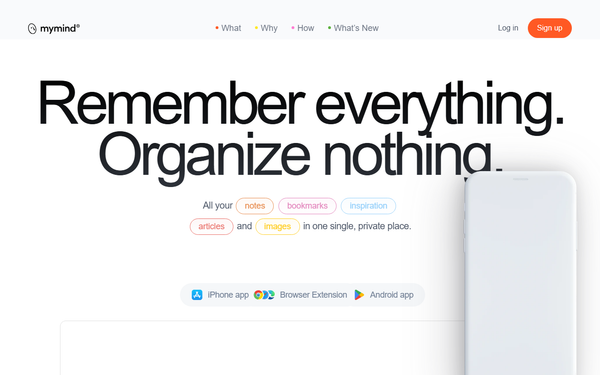
MyMind is a private, AI-powered personal knowledge management tool designed as "the extension for your mind." It serves as a single, distraction-free digital space where users can save notes, bookmarks, images, articles, videos, quotes, PDFs, and other content with minimal effort. The primary purpose is to capture anything worth remembering without requiring manual organization, folders, tags, or collections. Instead, AI automatically analyzes, tags, summarizes, and makes content searchable and visually discoverable later.
Key use cases include building personal moodboards for inspiration, collecting research references, saving articles for later reading, jotting quick notes or ideas, curating visual archives (like recipes or memes), and maintaining a private second brain for creative or professional workflows. It appeals especially to visual thinkers who dislike traditional folder-based systems or social-heavy tools.
The target audience includes designers (for moodboards and visual inspiration), writers and researchers (for quotes, articles, and references), marketers (for highlights and trends), developers (as a private resource hub), and anyone seeking a simple, private way to offload mental clutter. It is explicitly not aimed at teams needing collaboration or users who prefer heavy manual structuring.
Key Features & Capabilities
Core functionality revolves around one-click saving via browser extensions (Chrome, Edge, Safari) or mobile apps (iOS, Android), with automatic syncing across devices. AI handles intelligent bookmarking by recognizing content types (articles, products, recipes), extracting details, applying tags, and enabling associative search by keywords, colors, brands, dates, or even image content via text recognition.
Standout differentiating features include:
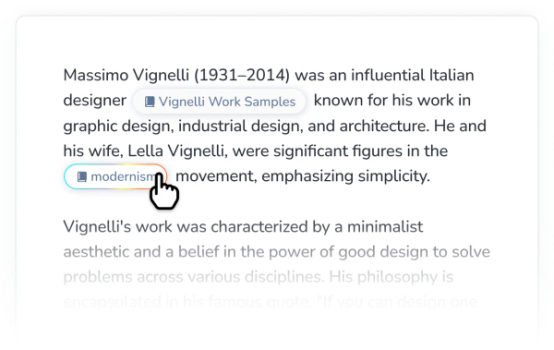
- No organization required: Folders, labels, and manual tags are eliminated; AI creates "Smart Spaces" that auto-group related items.
- Serendipity mode: A calm, visual feed that resurfaces forgotten saves for review and reinforcement of memory.
- Top of Mind: A pinned space for current priorities and inspiration visible on app open.
- Bidirectional linking between notes for building connected knowledge graphs.
- Distraction-free reading mode and AI summaries (in higher plans).
- Privacy-first design: No ads, no tracking, no social features, no collaboration—your data stays completely private.
Supported content types are broad: images, links, notes, videos (up to file size limits in paid plans), PDFs, quotes, and web clippings.
Limitations and missing features include no easy import from other services (a deliberate choice to avoid clutter), no sharing or collaboration, no Firefox extension, limited integrations or API, and no local/offline-first storage beyond basic syncing. Advanced features like PDF analysis, video uploads, full article backups, and enhanced AI are gated behind higher-tier plans. Some users note the visual gallery view lacks alternatives like list or tabular formats.

User Experience
MyMind earns high praise for its elegant, delightful interface and extremely low learning curve. The visual, magazine-like gallery layout feels intuitive and inspiring, with smooth performance that makes saving and retrieving content frictionless. Most users describe it as "beautiful," "smooth," and "magical" in how quickly it gets out of the way.
The mobile apps and browser extensions are straightforward for quick captures, though some report occasional iOS bugs or search resets during scrolling. Documentation consists of helpful video tutorials on the official site and a comprehensive Help Center covering account, features, and troubleshooting. Support is generally responsive via the indie team. Overall, it's beginner-friendly for visual users but may frustrate power users wanting more customization or export options.
Performance & Reliability
The tool performs reliably for most users, with fast saving, instant syncing, and responsive search powered by AI. Desktop and web experiences are described as stable and efficient, while the visual-heavy design loads smoothly even with growing libraries.
Common complaints from user reviews include occasional mobile app glitches (e.g., search behavior or dark mode inconsistencies), slower feature updates from the small indie team, and frustration when the AI search misses nuanced queries. No widespread outages or major reliability issues were noted as of April 2026, though some long-term users mention "paper cuts" in edge cases like bulk actions or offline access. Privacy and data security remain strong points with no reported breaches.
Pricing & Value
MyMind offers a guest/free plan limited to approximately 100 cards (items), after which users must upgrade for unlimited storage. Paid tiers (as of April 2026) include:
- The Bookmarker: $4.99/month – basic unlimited saving without advanced AI.
- Student of Life: $7.99/month or $79/year – unlimited cards, core AI tagging, Smart Spaces, Serendipity.
- Mastermind: $12.99/month or $129/year – everything above plus advanced AI summaries, PDF analyzer, video support, reading mode, article backups, and custom icons.
Yearly billing offers ~20% savings. There are no enterprise options mentioned. The value proposition shines for privacy-focused users who prioritize simplicity and beauty over free alternatives; it is positioned as worth paying for to support an independent, ad-free product. Compared to competitors like Raindrop.io (stronger free tier and organization tools) or Notion (more flexible but steeper organization curve), MyMind delivers superior ease and visual appeal but at a higher ongoing cost for heavy users.
Practical Tutorial
Official video walkthroughs are available at https://mymind.com/videos and on their YouTube channel, covering use cases for developers, researchers, and general saving.
Here is a step-by-step walkthrough for a common task—saving a web article and retrieving it later (tested conceptually based on core functionality as of April 2026):
- Install the extension or app: Add the MyMind browser extension from the Chrome Web Store, Edge Add-ons, or Safari extensions gallery (or download the iOS/Android app).
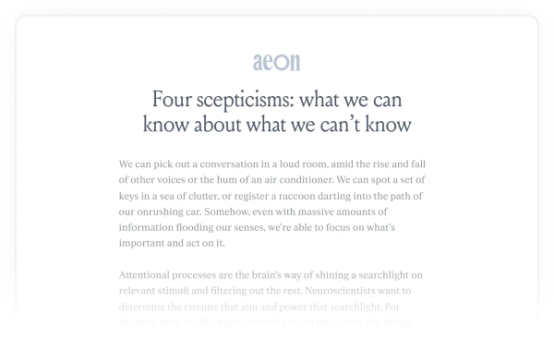
- Save content while browsing: While reading an article (e.g., a long-form tech piece on "AI productivity tools"), click the MyMind icon in your browser toolbar. It will automatically detect the article type, strip ads/clutter, save the full text, generate a preview image, and apply AI tags/summary.
- Add a quick note if desired: In the save dialog, type any personal highlights or thoughts (e.g., "Great section on bidirectional links—reminds me of my Zettelkasten workflow").
- Open MyMind: Launch the app or visit the web version. Your new card appears in the main visual feed.
- Retrieve later: Use the search bar at the top. Type keywords like "AI productivity" or even partial phrases from the article. MyMind's associative search (by date, color, or related terms) surfaces it instantly. For broader discovery, scroll the Serendipity feed or check auto-generated Smart Spaces.
- Enhance: In Mastermind plan, open the card in reading mode for ad-free viewing or link it bidirectionally to another note.
This process typically takes seconds and requires zero upfront organization.
Final Verdict
Overall rating: 4.5/5. MyMind excels as a beautiful, low-friction private archive for visual and creative minds but trades flexibility and cost-effectiveness for its opinionated simplicity.
Who should use this tool: Designers, researchers, writers, and visual thinkers who value privacy, hate organizing, and want an effortless way to capture and rediscover inspiration without folders or social noise.
Who should avoid this tool: Users needing collaboration/sharing, extensive imports from existing libraries, full free unlimited use, or traditional folder/tag structures—those will find Raindrop.io or Notion more suitable.
One-sentence recommendation: If you want a serene, AI-magical private space to save everything without ever organizing again, MyMind is worth every penny for the right creative workflow.