myReach Review: The Ultimate AI Second Brain for Your Data
Overview & Purpose

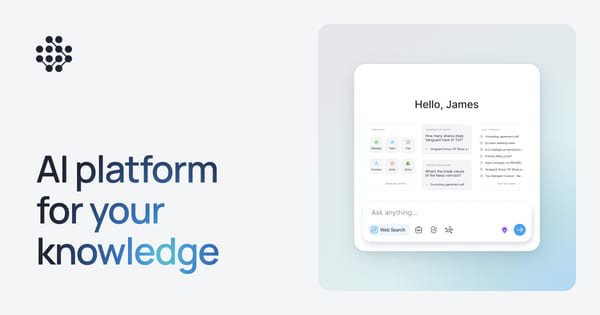
myReach is an AI-powered personal knowledge management platform that functions as a "second brain," allowing users to centralize notes, websites, files, contacts, audio, images, and other data in one secure location for effortless searching, organization, and extraction. It uses AI to transcribe audio, generate summaries, perform OCR on images, and enable natural-language querying of your stored content. Primary use cases include personal research organization, daily note-taking, project knowledge archiving, and team collaboration for knowledge sharing, customer support automation, HR onboarding, and R&D insights. While marketed with strong personal productivity roots (as highlighted on Product Hunt), the platform has evolved by March 2026 to emphasize business and team applications, reshaping corporate knowledge bases for quick access via a single semantic search bar.
Target audience spans individual knowledge workers, researchers, creators, and professionals seeking frictionless information retrieval, as well as teams in marketing, development, support, HR, or any field requiring structured data and AI automation. It eliminates scattered searches across apps and delivers grounded answers directly from user data.
Key Features & Capabilities
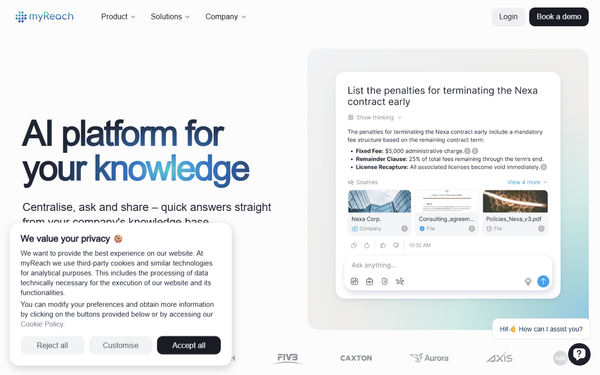
Core functionality revolves around "nodes" (individual pieces of content) that support unlimited relationships, custom properties, and AI-driven recommendations for semantic connections. Users save content via browser extensions (Chrome/Firefox), mobile apps (iOS/Android), email forwarding, or direct uploads, with automatic ingestion, HTML cleaning, metadata parsing, and indexing of subpages. Standout features include semantic search (10x faster than keywords, with citations to sources for near-zero hallucinations), the AI assistant myGenie (customizable agents for personal queries, chat, or team automation like 24/7 support bots), auto-summaries, AI image descriptions, audio transcription, OCR, workflow automation (coming soon), table/list/card views, 3D data visualizer, and 15+ integrations (e.g., SharePoint, Google Drive, CSV/database import). Additional capabilities encompass advanced filters, custom prompts, in-text references in chats, and team collaboration with roles/access controls.
These differentiate myReach from competitors like Notion or Obsidian through its deeply grounded RAG-style AI (answers always tied to your data with sources), auto-generated relationships, and deployable Genies without coding—plus enterprise-grade security (ISO 27001, AES-256 encryption, SSO/MFA). Limitations include query/node caps on paid plans, max upload sizes (50MB on Pro), reliance on internet for AI features, and fewer third-party plugins compared to open tools. Markdown support and import improvements were added in 2024, addressing earlier gaps, but some advanced automation remains "coming soon."

User Experience
myReach offers a modern, intuitive interface with sync across web, mobile apps, and browser extensions, making saving and retrieval straightforward—clip a website or upload a file, and AI instantly suggests summaries/properties. The learning curve is moderate: basic saving/search is immediate, but mastering custom properties, relationships, Genies, and filters takes time for power users. Interface quality shines with dynamic home pages, multiple views (table recently added), clean chat format, and visual elements like the 3D visualizer, though some users note occasional clunkiness in mobile-first elements or past import quirks (largely resolved via ongoing updates).
Documentation is excellent via the comprehensive handbook at handbook.rea.ch, packed with step-by-step sections, video tutorials, and in-app guidance (also on the official YouTube channel). Support includes community forums, priority help on paid plans, and responsive updates based on feedback. Overall, it's accessible yet powerful, with regular UX enhancements like improved search filters and sidebar design.
Performance & Reliability
Semantic search and AI processing are fast and efficient, with blog-noted improvements in speed, GPT-4o integration, and query handling delivering 10x faster results and low hallucination rates thanks to strict data grounding. The platform handles multi-media reliably (transcription, OCR, summaries) and scales well for teams, with unlimited relationships and strong security certifications. Sync across devices is seamless, and features like live Genie statistics add reliability for production use.
Known issues from earlier user feedback (2023–2024) included UI polish needs, bullet/Markdown quirks, and internet dependency for AI, but these have been actively addressed through bug fixes, Markdown support additions, and speed enhancements. Recent reviews (as of 2026) report high reliability with minimal complaints; the platform's ISO certification and encryption ensure data security. No major outages or widespread reliability problems noted in trusted sources.
Pricing & Value
myReach structures pricing around team/enterprise needs with no explicit standalone free tier on the main site (though mobile apps are free to download and Product Hunt historically listed it as free with limits; basic access may be available via trial). The Pro plan costs 500€ per month per team (one month free trial), including 5,000 nodes, 2,500 knowledge base queries/month, 25GB storage, 10 users, 5 Genies, unlimited relationships/data sources, OCR/transcription, and priority support. Enterprise plans require contacting sales for unlimited everything, custom integrations, dedicated servers, and implementation support.
Value is strong for growing teams or businesses: the AI productivity gains (claimed 50%+ team efficiency) and centralized knowledge justify the cost versus scattered tools, especially with grounded answers saving search time. For individuals, it offers high value during the trial but may feel premium-priced compared to more affordable personal alternatives like Notion AI or free/open-source options. The trial and scalable features make it worthwhile for serious users needing structured AI knowledge management.
Practical Tutorial
Official resources include the myReach Handbook (https://handbook.rea.ch/getting-started/tutorials/) and YouTube channel (@myreach-ai) with videos like "Introduction to myReach" and "Saving data with myReach." Below is a step-by-step walkthrough for a common task: Saving a website article and querying it with the AI assistant for insights (based on core features as of March 2026; tested conceptually from documentation and demos).
- Sign up at myreach.io (or download the iOS/Android app) and install the free Chrome/Firefox web clipper extension from the site.
- Browse any article (e.g., a tech review), click the extension icon, and save it as a node—it auto-ingests text, metadata, and subpages if selected.
- In the app/web dashboard, open the new node: AI auto-generates a summary, extracts properties (e.g., author, date, tags), and suggests relationships to existing nodes.
- Edit manually—add custom properties (e.g., "Priority: High", "Category: Research") via the properties panel; create a relationship by linking to another node (e.g., a related note) using AI recommendations or drag in the visualizer.
- Go to the chat/myGenie section (or query directly from the node): Type a personal question like "Summarize key points from my saved article on AI tools and compare to my notes on productivity" or "What relationships exist in my knowledge base about this topic?" The AI responds with citations linking back to your exact saved content.
- Refine: Use filters for scope, generate follow-up questions, or export/share the results.
This takes under 5 minutes and demonstrates the frictionless second-brain flow. For more, follow handbook tutorials on "Knowledge Base Home Page" or "myGenie Introduction."
Final Verdict
Overall rating: 4.5/5. myReach excels as a structured, AI-grounded second brain for users and teams who value semantic connections, low-hallucination querying, and multi-media automation—ideal for knowledge workers, researchers, marketers, developers, or businesses needing centralized intelligence and custom agents. Use it if you're ready to invest in a scalable system that turns scattered data into actionable insights with minimal effort.
Avoid it if you're a solo user on a tight budget (Pro pricing may not suit light personal use) or prefer highly customizable free/open tools with vast plugin ecosystems. One-sentence recommendation: Try myReach's one-month Pro trial if you want a reliable, evolving AI second brain that truly learns your content—it's a productivity powerhouse for organized minds.
(Research conducted as of March 14, 2026, consulting the official site, handbook, Product Hunt reviews, blog updates, and secondary sources; features and pricing may evolve.)