Observely Review: The Ultimate All-in-One AI Productivity Hub

Overview & Purpose
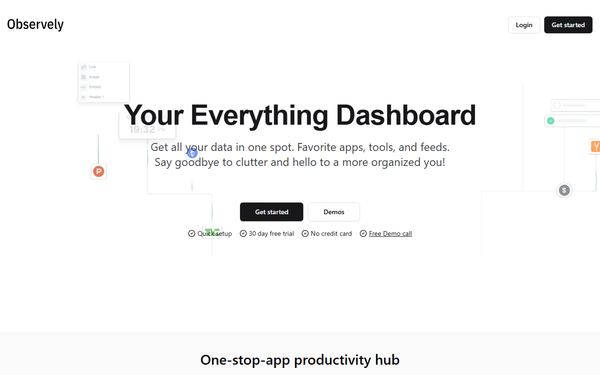
Observely is a personal "everything dashboard" and one-stop productivity hub that consolidates disparate tools and data streams—such as bookmarks, tasks, notes, time management, news feeds, calendar events, and external integrations—into a single, customizable web-based workspace. Its primary purpose is to eliminate constant app-switching, enabling users to maintain deep focus while keeping essential information and utilities instantly accessible in one place. Common use cases include daily organization for freelancers juggling multiple projects, knowledge workers tracking time and news, or anyone building a centralized command center for personal or professional life.
The target audience spans individuals seeking streamlined digital workflows, including developers (who benefit from built-in Hacker News, Dev.to, and tech feeds), marketers, designers, students, and professionals who manage tasks, notes, schedules, and information overload. It appeals particularly to users frustrated with fragmented tools rather than large teams requiring heavy collaboration. This review is based on the official website, pricing pages, blog posts, directory listings, and community discussions as of March 2026.
Key Features & Capabilities
Core functionality revolves around flexible, tile-based dashboards (called "boards") where users can add and arrange widgets for seamless daily use. Key built-in tools include:
- Bookmarks and Links: Easy web exploration management.
- Todos: Task lists with AI voice-to-task conversion.
- Notes and Audionotes: Type or speak thoughts, with AI voice-to-text transcription.
- aiChat: Multi-LLM chat support for quick queries.
- Pomodoro Timer and Time Tracker: Built-in focus and time-management utilities.
- Feeds and Integrations: Dynamic RSS/news, plus dedicated streams for Hacker News, Reddit subreddits, Product Hunt, YouTube channels, Dev.to, crypto markets, real-time exchange rates, weather, quote of the day, Google Calendar sync, time zones, and a custom Inbox for emails.
- Advanced Elements: Webhook connections for external services, Embed for nesting websites or apps, Image, Title, and simple Calendar components.
Standout features that differentiate Observely include its highly customizable tile layout for truly personal dashboards, native AI voice features (notes and tasks), and broad no-account-needed feeds (e.g., Reddit, YouTube) alongside deep integrations like Google Calendar and webhooks—creating a true "everything in one place" experience without needing multiple logins. Unlimited boards on the paid plan allow users to create specialized workspaces (e.g., one for work, one for personal projects).
Limitations include a strict 150 AI chat messages per month cap, no mentioned offline mode or native mobile apps (web-only), and basic collaboration features compared to established platforms. Data export capabilities were noted as "coming soon" in early user feedback, and advanced automation beyond webhooks is absent.
User Experience
Observely boasts an intuitive, tile-drag interface with a clean, minimalist design that prioritizes quick setup and daily usability. Community feedback consistently describes it as "super straightforward" with virtually no learning curve—ideal for users who want immediate productivity gains rather than another complex platform to master. The dashboard feels responsive and focused, with flexible layouts that let users decorate and organize content visually (e.g., adding images or embeds for inspiration).
Documentation is light but functional: detailed feature sub-pages explain each widget, while the blog offers contextual articles on productivity strategies and AI usage. No extensive video library or knowledge base exists, though FAQ sections and support tickets (included in paid plans) provide assistance. Overall, the interface quality supports rapid adoption for non-technical users.
Performance & Reliability
As a web-based tool, Observely loads quickly and runs efficiently for real-time feeds, AI interactions, and calendar syncs, with claims of significant time savings by reducing context-switching. No widespread performance bottlenecks or downtime reports surfaced in searches across review sites, Reddit, or directories as of March 2026. The app handles multiple boards and live data streams smoothly on standard browsers.
Known issues are minimal and mostly developmental: early users noted upcoming data export improvements, and AI quotas can feel restrictive for heavy users. No major complaints about crashes, data loss, or reliability were found; the tool appears stable for its current user base, which remains relatively niche.
Pricing & Value
Observely follows a simple paid model with a free trial available upon signup. The sole plan is $49.50 per year (billed annually), effectively including two months free and delivering strong value at roughly $4.13 per month. This unlocks all features, unlimited boards, 150 AI chat messages monthly, AI voice-to-text/notes and voice-to-task capabilities, plus customer support. No separate monthly billing option or permanent free tier is advertised (though the trial lets users test fully), and no enterprise plans exist.
Compared to alternatives, Observely offers excellent value: it undercuts Notion's paid tiers or the combined cost of separate tools like Todoist, Raindrop.io, and a Pomodoro app. The consolidation of feeds, AI, and embeds in one lightweight dashboard makes it a cost-effective choice for individuals who don't need team features or unlimited AI.
Practical Tutorial
No official video tutorials or step-by-step guides are published on the site or blog (articles focus on concepts like AI usage or inbox management rather than UI walkthroughs). Below is a custom, real-world walkthrough for a common task—setting up a daily productivity dashboard—based directly on the documented features and interface descriptions.
-
Sign up and create your first board: Visit observely.app and click "Try Observely free" to start the trial. After account creation, you'll land on an empty dashboard. Click to create a new board (unlimited on paid) and name it "Daily Hub."
-
Add core productivity tiles: Use the tile/layout tools to drag in a Todos widget for your task list. Example: Add items like "Finish client report" or "Research Q2 trends." Enable AI voice-to-task by speaking into your microphone (e.g., "Add meeting prep for Thursday").
-
Incorporate focus and time tools: Add the Pomodoro Timer tile and set a 25-minute work/5-minute break cycle. Pair it with the Time Tracker widget to log hours automatically on tasks.
-
Integrate information feeds: Drag in Google Calendar for event visibility, an RSS/News Feed for custom sources, and specific tiles like Hacker News or Weather. For quick inspiration, add a Quote of the Day tile.
-
Enhance with embeds and customization: Add an Embed tile for your favorite external tool (e.g., paste a Notion page or Figma link). Include Bookmarks for quick links and an Image tile for a motivational background. Adjust layout freely with title components for section headers.
-
Test AI and save: Open aiChat (limited to 150 messages/month) to ask "Summarize my todos for today." Save the board—everything syncs in real time.
For ongoing tips, read the official blog post "Stop Jumping Between Apps: How I Built Observely to Save Hours Every Week" (linked from the site navigation). Export or duplicate boards as your workflow evolves.
Final Verdict
Observely earns a solid 8/10: it delivers on its promise of a clean, affordable all-in-one productivity hub with thoughtful AI touches and flexible customization, though it lacks the polish, extensive community, or advanced features of more mature competitors.
Who should use this tool: Freelancers, developers, students, or solopreneurs overwhelmed by app sprawl who want a simple, web-based dashboard to consolidate tasks, notes, feeds, and focus tools without steep costs or complexity.
Who should avoid this tool: Teams needing real-time collaboration, power users requiring unlimited AI or offline access, or anyone deeply invested in established ecosystems like Notion or Google Workspace who prefer proven scale over a lightweight alternative.
If you're tired of tab overload and want an elegant personal command center at a budget price, start with Observely's free trial today.