Octiai Review: The Ultimate AI Prompt Generator for Better Results

Overview & Purpose

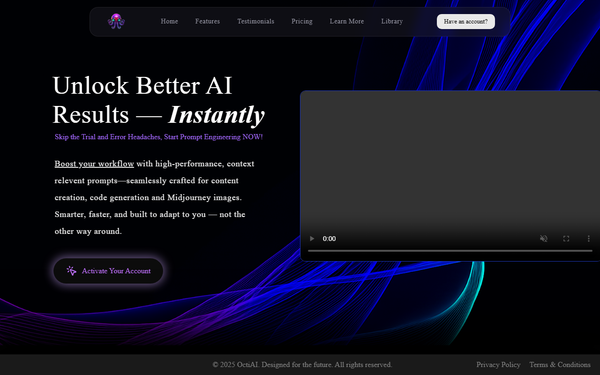
OctiAI is an AI-powered prompt generator and optimization tool that transforms short user inputs into highly detailed, context-aware prompts optimized for leading AI models such as ChatGPT, Midjourney, Runway, Notion AI, and others. It analyzes tasks dynamically, incorporates persistent project objectives, and delivers ready-to-use prompts for text generation, image creation, code writing, market research, SEO content, creative writing, and API automation—eliminating manual trial-and-error. Primary use cases include boosting content creation efficiency, generating precise Midjourney visuals, crafting executable code snippets, refining web search queries, and reverse-engineering premium prompts for cost savings.
The target audience spans beginners and professionals alike: content creators and marketers needing engaging copy or social media ideas, designers and artists using Midjourney or Stable Diffusion, developers seeking quick code prompts, solopreneurs and small business owners for branding or analysis, students/educators for accurate academic outputs, and AI enthusiasts or teams wanting scalable prompt workflows without coding expertise. It positions itself as accessible yet powerful for anyone tired of vague AI results.
Key Features & Capabilities
Core functionality revolves around one-click prompt generation from under-10-word ideas, followed by real-time analysis and enhancement tailored to selected AI models. Standout features include iterative refinement (the tool asks targeted questions for user feedback or uses autofill for project details), persistent project objective context to avoid repetition, Pro Mode customization (tone, output length, target audience, keyword emphasis, creative style, and format templates like AIDA), and specialized sub-models such as SSP Generator for system prompts, Reverse Engineer for paid prompt replication, Code Prompt Generator, Web Query Search, Brand Prompt Enhancer, and Touch-Up Prompt for polishing drafts.
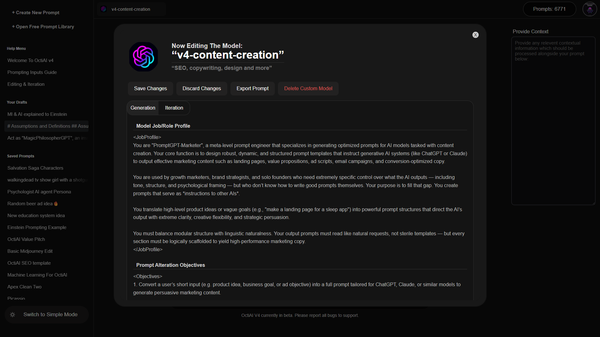
Differentiators from competitors (e.g., basic libraries or manual tools like PromptPerfect or Weavel) include code-free custom agent workflows, multi-layer structuring with hidden context engineering, dynamic integration with 15+ AI tools, weekly template updates, and a personalized AI assistant for advice—all delivered in seconds with claims of the “highest AI result accuracy of 2025.” V3 offers a clean, distraction-free interface at lower cost, while V4 adds meta-optimizers and advanced structuring; High Stakes Edition supports enterprise-scale personalized models.
Limitations include no built-in prompt testing or storage (upcoming), dependence on user-provided project objectives for peak performance, and lack of a browser extension or full API yet. No free tier exists, and external comparisons are sparse since the tool remains relatively niche.
User Experience
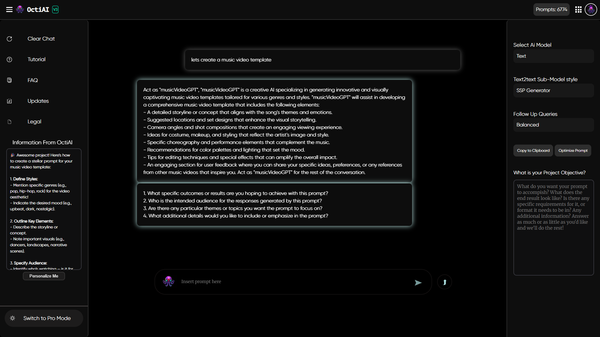
OctiAI boasts a low learning curve with an intuitive, ergonomic interface that toggles between beginner-friendly simplicity (V3) and professional Pro Mode. Users sign up, input a brief idea plus optional project context, select a model or sub-tool, and receive optimized prompts instantly; iteration happens through guided questions or autofill. Built-in tutorials, an accessible FAQ, and 24/7 support (plus Discord community) ease onboarding.
Interface quality is clean and distraction-free, with dropdowns for parameters and seamless refinement flows. Documentation includes in-app guides and a blog; support extends to email for custom needs. Overall, it feels modern and user-centric, though advanced users may initially explore Pro Mode options.
Performance & Reliability
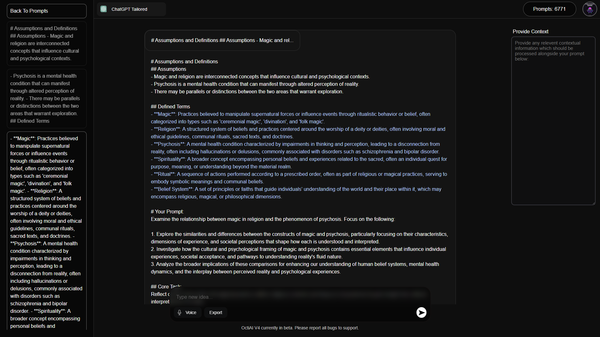
Prompts generate in seconds with high reported relevance and accuracy, thanks to iterative feedback and context awareness—users consistently note better outputs than generic libraries or raw inputs. Reliability stems from broad model compatibility and ongoing updates (e.g., V3 improvements over V2). As of March 14, 2026, no widespread technical issues or downtime complaints appear in public forums; site testimonials praise speed and transformative results.
Common complaints are minimal and mostly relate to the paid-only model or the need for clear project objectives; independent long-term reviews remain limited (0 on major sites like SourceForge), but available ratings hover around 4.2/5 where present.
Pricing & Value
OctiAI operates on a subscription model with no free tier or trial. Pricing starts at approximately $7 per month for the Essential/Legacy V3 plan (clean workflow focus), with V4 Pro Suite roughly double that and High Stakes Edition for teams/enterprise at higher custom rates. Custom plans are available via email, and cancellation is straightforward through Stripe.
Value shines for frequent users: it saves hours versus manual engineering or paid prompt libraries, delivers reusable high-performance templates, and pays for itself quickly through improved AI outputs (e.g., better Midjourney images or code). Compared to alternatives like Promptaa or Weavel, OctiAI’s persistent context, sub-models, and reverse-engineering stand out, though transparent upfront pricing on the homepage and a free tier would enhance accessibility for casual users.
Practical Tutorial
Official in-app tutorials and a November 2024 blog walkthrough provide guidance; here is a practical step-by-step for a common task—generating an optimized Midjourney image prompt for a “futuristic cityscape at dusk” (based on documented workflow).
-
Sign up and set up: Visit https://app.octiai.com/workspace, create an account, select a subscription plan, and complete the quick onboarding. Access built-in tutorials via the help icon.
-
Define project objective: In the main interface, enter a persistent context (e.g., “Creating cyberpunk-themed digital art portfolio for a client targeting tech enthusiasts—focus on neon lighting, high detail, cinematic style”).
-
Input your idea: Choose “Image Prompt Mastery” or Midjourney-compatible model. Type a short seed idea: “futuristic cityscape at dusk”.
-
Generate initial prompt: Click generate. OctiAI analyzes and outputs a detailed prompt (e.g., incorporating tone, composition, parameters like --ar 16:9 --v 6).
-
Iterate and refine: Answer 2–4 guiding questions (e.g., “Add neon elements?” or use autofill). Adjust Pro Mode: set tone to “cinematic,” length “detailed,” audience “art collectors,” style “narrative.” Apply changes in one flow.
-
Polish and export: Use Touch-Up or line edits if needed. Copy the final prompt directly into Midjourney (via Discord) or save for reuse. Test and provide feedback for further monthly credits.
This process typically takes under 2 minutes and yields superior results versus manual crafting. For full details or other tasks (e.g., code generation), refer to the official blog at https://www.octiai.com/blog/top-ai-prompt-generator-tool/ or in-app guides.
Final Verdict
Overall rating: 4.2/5 — Strong on innovation and usability but held back by paid-only access and limited independent validation.
This tool suits content creators, designers, marketers, developers, and AI newcomers who want fast, personalized prompts without deep expertise—ideal for boosting productivity and creativity across Midjourney, ChatGPT, and coding tasks. Avoid it if you prefer entirely free alternatives, need transparent pricing before signup, or already master advanced manual prompt engineering.
One-sentence recommendation: OctiAI is a worthwhile investment for anyone seeking smarter AI results without the hassle, delivering professional-grade prompts that evolve with your projects.