Oto Review: The Ultimate AI Automation Tool for Freelancers

Overview & Purpose

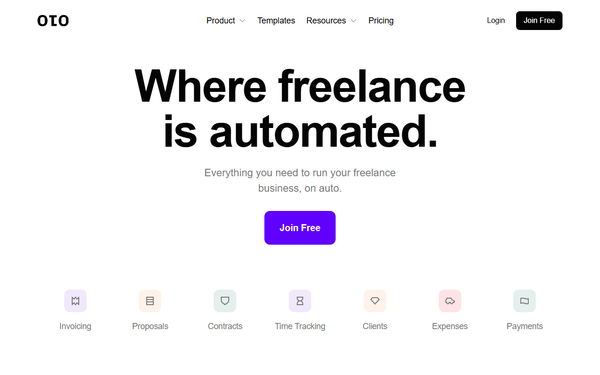
Oto is an all-in-one automation platform built specifically for freelancers, combining proposals, contracts, invoicing, client management, time tracking, expense recording, and payment processing into a single streamlined workspace. It automates repetitive administrative tasks—such as generating tailored proposals with AI, creating legally vetted contracts for e-signing, and turning tracked hours directly into invoices—so users can focus on client work rather than paperwork. Primary use cases include sending professional proposals that convert to paid projects, managing client relationships through shared progress updates, tracking billable time with live client sharing, and securing timely payments via automated reminders and global currency support.
The target audience spans a wide range of independent professionals, from creative fields like copywriters, videographers, influencers, and designers to service-based roles such as music professionals, makeup artists, and pet sitters. It appeals particularly to solo freelancers or small operators who juggle multiple clients remotely and value simplicity over enterprise-level complexity.
Key Features & Capabilities
Core functionality revolves around end-to-end project lifecycle management: AI-generated proposals built from predefined services that clients can approve instantly online, AI-powered contracts that support one-click e-signing, seamless time tracking with shareable live timesheets, expense logging with receipt uploads, and invoicing that pulls tracked hours automatically. Payments integrate directly with Stripe and PayPal, supporting partial payments, deposits, and over 135 global currencies with real-time status updates (viewed, paid, overdue).
Standout differentiators include deep AI integration for instant, customized proposals and contracts (powered by limited “oto AI Credits” on lower plans), automatic conversion of approved proposals to invoices, and client-facing transparency tools like live hour sharing and progress notifications—features that build trust and speed up cash flow. The platform also offers customizable branding, unlimited invoices/payments on all plans, and specialized templates for niche freelance work.
Limitations include client caps (1 on Free, 2 on Starter), AI credit restrictions that could throttle heavy users, and several “soon” features such as recurring invoices, late fees, custom templates, expense reports, and auto-responses. Integrations remain basic (primarily payment processors), with no native connections to popular tools like QuickBooks, Google Workspace, or project management apps yet. Some advanced customization and storage are Pro-only.

User Experience
Oto markets itself as exceptionally easy, with repeated emphasis on actions completed “in seconds” or “with a click,” suggesting a low learning curve even for non-technical freelancers. The interface appears clean and modern, focused on real-time notifications and mobile-friendly client portals for approvals and payments.
Documentation is minimal; there is no dedicated help center or comprehensive knowledge base, though feature-specific product pages provide overviews and the blog occasionally covers freelance topics like expense reimbursement. Support resources appear limited to in-app channels (not publicly detailed). Independent user feedback is sparse but generally positive on value and streamlining; one aggregated review set notes a potential learning curve for the full feature set despite the intuitive marketing.
Performance & Reliability
The platform positions itself as fast and efficient, with instant AI generation, real-time tracking, and automated reminders designed to minimize delays in client communication and payments. No widespread performance complaints surfaced in available sources, and the self-funded, freelancer-built team emphasizes reliability for daily freelance operations.
Common issues are not yet documented publicly; the primary “complaints” in limited reviews center on the administrative effort of consistent tracking (a general freelance challenge rather than a platform flaw) and the wait for promised features. As a relatively young tool trusted by over 1,000 freelancers, reliability appears solid for core tasks but may evolve with scale.
Pricing & Value
Oto offers a generous three-tier structure with no Oto transaction fees (only standard Stripe/PayPal processing):
- Free: $0, unlimited invoices/payments/proposals/contracts/time/expenses, 1 client, 250 AI credits—ideal for testing or very light use.
- Starter: $6/month (billed yearly; 2 months free), adds custom branding and contracts, 2 clients, 1,500 AI credits.
- Pro: $24/month (billed yearly; 2 months free), unlimited clients/AI credits/emails/storage—full professional scale.
Value is strong compared to fragmented alternatives (e.g., separate tools for proposals, time tracking, and invoicing that often cost $10–50/month each). The free tier and low entry pricing make it accessible, while AI automation and global payment support deliver clear ROI through faster project starts and reduced admin time. Annual billing discounts enhance affordability for serious users.
Practical Tutorial
Official video or interactive tutorials are not yet available (research date: March 13, 2026), but the platform’s product pages and flow descriptions enable a clear walkthrough. Below is a practical step-by-step for a common task—creating an AI-powered proposal, securing approval, and converting it to an invoice—using the real example flow shown on the site (e.g., client “Suzie Kim”).
-
Sign up and set up basics: Go to https://app.oto.work/signup (free, no credit card required). Add your logo, brand colors, and predefined services (e.g., “Website Design – $2,500” or hourly rate).
-
Generate the proposal: From the dashboard, click to create a new proposal. Oto’s AI instantly drafts a detailed, tailored document based on your selected services and project details. Customize if needed (Starter/Pro for full branding).
-
Send and track: Enter the client’s email (e.g., Suzie Kim). Send instantly. Monitor real-time status: “Proposal sent,” “Viewed 29 min ago,” “Approved 20 min ago” with notifications.
-
Collect approval and deposit: Client approves online in one click. Optionally request a deposit (available on higher plans or soon). Convert the approved proposal directly to an invoice with a single action.
-
Invoice and get paid: The system auto-populates hours or project details. Add partial payment options or reminders. Client pays via Stripe/PayPal link in 135+ currencies. Track status live (“Paid $1,220 for INV-06”).
For visual reference and updates, see the official proposal page: https://oto.work/product/proposal and invoicing guide: https://oto.work/product/invoicing. Practice first on the Free plan with one test client.
Final Verdict
Overall rating: 4.5/5. Oto excels as a focused, affordable all-in-one solution for freelancers seeking automation without complexity, with standout AI and global payment features delivering genuine time savings.
Freelancers in creative or service niches who want to professionalize client-facing processes, reduce admin overhead, and get paid faster should use it—especially those starting out or managing 1–10 clients. Avoid it if you need deep accounting integrations, unlimited clients on a tiny budget, or mature documentation and support, as these areas are still developing.
One-sentence recommendation: If you’re a solo freelancer tired of juggling separate tools for proposals, contracts, and invoices, start with Oto’s free plan today—it automates the busywork so you can focus on the work that pays.