Otter.ai Review: The Ultimate AI Meeting Notetaker and Transcriber
Overview & Purpose
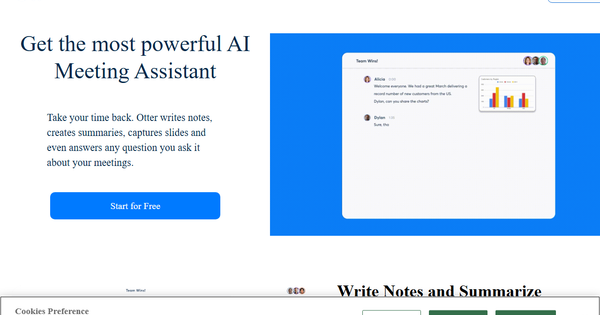
Otter.ai is an AI-powered notetaker and transcription tool that automatically joins video conferencing platforms like Zoom, Microsoft Teams, and Google Meet to record, transcribe, and summarize meetings in real time. It generates searchable notes, highlights key takeaways, action items, and decisions, while also supporting in-person recordings via mobile apps or desktop capture. Primary use cases include capturing sales calls for CRM syncing, transcribing lectures or interviews for education and media professionals, organizing team discussions with collaborative editing, and turning conversations into actionable insights through AI chat queries.
The tool targets knowledge workers and teams with frequent meetings, such as sales representatives, recruiters, educators, managers, and solution enablement teams. It is particularly valuable for professionals who need to stay engaged during calls rather than taking manual notes, or those requiring quick post-meeting summaries and follow-ups. While not primarily aimed at developers or designers, it serves any role involving collaboration, client calls, or content creation where accurate records save time.
Key Features & Capabilities
Core functionality revolves around real-time AI transcription with speaker identification, automated summaries, action item extraction, and synchronized audio playback with word highlighting. Users can search transcripts by keywords, speakers, or dates, organize conversations into channels or folders, and collaborate via comments, highlights, and shared notes. Standout features include the Otter AI Chat for querying past meetings or connected apps (e.g., "What were the action items from last week's sales call?"), voice-activated commands ("Hey Otter"), automatic slide capture in virtual meetings, and deep integrations with tools like Salesforce, HubSpot, Slack, Google Calendar, Notion, and Jira for seamless workflow automation.
Differentiators from competitors include its executive-assistant-like behavior—automatically joining meetings without a bot in some modes, generating CRM-synced insights, and offering flexible recording options (calendar-based, desktop app, or mobile). It supports English, French, and Spanish transcription, custom vocabulary for industry jargon, and enterprise-grade security like SSO and HIPAA (add-on).
Limitations include caps on transcription minutes and file imports in lower-tier plans, support for only three languages (with no automatic detection), and occasional inconsistencies in speaker identification or accuracy in noisy environments, accents, or overlapping speech. It lacks built-in video recording in some plans and requires manual edits for perfect transcripts.
User Experience
Otter.ai boasts a clean, intuitive interface with real-time transcription views, easy navigation via side panels for summaries and action items, and mobile apps for on-the-go use. The learning curve is minimal—most users can start transcribing within minutes after signup and integration setup. Features like drag-and-drop file imports and one-click sharing enhance usability.
Documentation is comprehensive through the Help Center, with quick-start guides, video tutorials, and articles on integrations. Customer support receives mixed feedback: prioritized for Business/Enterprise plans, but some users report slower responses on lower tiers. Overall, G2 and Capterra users praise its simplicity and productivity gains, though a few note occasional glitches in auto-joining meetings.
Performance & Reliability
The tool delivers fast, real-time transcription and summaries, often processing meetings efficiently with minimal lag on stable connections. Playback features like variable speeds and skip-silence work smoothly, and AI insights generate quickly post-meeting. Users commonly report time savings of several hours per week.
Known issues include transcription accuracy around 85% in ideal conditions, dropping with background noise, heavy accents, or multi-speaker overlaps—requiring post-editing. Speaker labeling can default to generic "Speaker 1/2" tags inconsistently. Reliability complaints on platforms like Trustpilot and Reddit mention rare failures to join meetings or capture audio, though these are not universal. Performance improves with custom vocabulary and speaker training.
Pricing & Value
Otter.ai offers a tiered subscription model (as of April 2026):
- Basic: Free forever – 300 transcription minutes/month, 30-minute conversation limit, 3 lifetime file imports, basic AI Chat (limited queries).
- Pro: $8.33/user/month (billed annually; $16.99 monthly) – 1,200 minutes/month, 90-minute conversation limit, 10 file imports/month, advanced integrations, and team vocabulary.
- Business: $19.99/user/month (billed annually; $30 monthly) – Unlimited minutes and imports, 4-hour conversation limit, enhanced admin controls, prioritized support, and unlimited AI Chat.
- Enterprise: Custom pricing – Adds SSO, SCIM, custom integrations, HIPAA, and dedicated success support (minimum users for some features).
A 7-day Business trial is available. Student discounts apply to Pro (20% off). Value is strong for heavy meeting users, as it returns significant time through automation and integrations, outperforming manual note-taking or basic free tools. Compared to alternatives like Fireflies.ai or tl;dv, Otter excels in transcription focus and AI chat but may feel limited by minute caps for very high-volume teams.
Practical Tutorial
Step-by-Step: Transcribe a Zoom Meeting with Otter Notetaker
-
Sign up and connect integrations: Go to otter.ai, create a free account with your work email, and verify it. Navigate to Settings > Connected Apps, then link your Zoom account (or Google Calendar/Teams for auto-scheduling).
-
Set up the Notetaker: In your workspace, enable the Otter Notetaker to auto-join meetings via calendar invites or manually add "[email protected]" as a participant in Zoom. For recurring meetings, create a Channel and start recording from there for automatic sharing.
-
Join or start the meeting: Schedule or enter your Zoom call. Otter will join automatically (or you can invite it). Participants will see a disclaimer. View live transcription in the Otter web/app if desired.
-
Review and enhance post-meeting: After the call ends, open the transcript in Otter. Edit speaker names/tags (train Otter by uploading voice samples for better recognition). Review the AI-generated summary, action items, and outline. Use AI Chat to ask questions like "Summarize decisions" or "Draft a follow-up email."
-
Share and export: Add highlights, comments, or tasks. Share via private link, Slack, or export as PDF/DOCX with timestamps. For in-person alternatives, use the mobile app's Record button directly.
Official resources: Full Quick Start Guide at https://help.otter.ai/hc/en-us/articles/360049722894-Otter-Quick-Start-Guide and Zoom setup at Otter's Help Center.
Final Verdict
Otter.ai earns a solid 4.3/5 rating for its reliable transcription, time-saving AI features, and seamless integrations in a polished package. It shines for sales, education, recruiting, or any meeting-heavy professional seeking an always-on assistant to capture insights without manual effort. Teams valuing collaboration and CRM sync will find excellent ROI.
Avoid it if you need support for more than three languages, zero-editing transcripts in complex audio scenarios, or unlimited usage on a budget—consider alternatives with broader language options or fewer caps. One-sentence recommendation: Otter.ai is a must-try for busy professionals who want AI to handle the note-taking so they can focus on the conversation.