Parseur Review: Automate Data Extraction from Emails and PDFs

Overview & Purpose

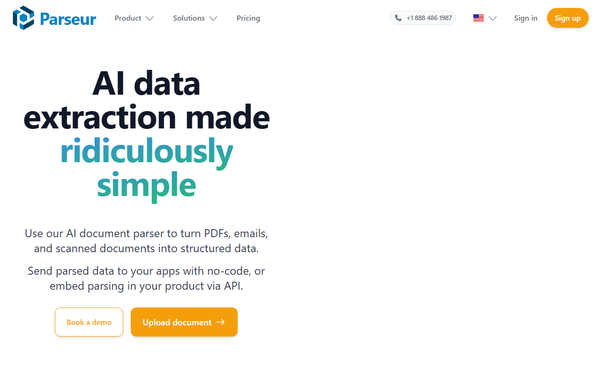
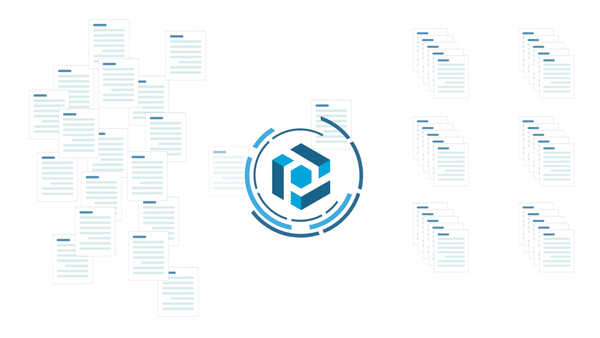
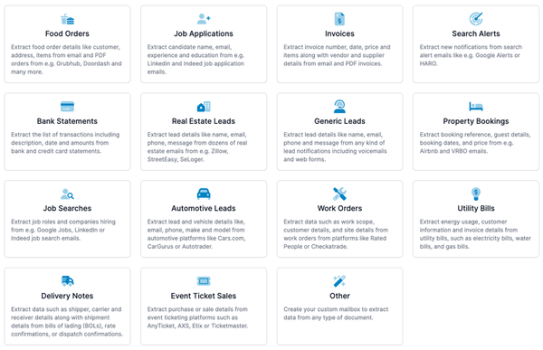
Parseur is an AI-powered, no-code document processing platform designed to automate the extraction of structured data from emails, PDFs, scans, spreadsheets, and other unstructured documents. It converts messy, varied layouts into clean, usable data that can be instantly delivered to business tools via native integrations or webhooks. Primary use cases include accounts payable (e.g., invoice and purchase order processing), logistics and supply chain (shipping documents), human resources (resume parsing), real estate leads (property inquiry emails), and any high-volume document workflow that traditionally involves manual data entry.
The tool targets operations teams, non-technical business users, marketers, and small-to-medium businesses rather than developers or designers. It appeals to anyone tired of copying data from documents into spreadsheets or CRMs, with a focus on speed, reliability, and privacy (EU-hosted infrastructure, GDPR/CCPA compliant, SOC 2 Type 2). As of April 2026 research, Parseur is used by hundreds of companies worldwide for production-scale automation handling anywhere from dozens to millions of documents monthly.
Key Features & Capabilities
Core functionality revolves around two complementary engines: an AI parsing engine that requires no training or templates and automatically adapts to layout variations, and a traditional template-based engine with zonal OCR, dynamic OCR, and table extraction for maximum precision on consistent documents. Users define fields once (with custom formatting for dates, numbers, etc.), and Parseur handles the rest—extracting, structuring, and delivering data in real time.
Standout features include:
- Hybrid AI + templates: AI for flexibility on new/varying layouts; templates for reliability on known formats.
- Unlimited mailboxes and fields: No limits on email addresses or data points.
- Advanced OCR and table extraction: Handles scanned PDFs, multilingual documents, and complex tables (up to 25 pages per table in AI mode).
- Pre- and post-processing: Data formatting, alerts, reprocessing, and audit logs for full visibility.
- Broad integrations: Native connectors to Zapier, Make, Google Sheets, Airtable, Salesforce, Power Automate, n8n, Slack, webhooks, API, and exports to CSV/Excel/JSON.
Differentiators from competitors (e.g., Docparser, Nanonets, Parsio) include transparent volume-based pricing without hidden fees, no need for retraining on layout changes, production-ready monitoring (99.99% uptime, error alerts), and strong privacy controls. It scales automatically without added infrastructure.
Limitations include credit consumption (1 credit = 1 page PDF or 1 email/spreadsheet attachment), which can add up for multi-page documents; AI may require field instruction tweaks for highly complex or handwritten content; and no built-in document approval workflows (focus is purely extraction). It lacks some enterprise features like custom AI model training found in heavier tools.

User Experience
Parseur earns consistently high marks for ease of use, with reviewers praising its intuitive point-and-click interface and low learning curve—most users are productive within minutes. The dashboard is clean and modern, featuring drag-and-drop uploads, visual template editors (select text on preview), and real-time document previews. AI-assisted mailbox setup automatically suggests fields, reducing initial configuration time.
Documentation is excellent: comprehensive help center articles, step-by-step guides, YouTube tutorials, and 24/7 AI chat support (with escalation to human agents). Customer service scores 4.9/5 across platforms, with users frequently highlighting responsive, helpful support.
Minor drawbacks noted in reviews include occasional need to refine AI instructions for edge cases and a credit-based model that requires monitoring for high-volume users.
Performance & Reliability
Parseur processes documents in seconds to minutes, with real-time delivery and automatic scaling for volume spikes. It boasts 99.99% uptime and detailed audit logs for troubleshooting. The AI engine reliably handles layout variations without manual retraining, and the hybrid approach ensures high accuracy (users report consistent results once fields are tuned).
Common complaints are minimal and mostly historical; recent 2025–2026 reviews highlight reliable performance even on varied invoice layouts. Occasional issues arise with very poor-quality scans or extremely long tables, but reprocessing and template fallback resolve most. No major outages or systemic reliability problems reported on review sites.
Pricing & Value
Parseur uses simple volume-based pricing (1 credit = 1 processed page or email):
- Free tier: 20 credits/month, 30-day retention, online support, unlimited mailboxes—ideal for testing.
- Paid plans (starting ~$39/month for Micro/100 credits): Scale up to thousands or millions of credits with decreasing cost-per-page (e.g., as low as a few cents at high volume). Features like longer retention (up to unlimited), priority support, advanced processing, and multi-user access unlock in higher tiers.
- Enterprise: Custom plans with PO billing, unlimited users, security audits.
Annual billing offers savings, and unused credits expire monthly. Value is strong for SMBs and growing teams: transparent, no hidden fees for AI/OCR/integrations, and significantly cheaper per page at scale than many competitors. Users rate value for money 4.5–4.7/5, noting time savings outweigh costs quickly.
Practical Tutorial
Parseur provides official step-by-step guides and videos. Here is a walkthrough for a common task—setting up automated invoice extraction from emails/PDFs and sending data to Google Sheets (based on official documentation as of April 2026).
-
Sign up and create your first mailbox: Go to app.parseur.com, sign up (free), and click “New Mailbox.” Choose AI-assisted creation (recommended)—Parseur auto-detects type and suggests fields like Invoice Number, Date, Total, Vendor, Line Items.
-
Send your first document: Forward an invoice email to the provided mailbox address or drag-and-drop a PDF/spreadsheet directly in the app. Parseur processes instantly.
-
Review and refine with AI engine: Open the processed document. AI extracts data based on your field list. Edit fields (add instructions like “Extract the invoice total as a number, ignoring currency symbols”) or create new ones (e.g., Table for line items). Click “Re-process” to update.
-
Create a template for precision (optional but recommended for consistent layouts): Hover over the document → “+ New Template.” In the editor, highlight text on the preview and assign fields (zonal OCR for fixed positions, dynamic for varying layouts). Save—Parseur auto-selects matching templates or falls back to AI.
-
Set up destinations: Go to mailbox settings → Integrations. Connect to Google Sheets (or Zapier/Make) and map fields. Data flows automatically on every new document.
-
Monitor and export: Use the dashboard for logs, alerts, and bulk exports. Set auto-forward rules in your email client for hands-off operation.
Official resources: Getting Started Guide, AI Engine Tutorial, and YouTube videos on invoice processing.
Final Verdict
Overall rating: 4.8/5 — Excellent for no-code document automation.
Who should use this tool: Operations teams, SMBs, and non-technical users in finance, logistics, HR, or sales who handle recurring documents and want fast, reliable extraction without coding or ongoing maintenance. It shines for high-volume, varied layouts where time savings and integrations deliver immediate ROI.
Who should avoid this tool: Developers needing highly custom code-based solutions, enterprises with extreme compliance needs beyond current certifications, or tiny teams with very low volume who might outgrow free tier quickly (or prefer completely free open-source alternatives).
One-sentence recommendation: If you’re wasting hours manually copying data from emails and PDFs, Parseur is one of the simplest, most effective ways to automate it reliably in 2026.