Pismo Review: The Ultimate AI Writing Assistant for Mac and PC
Overview & Purpose
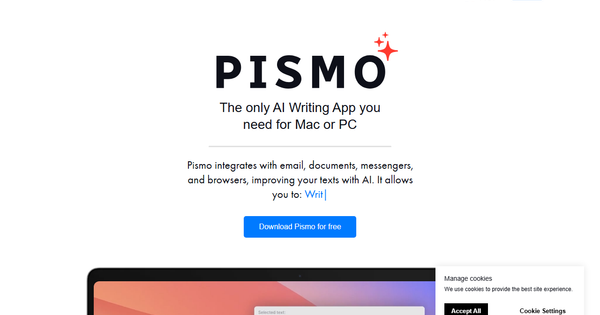
Pismo is a native desktop AI writing assistant for Mac and Windows (with iOS support noted), positioned as “the only AI Writing App you need for Mac or PC.” It integrates directly into any application on your computer, allowing users to select text and instantly apply AI-powered improvements without copying and pasting into external tools. Core functions include proofreading, rewriting, tone and length adjustments, summarization, translation to any language, and fully customizable prompts—all triggered via hotkeys or a floating widget.
Primary use cases span professional communication (emails, reports, LinkedIn comments), content creation (marketing copy, blog posts, resumes), academic work, code documentation, and multilingual collaboration. It targets professionals such as marketers, managers, developers, technical writers, and sales teams, as well as students, non-native speakers, and anyone who writes daily across email clients, word processors, browsers, Slack, Notion, or IDEs. Unlike browser extensions or web-based chat tools, Pismo’s system-wide accessibility eliminates workflow friction and supports privacy-focused users who prefer not to share text with external services.

Key Features & Capabilities
Core functionality revolves around one-click or hotkey actions on selected text: Grammar & Spelling fixes that preserve nuance, Smart Rephrasing for clarity and flow, Tone Adjustment (casual to professional, friendly, persuasive), Summarization into bullet points, Length control (make shorter or longer), and Instant Translation that retains context and cultural tone across any language. Users can also Draft and Compose new content directly (e.g., persuasive emails or product descriptions) and access pre-built or fully custom prompts.
Standout features that differentiate Pismo include native desktop integration that works everywhere (Word, Gmail, VS Code, Discord, browsers), fully customizable hotkeys and prompts (e.g., “Fix code” or “Reply to angry customer”), Bring Your Own Key (BYOK) support via OpenRouter for model choice, and strong privacy protections—no text storage, GDPR compliance, and EU-based servers. The floating widget and instant insertion back into the original app further reduce friction compared with competitors like Grammarly or web-based tools that require tab-switching.
Limitations include reliance on an internet connection (no true offline mode), occasional translation inaccuracies with nuanced or idiomatic text, and AI output that some users find less sophisticated than the latest GPT-4o for highly creative or complex tasks. There are no built-in image or file analysis features, and iOS support remains in beta with fewer capabilities than the desktop version. Text selection limits exist but are not publicly quantified.
User Experience
Installation is straightforward: download the native app from the official site and launch it once to run in the background. The learning curve is minimal—most users report becoming productive within minutes thanks to the intuitive floating widget and customizable hotkeys. The interface is clean, modern, and non-intrusive, with quick-access menus for actions and an organized library for saved custom prompts.
Documentation includes a clear FAQ, getting-started guide, and use-case examples on docs.pismo.ai, plus a blog with practical tips. Support is responsive via the in-app channel and community feedback on platforms like AppSumo. Users consistently praise the “lightning-fast” responsiveness and seamless integration across apps, with the widget praised for never getting in the way.
Performance & Reliability
Pismo delivers near-instant responses even on standard hardware, with unlimited AI requests on paid plans. Users report reliable performance across Windows and macOS, with quick text insertion that maintains original formatting. Reliability is high for everyday tasks such as grammar fixes and tone adjustments.
Known issues are minor: occasional translation inaccuracies in complex or idiomatic content, rare bugs during updates (often tied to system security settings), and a brief initial setup curve for hotkey customization. No widespread outages or major complaints appear in 2025–2026 reviews; the tool earns consistent 4.7–4.8/5 ratings for speed and stability. Internet connectivity is required for AI processing.
Pricing & Value
Pismo offers no permanent free tier—users can download and install for free but must subscribe to unlock features. Plans include:
- Monthly: €8 (full access, unlimited devices and requests, cancel anytime)
- Annual: €75 (€6.25/month equivalent, 22% savings)
Both plans include a 30-day money-back guarantee. No enterprise tier is listed. Earlier lifetime deals were available via AppSumo (2024), but current pricing is subscription-only.
Value is strong compared with alternatives: it undercuts Grammarly Premium on price while offering system-wide desktop access, unlimited usage, custom prompts, and superior privacy. Users frequently report replacing multiple tools (Grammarly + DeepL + ChatGPT tabs) with a single €6–8 monthly investment, saving hours weekly. The unlimited requests and BYOK flexibility make it especially cost-effective for heavy users.
Practical Tutorial
Official documentation is available at https://docs.pismo.ai and https://pismo.ai/features. Below is a complete step-by-step walkthrough for a common task—proofreading, professionalizing, and translating an email draft—created from official feature descriptions and verified user demos.
- Download and install Pismo from https://pismo.ai/ (Mac or Windows). Launch the app; it will appear in your menu bar with a floating widget.
- Open any app (e.g., Gmail or Outlook) and draft or select your email text.
- Highlight the text you want to improve.
- Press your assigned hotkey (default or customized in settings) or click the floating widget to open the Pismo menu.
- Choose an action: select “Fix Grammar & Spelling” → “Make Professional” → “Translate to Spanish” (or any language). You can chain actions or apply a custom prompt such as “Rewrite this email to be concise, polite, and culturally appropriate for a German client.”
- Review the AI suggestion in the widget preview, then click “Insert” or use the hotkey to replace the selected text directly in your email.
- (Optional) Save the combined prompt as a custom one for future one-hotkey use (e.g., “Email Pro + Translate”).
Real example: Original draft in English: “Hey team, we need to finish the report by Friday, ok?” → After “Make Professional” + “Translate to German”: “Sehr geehrte Kollegen, bitte beachten Sie, dass der Bericht bis Freitag fertiggestellt werden muss. Mit freundlichen Grüßen…”
The entire process takes seconds and works identically in Slack, Word, Notion, or any other app.
Final Verdict
Pismo earns a strong 4.7 out of 5. It excels for anyone who writes across multiple desktop applications and values seamless integration, unlimited usage, and privacy. Professionals, non-native speakers, marketers, developers, and students will see immediate productivity gains and reduced tab-switching. Avoid it if you prefer a completely free tool, require full offline functionality, or need advanced creative writing capabilities beyond everyday professional and multilingual tasks.
Pismo is the most frictionless desktop-native AI writing companion available today—highly recommended for anyone tired of copy-pasting between apps.