Plazmapunk Review: Create AI Music Videos in Minutes
Overview & Purpose
Plazmapunk is an AI-powered platform designed to transform audio tracks into fully synchronized music videos without requiring any video editing expertise. Users upload their music, select visual styles, and let the AI generate dynamic, beat-reactive visuals that align perfectly with the rhythm, melody, and structure of the track. Primary use cases include creating promotional music videos for social media platforms like YouTube, TikTok, and Instagram; visualizing original tracks for artists and producers; generating quick content for content creators; and even producing custom soundtracks via built-in AI music generation tools.
The tool targets musicians, independent artists, producers, and content creators who want professional-looking visuals quickly. It also appeals to developers through its scalable API for integrating video generation into custom workflows or applications. With over 100,000 creators reportedly using the platform, it positions itself as an accessible entry point into AI-driven audiovisual production.
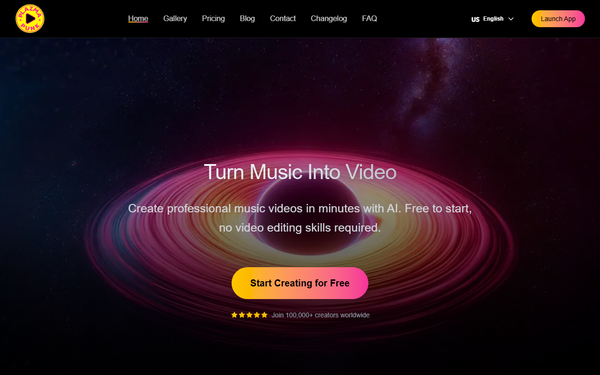
Key Features & Capabilities
Core functionality revolves around a simple three-step process: upload custom audio (or generate AI soundtracks), choose from visual models like Stable Diffusion XL or Kandinsky 2.2, and generate a video with automatic audio reactivity. Standout features include an intuitive scene editor assisted by GPT for narrative control and scene scripting, a “Magic Style” tool for visual refinement and consistency, support for multiple aspect ratios (4:3 on free, plus 9:16, 16:9, 1:1, and others on paid plans), and production-grade speed that delivers full videos in minutes.
Differentiators from competitors include deep music synchronization that reacts not just to beats but to lyrics and structure, open-source model flexibility (with recent upgrades like Z-Image Turbo for sharper frames), and the developer API that requires minimal code for integration. Users can preview and iterate on scenes, remove watermarks on higher tiers, and access priority rendering.
Limitations include credit-based generation (measured in video seconds), where the free tier restricts output length and style options. AI outputs can occasionally vary in consistency (a common industry challenge), and advanced customization in the scene editor has a learning curve for optimal results. No native collaboration tools or advanced post-export editing are mentioned.
User Experience
Plazmapunk emphasizes ease of use with a clean, modern interface that guides beginners through the core workflow in under a minute for simple generations. The learning curve is gentle for basic mode but steepens in advanced scene editing, where GPT assistance helps but still requires experimentation for best outcomes. Users praise the intuitive design and creative control once familiar.
Interface quality is high, with real-time previews, community galleries, and in-app tutorials. Documentation includes a comprehensive FAQ, changelog, blog, and “Read the Docs” for the API. Support resources feature official YouTube tutorials for easy and advanced modes, though some users report occasional delays in customer support response for technical issues.

Performance & Reliability
Generation is marketed as “lightning fast,” typically completing full videos in minutes thanks to an optimized pipeline. Recent updates like Z-Image Turbo have improved frame sharpness and prompt accuracy. Reliability is generally strong for audio sync and output quality, with over 100,000 users indicating broad adoption.
Known issues include occasional generation errors on the free tier (e.g., “Failed to generate” messages wasting credits), variability in AI results requiring multiple attempts, and limited free credits (20 seconds daily) that can frustrate heavy testing. A few users have noted support response gaps during outages, though most reviews highlight consistent improvements over time.

Pricing & Value
Plazmapunk offers a transparent, credit-based model with no hidden fees or credit card required to start:
- Plazma Free: €0/month – 20 seconds of video generation daily, standard styles, 4:3 aspect ratio only, watermark on exports. Ideal for hobbyists.
- Plazma Pioneer: €4.99/month – 100 seconds daily, all aspect ratios, Magic Style, scene editor access.
- Plazma Punk: €12/month – 300 seconds daily, full scene editor with advanced AI, no watermark, priority rendering, upscaling.
- Plazma Producer: €79.99/month – High-volume credits and enterprise features.
Value is strong for emerging creators: the low entry price and daily free credits outperform many competitors that lock core features behind higher paywalls. Paid plans unlock professional tools that justify the cost for regular users, though heavy producers may find credit limits restrictive compared to unlimited alternatives. Overall, it delivers excellent price-to-performance for quick, high-quality music videos.
Practical Tutorial
Official step-by-step tutorials are available directly in the app and on the Plazmapunk YouTube channel. Here is a practical walkthrough for a common task—creating a basic music video from an uploaded track (based on the platform’s “Easy Mode” as of April 2026):
-
Sign up and access the app: Go to app.plazmapunk.com and create a free account (no credit card needed). Daily credits are automatically available.
-
Upload your audio: Click “Create New Video,” select “Custom Music Upload,” and drag in your MP3 or WAV track (up to the credit limit). The AI will analyze the beat and structure automatically.
-
Choose a visual style: Browse presets including Stable Diffusion XL or Kandinsky 2.2. For quick results, select a pre-loaded style or use the prompt field to describe the vibe (e.g., “cyberpunk neon city at night”).
-
Generate the video: Hit “Generate.” The platform handles synchronization. On free tier, expect a 20-second clip; paid plans allow longer exports.
-
Edit if desired (Advanced Mode): Open the scene editor to script specific scenes with GPT assistance (e.g., “scene 1: exploding fireworks syncing to chorus”). Use Magic Style to refine colors and consistency.
-
Preview and export: Watch the preview, regenerate sections as needed, then download in your chosen aspect ratio. Remove watermark on paid plans.
For full advanced techniques (scene scripting, multi-style switching), watch the official “Plazmapunk Tutorial: Advanced Mode” on YouTube. Community examples and in-app quick-start guide provide real examples.
Final Verdict
Overall rating: 4.2/5 – A highly capable and accessible tool that punches above its weight for speed and creativity.
Who should use this tool: Musicians, independent artists, and content creators seeking fast, professional music videos without editing skills or high budgets—especially those who value music-reactive AI and scene-level control.
Who should avoid this tool: Professional studios needing pixel-perfect control, unlimited generation, or collaborative workflows, or users frustrated by credit limits and occasional AI inconsistency.
One-sentence recommendation: If you want to turn any track into a stunning, synchronized music video in minutes with minimal effort and growing creative depth, Plazmapunk is an excellent choice worth trying for free today.