PodcastAI Review: Automate Your Entire Podcast Production Workflow
Overview & Purpose

PodcastAI is an AI-powered platform designed to fully automate podcast production, from content ingestion and post-production to hosting, promotion, and distribution. It enables users to upload audio/video episodes or input text/articles (such as blog posts or newsletters) to generate complete podcasts, including voice-cloned episodes via its MagicPod feature. Primary use cases include streamlining episode editing and transcription for existing shows, creating viral social clips, building custom show websites, generating AI show notes, and even producing fully synthetic episodes without manual recording—ideal for repurposing written content into audio formats for broader reach.
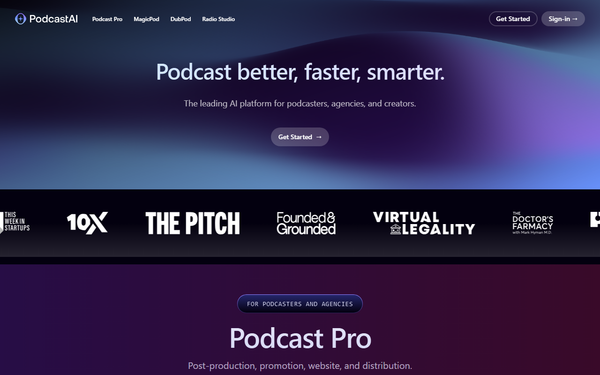
The tool targets podcasters, YouTubers, content creators, agencies, and publishers who want to scale output with minimal effort, particularly those producing regular episodes or seeking 10x productivity gains. Notable early adopters include "This Week in Startups" (which uses it for website powering and production) and "The Doctor's Farmacy." Founded in 2023 by Edward Brawer and backed by Jason Calacanis' LAUNCH fund, it positions itself as an end-to-end solution rather than a single-feature editor.
This review is based on research conducted as of March 14, 2026, drawing from the official site, help center, G2 ratings, and third-party analyses.
Key Features & Capabilities
Core functionality revolves around an all-in-one workflow: AI transcription with speaker identification, audio/video editing and enhancement, automated show notes/chapters, viral moment detection for short-form clips, podcast hosting with RSS distribution to platforms like Apple Podcasts and Spotify, and a custom show website builder. Additional tools include text-based chat with AI hosts (trained on your past episodes for voice/look cloning), an Ad-Read Generator, multi-user collaboration, and language support for dubbing/translation in select plans.
Standout features that differentiate it include MagicPod (fully automated AI-generated shows in your cloned voice, with auto-scheduling, artwork, notes, and website), integrated promotion via viral clips and social-ready assets, and the ability to turn any text URL or article directly into a polished podcast episode. These go beyond basic editors like Descript or Riverside by handling hosting, distribution, and marketing in one dashboard—potentially replacing multiple tools and cutting production time by up to 80%.
Limitations include heavy reliance on AI, which can reduce creative control and manual fine-tuning options for perfectionists; occasional need for human review of transcription accuracy or voice cloning quality (standard for AI tools); and no advanced video editing beyond podcast-focused enhancements. No free tier exists, and features like full voice cloning are locked to the higher plan.
User Experience
PodcastAI boasts an intuitive dashboard that feels straightforward even for beginners, with clean navigation and minimal learning curve—users report "everything was straightforward" after quick sign-up. The interface prioritizes automation: upload content, let AI process, then review/customize via the episode studio or text chat with AI hosts. No steep technical barriers, and multi-format support (audio, video, text) adds flexibility.
Documentation and support resources are solid via the dedicated help center at help.podcastai.com, featuring guides on getting started, transcription, episode studio usage, generating quotes/viral moments, Ad-Read tools, team invites, and distribution. In-app text chat support and founder responsiveness are noted positively in limited feedback. Overall, the platform earns praise for accessibility, though some mention pricing details could be clearer upfront.
Performance & Reliability
Processing is fast and efficient, with users highlighting significant time savings (hours per episode on transcription, notes, and clips) and reliable output for weekly shows. G2 users describe it as "speedy" with strong promotion tools that aid audience growth. Audio enhancement and viral moment generation perform well for standard podcast workflows, delivering professional results without heavy manual intervention.
Known issues are minimal due to the tool's relatively recent prominence; no widespread complaints surfaced on Reddit or major forums. Common AI caveats apply—occasional transcription inaccuracies or voice cloning needing training data refinement—but overall reliability is high for automation tasks, with positive notes on consistent episode studio performance. Limited reviews (4.3/5 on G2 from early users) suggest strong potential but call for more long-term data.
Pricing & Value
PodcastAI offers two monthly subscription plans with no free tier or annual discounts noted:
- Podcast Pro: $99 per month—covers hosting, post-production (editing/transcription/clips), and promotion tools.
- MagicPod: $599 per month—adds fully automated AI-generated shows in your voice, plus all Pro features.
Both include unlimited episodes, multi-user access, AI show notes, viral moments, custom show website, and text chat with AI hosts. Enterprise options are not publicly detailed but implied for scaling teams.
Value is strong for established podcasters or YouTubers scaling multiple shows, as it consolidates transcription, editing, hosting, and marketing (replacing 4–5 separate tools) and delivers measurable time/cost savings. Compared to alternatives like Descript or Podcastle, it excels in full-pipeline automation and hosting integration but feels premium-priced for casual users or those preferring manual control. The proposition shines for professionals prioritizing speed and reach over budget.
Practical Tutorial
Official tutorials are available through the help center (help.podcastai.com) and a demo booking at podcastai.com/demo. A YouTube "Podcast Pro Demo" also exists for visual walkthroughs. Below is a step-by-step guide for a common task—generating viral clips and show notes from an uploaded episode (or turning a blog article into a podcast segment)—based on documented features and typical workflow as of March 2026.
-
Sign up and set up your show: Visit podcastai.com, create an account, and access the dashboard. Create a new podcast show and (optionally) train an AI host by uploading past episodes for voice cloning.
-
Upload or input content: Click "New Episode" or use the MagicPod option. Upload an audio/video file or paste a blog URL/article text. The platform supports multiple formats and auto-starts processing.
-
AI transcription and analysis: PodcastAI automatically transcribes with speaker identification, generates show notes/chapters, and detects viral moments. This takes minutes depending on length.
-
Customize in Episode Studio: Review/edit the transcript, refine audio enhancements, and use the text chat with AI hosts for suggestions or Ad-Read generation. Adjust clips or add effects as needed.
-
Generate promotion assets: Select viral moments to create ready-to-share social clips. Auto-generate show notes, artwork, and website updates.
-
Publish and distribute: Approve the episode, host it natively, and submit to platforms via built-in RSS tools. Track analytics and promotion reach directly in the dashboard.
For full article-to-podcast (MagicPod plan), input text in step 2 and let AI voice-clone the entire episode. Always review AI output for accuracy. Detailed guides are linked in the help center under "Guides & Getting Started" (e.g., "How do I transcribe an episode?" or "How do I use the episode studio?").
Final Verdict
Overall rating: 4.3/5 (aligned with G2 and balanced user feedback for automation strengths, tempered by pricing and limited reviews).
Podcasters, YouTubers, and scaling creators should use this tool for its comprehensive time-saving automation, all-in-one hosting/promotion, and innovative AI host cloning that enables true hands-off production. Avoid it if you're a hobbyist on a tight budget, prefer extensive manual creative control, or need a free tier—cheaper alternatives like open-source options or basic editors may suffice.
PodcastAI delivers powerful end-to-end AI podcast production that genuinely scales content creation for professionals willing to invest in premium automation.