Podcastle Review: The Best AI Tool for Easy Podcast Creation

Overview & Purpose
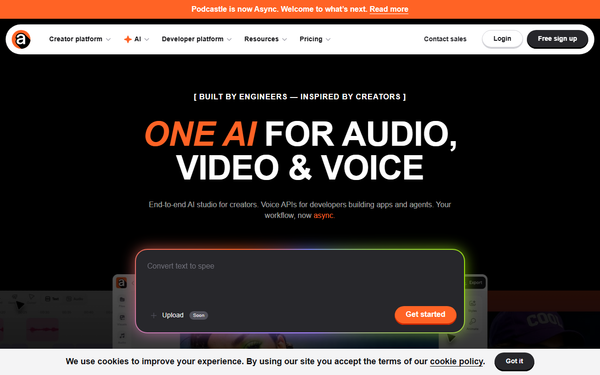
Podcastle (now operating primarily as Async at async.com, with podcastle.ai still directing users to the platform) is a web-based, AI-powered platform that simplifies the entire process of creating, editing, and publishing high-quality audio and video content, particularly podcasts. It combines studio-quality recording, intelligent AI editing tools, transcription, and seamless distribution into one browser-based workspace—no downloads or complex software required. Primary use cases include recording solo or remote interviews (with separate tracks for each participant), editing episodes with AI assistance, generating text-to-speech voiceovers, enhancing audio automatically, and exporting or hosting the final product for platforms like Spotify, Apple Podcasts, and YouTube.
The target audience spans podcasters, bloggers, journalists, educators, content creators, marketers, and small teams who want professional results without technical expertise or expensive equipment. It appeals especially to beginners and solo creators seeking an all-in-one solution, as well as businesses needing quick video clips, dubbing, or collaborative workflows.
Key Features & Capabilities
Core functionality revolves around a cloud-based studio for multi-track audio and video recording (supporting up to multiple remote guests with local high-quality capture via iOS app), automatic transcription, intuitive timeline and text-based editing, and one-click publishing/hosting. Standout AI-powered tools include Magic Dust for instant noise cancellation, background removal, and audio leveling to studio quality; Revoice for voice cloning and text-to-speech with over 1,000 voices in 15+ languages; auto silence/filler word removal; one-click viral clip generation for social media; subtitles; and dubbing. The platform also offers royalty-free music/SFX libraries, screen sharing during recording, and a teleprompter.
Differentiators from competitors like Descript or Riverside include its generous free-tier audio recording (unlimited in many cases), browser-only workflow, strong emphasis on Magic Dust for effortless pro sound, and integrated hosting/distribution. The iOS app enables on-the-go local recordings that sync to the web editor for seamless multi-track editing.
Limitations include storage caps (e.g., 2GB on free, scaling modestly on paid plans), credit-based restrictions on advanced AI features like extended transcription or voice cloning, and video recording limits on free tiers (often 3 hours lifetime). Advanced users may find the editor less customizable than dedicated pro tools, and some video features remain secondary to audio.
User Experience
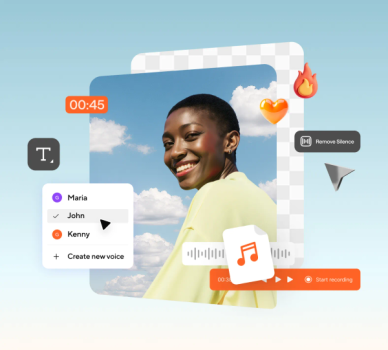
Podcastle earns high marks for ease of use and a gentle learning curve, making it ideal for non-technical users. The clean, intuitive interface runs entirely in the browser, with drag-and-drop editing, keyboard shortcuts, and AI suggestions that guide beginners through recording and post-production. Text-based editing (edit via transcript) and one-click AI tools like Magic Dust reduce the intimidation factor significantly.
Interface quality is modern and minimalist, with responsive design across devices. Documentation includes a help center (help.async.com), blog tutorials, and API docs for developers. Community support via YouTube and official guides is solid, though direct customer support receives mixed feedback—praised by some for responsiveness, criticized by others for slow or unhelpful responses during issues.

Performance & Reliability
The platform delivers fast AI processing for transcription, enhancement, and clip generation, with claims of low-latency voice cloning and high-quality exports. Studio recording maintains clear audio even in remote setups, and Magic Dust effectively polishes tracks for many users.
However, user reports highlight occasional reliability issues, including failed or dropped recordings, upload/processing delays, audio playback lags, and bugs in the editor (especially post-rebrand). Some long-term users note a perceived decline in stability, with complaints about inconsistent performance across browsers. These problems appear more common during peak usage or with larger projects.
Pricing & Value
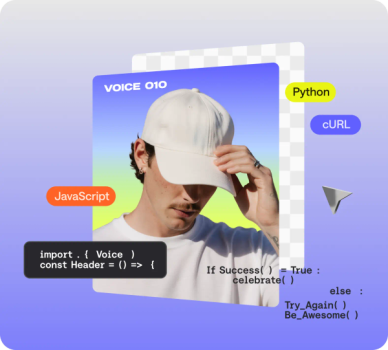
Podcastle offers a generous free tier with unlimited audio recording, basic editing, limited transcription (e.g., 1 hour), and podcast hosting/distribution—enough for testing or light use. Paid plans start with Creator/Essentials (~$11.99/month billed annually) for premium AI tools, more storage, higher-quality exports, and extended transcription. Pro plans (~$23.99–$29.99/month) add priority features, early access, and increased limits. Business/Team plans begin around $49.99/month with collaboration, Brand Kit, dedicated support, and enterprise security. Developer API access starts at $0.50/hour.
Value is strong for beginners and small creators due to the all-in-one workflow and AI features that save significant time compared to separate tools (e.g., Audacity + hosting services). It undercuts some competitors on free-tier generosity but may feel limiting for heavy video users due to storage and credits. Overall, it provides excellent bang-for-buck for podcast-focused creators versus more expensive alternatives.
Practical Tutorial
A common task is recording and editing a basic podcast episode. Here is a step-by-step walkthrough (based on official guidance; current as of April 2026):
-
Sign up and create a project: Go to podcastle.ai (or async.com), sign up with Google/Apple/email, and log in. Click "Create > Project" or "New Recording" to enter the studio.
-
Record audio: Choose "Record Audio" for solo or invite guests via link/email (they join remotely with separate tracks). Use the iOS app for local high-quality mobile recording if on the go. Enable the teleprompter if needed. Start recording—audio saves automatically with visible waveforms.
-
Import existing files (optional): Upload pre-recorded audio/video files directly into the project.
-
Edit the episode: In the editor, zoom into tracks and use the Split tool (shortcut: 2) to cut mistakes. Apply Magic Dust (right-click track) for one-click noise removal and enhancement. Use Silence Remover for pauses and auto-leveling for consistent volume. Edit via the auto-generated transcript for text-based changes. Add music or SFX from the library for intros/outros. Fade transitions by dragging track edges.
-
Polish and review: Trim clips, adjust volumes per track, and listen through on different devices. Generate clips or subtitles if creating video versions.
-
Export or publish: Download lossless MP3/WAV or publish directly to major podcast directories and video platforms. Hosting is included.
For visual demos, see official blog tutorials or YouTube walkthroughs such as "How to Use Podcastle (Step-by-Step Tutorial for Beginners)."
Final Verdict
Overall rating: 3.7/5 (solid for accessibility and AI assistance, tempered by occasional reliability concerns).
Podcastle excels for beginners, solo podcasters, educators, and marketers who prioritize simplicity, quick AI enhancements, and an end-to-end workflow without steep costs or learning curves—especially those producing audio-first content on a budget.
Avoid it if you need enterprise-grade reliability, advanced video production, live streaming, or responsive premium support, as some users report bugs and storage constraints that could frustrate heavy or professional workflows.
One-sentence recommendation: If you're a new or time-strapped creator looking for an easy, AI-boosted way to sound professional without the hassle, Podcastle is an excellent starting point—just start on the free tier and monitor performance for your specific needs.