PodManager AI Review: The Ultimate All-in-One Podcast Tool
Overview & Purpose

PodManager.AI is an AI-powered all-in-one podcast production and management platform that transforms raw audio recordings into fully polished, ready-to-publish episodes. It combines browser-based recording (or easy uploads) with automated AI processing to handle transcription, editing, content generation, and distribution in one seamless workflow—eliminating the need for multiple tools or hours of manual work. Primary use cases include creating solo or interview-style podcasts, expanding content into multiple languages, generating show notes and chapters instantly, and scaling production for consistent releases without a dedicated editor. It is ideal for creators who want professional results faster, cheaper, and with far less technical hassle.
The target audience is primarily independent podcasters, content creators, marketers, small business owners, and beginners who host interview shows or niche podcasts. It is especially valuable for solopreneurs and teams without large production budgets, rather than enterprise studios or advanced audio engineers who require pixel-perfect manual control.
Key Features & Capabilities
Core functionality covers the entire podcast lifecycle: in-browser recording studio (with guest links), AI transcription, noise reduction, speaker separation (diarization), automated episode titles, chapter markers, show notes, content summarization, and one-click distribution to platforms like Spotify and Apple Podcasts. Additional tools include analytics dashboards for listener insights, guest management (invites, scheduling, and profiles), and episode scheduling.
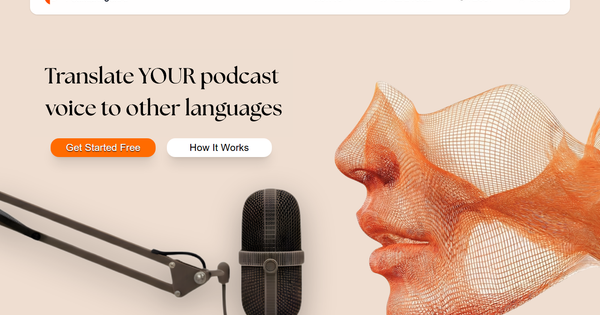
Standout features that differentiate it from competitors include RealVoice technology for voice cloning and natural-sounding multilingual translation (preserving tone across languages), plus full AI-driven planning suggestions and end-to-end automation that turns a raw file into a publish-ready episode in minutes. This integrated browser-first approach sets it apart from fragmented alternatives like Descript (editing-focused) or Riverside (recording-focused), delivering pro-quality output without switching apps.
Limitations include monthly usage caps on the free tier (via PodCoins credits that reset and do not carry over), potential AI inaccuracies with heavy accents or noisy environments, and reduced manual editing control compared to traditional DAWs (it is template-based and automation-heavy). It also lacks advanced video podcasting or custom sound design tools found in premium competitors. No watermarks on paid plans, but the free tier may apply branding in some cases.
User Experience
PodManager.AI offers an intuitive browser-based interface with a clean dashboard for managing podcasts, episodes, and guests—requiring no downloads or complex setup. The learning curve is gentle for core tasks (most users can produce a first episode quickly), though advanced features like RealVoice translation or fine-tuning chapters may take 10–15 minutes to master. It feels modern and streamlined, prioritizing speed over deep customization.
Documentation is basic but functional, with an FAQ covering uploads, supported formats, and guest features, plus a “How it Works” page outlining the workflow. Support resources appear limited to in-app help or email (no extensive knowledge base or community forum noted). Overall, it excels for non-technical users who want to focus on content rather than software.
Performance & Reliability
Processing is fast and efficient—AI transcription, noise reduction, and content generation typically complete in minutes for standard-length episodes, even on modest internet connections. Reliability is strong for clear audio, with positive feedback on consistent speaker separation and natural translation output. As a relatively new tool (prominently listed from late 2025), long-term uptime data is limited, but no widespread outages or major bugs were reported in available sources.
Known issues or common complaints are minimal: occasional learning-curve friction with PodCoin tracking and rare AI inaccuracies on complex accents or poor recordings. Internet dependency is inherent (browser-only), and heavy usage on the free tier may hit credit limits quickly. Overall performance earns praise for time savings, with users describing it as “reliable and effective.”
Pricing & Value
The cost structure is freemium and transparent:
- Free tier: $0 forever (no credit card required), 3,000 PodCoins at the start of each month (resets monthly, no rollover). Includes full access to core features, browser recording, basic AI tools, podcast homepage/RSS, and limited episode slots (roughly 3–4 episodes per month depending on length).
- Pro: $29.99/month ($24.75/month billed annually). 10,000 PodCoins, unlimited slots, advanced features.
- Higher tiers (Studio ~$69.99, Enterprise) for teams and custom needs.
This delivers exceptional value for most creators—especially compared to alternatives like Descript ($12–24/month) plus separate transcription or distribution services—by providing a complete pipeline at zero or low cost. The “free for life” entry point removes barriers for beginners, while paid upgrades scale affordably for serious producers. The only caveat is credit-based limits on free usage for high-volume creators.
Practical Tutorial
No official video tutorials were prominently available as of March 2026, but the platform’s “How it Works” flow and FAQ make the process straightforward. Here is a complete step-by-step walkthrough for the common task of turning a raw interview recording into a published episode (based directly on documented capabilities). Example: Publishing a 45-minute tech interview episode titled “How AI Is Changing Podcasting.”
-
Sign up and set up — Go to https://www.podmanager.ai/, create a free account (no credit card needed), and land on the dashboard. Create a new podcast series or select an existing one.
-
Record or upload — Click “New Episode.” Choose “Record in Browser” for live sessions (invite guests via shareable link) or “Upload Audio” and select your raw file (supports common formats like MP3/WAV). Upload your 45-minute interview recording.
-
Launch AI processing — Click “Enhance with AI.” The platform automatically applies noise reduction, speaker separation, and full transcription. Processing typically takes 2–10 minutes.
-
Review and generate content — Once complete, review the transcript. The AI auto-generates: suggested episode title (“How AI Is Changing Podcasting”), chapter markers (e.g., 0:00 Intro, 5:30 Key AI Tools, 25:00 Listener Q&A), detailed show notes with timestamps, and a concise summary. Edit any text directly in the browser.
-
Add advanced enhancements — Use RealVoice to clone your voice for corrections or translate the entire episode into another language (e.g., Spanish) while keeping a natural tone. Add guest profiles under Guest Management.
-
Finalize and publish — Preview the episode, add artwork if needed, then click “Publish.” Choose one-click distribution to Spotify, Apple Podcasts, or generate an RSS feed for other hosts.
-
Track performance — After publishing, visit the Analytics dashboard to monitor listens, engagement, and growth.
The entire process usually takes under 30 minutes for first-time users. For visual guidance, visit the official https://www.podmanager.ai/how-it-works page.
Final Verdict
Based on research conducted as of March 3, 2026, PodManager.AI earns a strong 4.4 out of 5 rating. It shines for independent podcasters, content creators, marketers, and small teams who want a genuinely free, all-in-one solution that delivers pro-quality episodes with almost no editing. The combination of RealVoice AI, full automation, and generous free tier makes podcasting accessible and enjoyable.
Avoid it if you require deep manual audio control, produce dozens of episodes monthly without upgrading, or need enterprise-level support and custom integrations—traditional tools like Descript or Adobe Podcast may suit those needs better.
One-sentence recommendation: PodManager.AI is the smartest free (or low-cost) way for creators to skip the editing grind and launch professional podcasts instantly.