Podsqueeze Review: The Ultimate AI Tool for Podcast Repurposing
Overview & Purpose
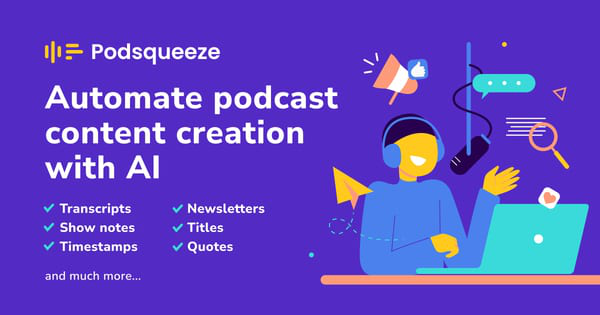
Podsqueeze is an AI-powered platform designed to automate the post-production and marketing of podcasts. It takes raw audio or video files (including YouTube links) and generates a wide array of content assets in a single click, including full transcripts with speaker labeling, timestamped show notes, blog posts, newsletters, social media posts, titles, descriptions, short video clips or audiograms, and more. Its primary use cases revolve around streamlining podcast workflows: transcribing episodes accurately, creating promotional material to grow audiences, repurposing long-form content into short-form clips for social media, and enhancing audio quality by removing filler words, silences, and noise.
The tool targets podcasters of all levels—from hobbyists and solo creators to professional podcast managers, agencies, studios, and media companies handling multiple shows. It is particularly valuable for content creators who want to focus on recording and interviewing rather than spending hours on editing, writing, or promotion. As of April 2026, Podsqueeze reports serving over 70,000 content creators and podcast professionals worldwide.

Key Features & Capabilities
Core functionality centers on one-click AI generation from uploaded audio/video or RSS/YouTube links. Key outputs include:
- Accurate transcripts (with SRT subtitles and speaker diarization)
- Timestamped show notes and chapters
- Blog posts, newsletters, and key quotes
- Social media content (tweets, LinkedIn/Facebook posts)
- AI-generated titles, descriptions, and bullet points
- Short clips or audiograms with customizable subtitles and text-based editing
- AI audio enhancement (removes ums, filler words, silences, and improves overall sound quality)
Standout features that differentiate it from competitors include prompt-based AI voice tuning for consistent branding across episodes (an "elite feature" noted by users managing multiple shows), seamless text-based clip editing (trim by editing subtitles), and an all-in-one repurposing workflow that combines transcription, content creation, and audio cleanup. Folders for organizing multiple podcasts, shareable client pages, and an affiliate program offering 25% recurring commission for 15 months further enhance its appeal.
Limitations include a minute-based usage model (no unlimited processing), occasional need for manual editing due to potential AI hallucinations or style mismatches, and fewer advanced team collaboration or third-party integrations compared to tools like Descript or Castmagic. It also lacks a dedicated mobile app or offline capabilities.

User Experience
Podsqueeze features a clean, intuitive interface with a low learning curve, making it accessible even for non-technical users. The dashboard allows quick uploads and generation, while the text-based editors for clips and content feel modern and efficient. Users praise its simplicity and the ability to fine-tune outputs directly in the platform.
Documentation includes a helpful blog with guides on features like transcription and repurposing, plus YouTube tutorials and an onboarding eBook. Support is available via email ([email protected]), with responsive feedback noted in user interactions. A Slack community (mentioned in earlier resources) and podcast masterclasses foster connections among users. Overall, the experience is user-friendly, though some report occasional bugs in clip generation or processing delays.
Performance & Reliability
Processing is generally fast—transcribing a 30-minute episode in under 5 minutes in many cases—with high accuracy in transcription and speaker identification across 20+ languages. Audio enhancement delivers natural results, as demonstrated in site demos comparing raw vs. cleaned audio.
Common complaints from reviews include occasional fatal errors (often tied to browser/VPN settings), slower clip generation during peak times, and the need for post-generation edits. Reliability is solid for core tasks, with strong user retention highlighted in testimonials, but it may not match enterprise-grade speed for very high-volume users.
Pricing & Value
Podsqueeze offers a free tier for testing (typically 30–50 minutes of podcast time per month, limited clips, and watermarked assets). Paid plans start with the Starter tier at approximately $5.99–$8.99 per month (billed annually or monthly, providing 120+ minutes), scaling to Pro and Enterprise options with more minutes, unlimited clips, priority support, team features, and custom limits. Annual billing includes discounts (around 30% off).
The value proposition is strong for time savings—users report hours saved per episode versus manual work or hiring help—making it cost-effective at roughly $1–2 per full episode for marketing assets. Compared to alternatives, it excels in simplicity and podcast-specific focus but may feel limited for teams needing deeper customization or integrations. The affiliate program adds extra earning potential.
Practical Tutorial
Podsqueeze provides official guidance via its blog and YouTube playlist. Here is a step-by-step walkthrough for a common task—generating full content assets (transcripts, show notes, social posts, etc.) from a podcast episode—based on official onboarding resources as of April 2026.
- Sign up for free at podsqueeze.com (no credit card required). Create an account and log in to the dashboard.
- Navigate to Generate Content: Click the prominent “Generate content” button.
- Upload or link your episode: Select an existing podcast folder, paste a YouTube link/RSS feed URL, or upload an audio/video file (up to 4GB supported on paid plans).
- Customize (optional): Tune the AI voice/prompts for your show’s unique style to ensure consistent tone across episodes.
- Click “Generate Content”: AI processes the file and produces 13+ assets in minutes, including transcript, timestamped show notes, titles, blog post, newsletter, social media posts, keywords, and more.
- Review and fine-tune: Edit any output directly in the platform. For clips/audiograms, use the text-based editor to trim by removing words/phrases and add subtitles/templates.
- Enhance audio (if needed): Use the standalone Audio Enhancer tool to remove fillers and silences with one click.
- Export and share: Download files, copy text, or share client-ready pages. Post directly to social platforms or integrate with tools like Zapier for automation.
For video demos, check Podsqueeze’s official YouTube tutorials playlist or their blog post “How to repurpose podcast content and grow your audience.” Real example: Uploading a 30-minute interview episode typically yields ready-to-post tweets, a full newsletter draft, and shareable clips within 10–15 minutes total.
Final Verdict
Podsqueeze earns a strong 4.3 out of 5 rating. It shines as a time-saving, all-in-one AI co-pilot for podcast repurposing and promotion, ideal for busy podcasters, managers, and small agencies who value simplicity, consistent branding, and quick social-ready assets. Hobbyists and solo creators will appreciate the free tier and low entry cost.
Avoid it if you need advanced team collaboration, heavy video editing, or unlimited processing—competitors like Descript or Castmagic may suit larger operations better. Those comfortable with occasional manual tweaks will get the most value.
One-sentence recommendation: If you’re a podcaster tired of manual post-production and marketing drudgery, Podsqueeze is an intuitive, affordable AI powerhouse worth trying today.