Pointer AI Review: The Ultimate AI Writing Assistant for Google Docs
Overview & Purpose

Pointer AI is an AI-powered writing assistant and editing agent designed exclusively for Google Docs. It functions as an "AI coworker" that generates context-aware edits directly within your document, appearing as native Google Docs Suggestions (with additions underlined and deletions struck through). Users provide plain-English instructions via a simple bottom bar, and the tool handles rewrites, grammar fixes, style improvements, restructuring, and more while preserving every aspect of the original formatting, revision history, and collaborative workflow. Primary use cases include polishing business proposals, reports, emails, resumes, marketing copy, and collaborative team documents—saving time on proofreading and refinement without leaving the Google Docs interface. It supports voice commands for hands-free editing and works in 35+ languages, including non-Latin scripts. Powered by Anthropic's Claude model, it targets Google Workspace users such as business professionals, marketers, writers, students, and teams who rely heavily on Google Docs for content creation and editing. As of March 2026 research, it is not a coding tool (despite some outdated third-party listings); its focus is seamless document collaboration.

Key Features & Capabilities
Core functionality revolves around the Pointer bar at the bottom of any Google Doc: type (or speak) natural instructions like "Make this section more concise and professional" or "Fix all typos and add bullet points to key findings," and Pointer instantly generates editable suggestions with a detailed explanation for each change (e.g., "Updated phrasing to emphasize long-term value"). Standout features include full preservation of headers, lists, tables, styles, and formatting; native Suggestions mode that feels identical to human collaboration; individual or bulk accept/reject controls; and complete integration with Google Docs' revision history and offline review capabilities. It differentiates sharply from competitors like generic ChatGPT side-panels or clipboard-based tools by avoiding copy-paste disruption and delivering edits exactly as a colleague would—complete with traceable explanations. Additional capabilities cover multilingual support and voice input for multitasking. Limitations include Google Docs exclusivity (no native Sheets or Slides support yet), dependency on an internet connection for generating suggestions (though reviewing is offline), usage quotas on "fast" requests, and occasional struggles with highly nuanced, domain-specific, or ambiguous prompts. No advanced agentic features like autonomous multi-step workflows are present.
User Experience
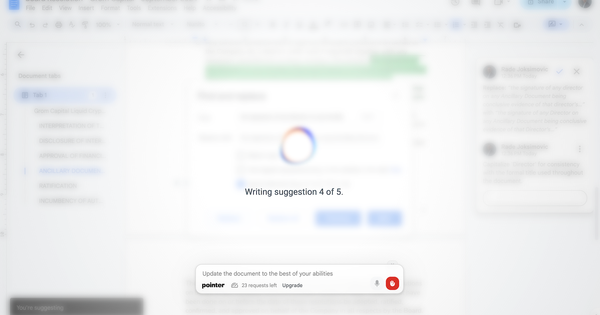
Installation is straightforward via the Chrome Web Store—no credit card or account setup beyond signing in—and the learning curve is virtually nonexistent for anyone familiar with Google Docs. The interface is clean and unobtrusive: the Pointer bar appears only when needed, suggestions blend perfectly into the native review mode, and controls (accept/reject, explanations toggle) feel intuitive. Documentation is light but sufficient, with a clear three-step "How it Works" guide on the official site and basic support via a contact form. Community resources are growing but still limited given the tool's niche launch in late 2024. Overall UX earns high marks for feeling magical yet familiar, with users praising how it reduces context-switching. Minor friction can occur during initial suggestion generation (a brief loader appears), but the experience remains smoother than most AI writing tools.
Performance & Reliability
Suggestions generate quickly for typical documents, with "fast" requests prioritizing speed and "normal" handling longer or more complex edits. Reliability is strong in formatting preservation and contextual understanding thanks to the Claude backbone, and the tool has processed over 5 million documents with a consistent 4.7–4.8 rating on the Chrome Web Store. Known issues are minimal: occasional misinterpretation of unique or highly creative prompts, slight delays on very long documents, and the expected internet requirement for AI calls. Common user feedback highlights its accuracy for standard business writing but notes it may not match human nuance in specialized fields. No widespread reliability complaints or outages were reported in reviews as of March 2026; performance holds up well for daily use.
Pricing & Value
Pointer AI offers a transparent freemium model with no hidden fees:
- Free tier: $0 – 5 fast requests per month, basic LLM models (ideal for light testing).
- Pro tier: $19.95 per month (billed monthly) – 100 fast requests, unlimited normal requests, top-tier models, full multilingual support, and add-on requests at $0.05 each.
No enterprise plan is listed yet, but upgrades are instant via the extension. Value is excellent for frequent Google Docs users: the native integration and explanation feature deliver more workflow efficiency than free generic AI tools or even premium alternatives requiring copy-paste. Heavy users will appreciate the unlimited normal requests, making the $19.95 price competitive against broader AI writing assistants. Light users can stick to free indefinitely. Compared to alternatives, Pointer stands out for Google Workspace loyalty without subscription bloat.
Practical Tutorial
A common task is polishing a business proposal. Here's a step-by-step walkthrough (based on the official "How it Works" process):
- Install the Pointer extension from the Chrome Web Store and restart Google Docs if needed.
- Open your document (e.g., a "Q3 Partnership Proposal" draft).
- In the Pointer bar at the bottom of the screen, type or speak a clear instruction: "Improve the executive summary: make it more persuasive and concise, fix grammar, update the investment figure to $4.5M to reflect the latest board approval, and convert key benefits to bullets."
- Submit the request. Pointer processes the context and inserts native Suggestions throughout the section, each with an inline explanation (e.g., "Rephrased for stronger impact and removed redundancy while preserving professional tone").
- Review the changes directly in the document: hover for explanations, accept or reject individual edits, or use the toolbar to accept/reject all. Undo with Ctrl+Z if needed.
- Once satisfied, the document retains full formatting, revision history, and collaborative tracking.
This entire process typically takes under a minute for a standard section. For video-style demos or more examples, see the official site’s how-it-works section at getpointer.ai.
Final Verdict
4.5/5 – Pointer AI excels at what it sets out to do: making AI editing feel like genuine collaboration inside Google Docs.
Who should use this tool: Google Docs power users—writers, marketers, business teams, and professionals—who want fast, context-aware refinements without disrupting their native workflow or formatting. It shines for anyone tired of copy-pasting between ChatGPT and Docs.
Who should avoid this tool: Users outside the Google Workspace ecosystem, those needing offline-only operation, coders seeking a programming assistant, or writers requiring ultra-specialized domain expertise where subtle nuance matters more than speed.
One-sentence recommendation: If you live in Google Docs, install Pointer AI today—it’s the closest thing to having an always-available, explanation-providing editing colleague.