Poised Review: The AI Communication Coach for Better Meetings

Overview & Purpose

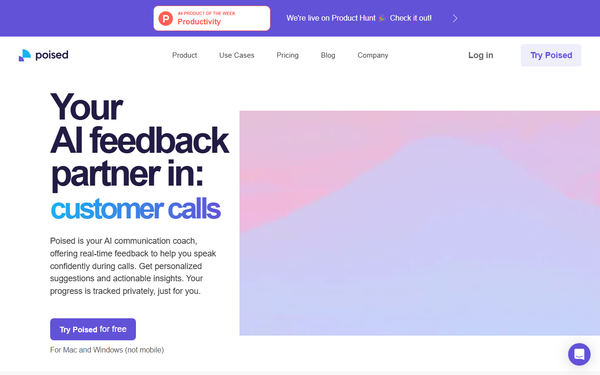
Poised is an AI-powered communication coach that acts as a private, real-time advisor during virtual meetings, calls, and presentations. It listens to your speech and provides instant, non-intrusive feedback to help users eliminate filler words, reduce hedging language, improve pace, boost confidence, energy, empathy, clarity, and overall persuasiveness—earning it the nickname “Grammarly for speech.”
Its primary use cases include preparing for high-stakes presentations, sales calls, job interviews, team meetings, and leadership communications. The tool also generates live speaker notes, auto-summarizes meetings, and creates action items without requiring a bot to join the call, making follow-up effortless. It tracks long-term progress with detailed analytics and offers personalized learning plans featuring expert-curated content (exercises, articles, and videos) tailored to your specific growth areas.
The target audience includes Product Managers, revenue and sales teams, interviewers, marketers, executives, founders, and any professional who communicates frequently in digital-first environments. It is especially valuable for roles at companies like Atlassian, where clear and confident speaking directly impacts outcomes. Research conducted as of April 14, 2026.
Key Features & Capabilities
Core functionality revolves around real-time, private audio analysis during meetings across 800+ platforms (Zoom, Google Meet, Microsoft Teams, Slack, etc.). Feedback appears discreetly on your screen without alerting participants. Post-meeting reports break down metrics such as filler-word percentage (average user clarity: 92%), hedging words (confidence: 86%), speaking share, pace, energy, empathy, and most-used words.
Standout features that differentiate Poised include:
- Complete privacy: No bot joins the meeting; only your audio is analyzed.
- Live speaker notes and auto-generated summaries/action items: Automatically tracks agenda items and produces recaps.
- Personalized development plans: AI-generated growth roadmap with expert content based on your data and industry benchmarks.
- Progress tracking: Compare yourself against peers in your field over time.
Limitations include desktop-only availability (Mac and Windows; no mobile support), English-language focus, and the absence of video/body-language analysis in the core real-time experience (some competitors offer limited camera feedback). Advanced features like unlimited meetings and priority support are locked behind paid plans.

User Experience
Poised boasts a low learning curve. After a quick desktop install and one-time meeting-tool setup (selecting “Poised Speaker” on Mac), the app runs silently in the background. The interface is clean and non-distracting—feedback appears as subtle on-screen prompts or a compact sidebar. Users consistently praise its effortless integration into daily workflows.
Documentation is solid via the Poised Help Center, which covers setup, privacy, and troubleshooting. Support resources include FAQs and priority help for Team plans. Community sentiment on Product Hunt (4.4/5 from 15 reviews) highlights the intuitive design and immediate value.
Performance & Reliability
Feedback is delivered in near real-time and is generally reliable for core metrics like fillers and pace. Meetings are processed quickly, with post-call analytics available almost immediately. Users report measurable improvements in clarity and confidence after just a few sessions.
Known issues include occasional lag in live feedback (some users note it can feel slightly delayed during fast-paced discussions), minor bandwidth usage, and rare reports of the app adding promotional text to Google Meet descriptions. Customer support responsiveness receives mixed feedback—praised by some, criticized as slow by others. The tool remains stable across major video platforms, with no major outages reported in recent reviews.
Pricing & Value
Poised uses a freemium model:
- Starter: Free forever — basic analytics and limited real-time feedback.
- Pro: $19/month or $13/month (billed annually) — unlimited meetings, advanced real-time feedback (conciseness, hedging, interruptions, fillers), full analytics, and personalized plans.
- Team: Custom pricing — everything in Pro plus shared account management and priority support.
The value proposition is strong for frequent communicators: at roughly the cost of one executive coaching session per year, users gain ongoing, private AI guidance plus productivity tools (summaries/action items). Compared to alternatives like Yoodli (stronger in recorded practice/role-play) or Speeko, Poised excels in live-meeting scenarios and privacy. Free users can test core functionality effectively before upgrading.
Practical Tutorial
Poised offers an official browser-based demo at https://app.poised.com/demo/public and detailed setup guides in its Help Center. Below is a step-by-step walkthrough for a common task—receiving real-time feedback and post-meeting insights during a Zoom sales call (based on official documentation and user tutorials as of April 2026).
- Sign up and install: Visit https://www.poised.com/, create a free account, and download the desktop app for Mac or Windows.
- Configure meeting tools (Mac only): In Zoom (or your platform), go to Audio settings → Speaker → select “Poised Speaker.” Windows users skip this—the app auto-detects calls.
- Start a meeting: Join or host your call normally. Poised runs silently in the background.
- Receive real-time feedback: Glance at the on-screen overlay or sidebar for live suggestions (e.g., “Reduce ‘um’ usage” or “Speak slower for emphasis”). Live speaker notes appear automatically.
- End the meeting: Poised instantly generates a summary, action items, and performance report (filler words, confidence score, etc.).
- Review and track progress: Open the Poised dashboard to see detailed analytics. After 3+ meetings, unlock your personalized learning plan with expert exercises.
- Iterate: Use the insights in your next call—users typically see filler-word reduction within 1–2 weeks.
For visual walkthroughs, official YouTube demos and the browser demo provide hands-on practice without installation.
Final Verdict
Overall rating: 4.4 out of 5
Poised is an excellent choice for professionals who spend significant time in virtual meetings and want discreet, data-driven help to communicate more effectively. Sales teams, product managers, executives, and job seekers will benefit most from its live-meeting focus, privacy, and personalized plans.
Avoid it if you primarily practice recorded speeches (consider Yoodli instead), need mobile support, or require deep video/body-language analysis—its desktop-only limitation and occasional feedback lag may frustrate power users.
One-sentence recommendation: If you want a private, always-on AI coach that quietly improves your speaking skills during real meetings without any setup hassle, Poised is one of the smartest investments you can make.