PopAi Review: An All-in-One AI Workspace or Just Hype?
Overview & Purpose
PopAi (popai.pro) is a web- and app-based AI workspace described as “Your Personal AI Workspace” and “Fast and Smart AI Presentation Agent.” It combines conversational AI with specialized tools for document analysis, presentation creation, content writing, and image interaction. Powered by advanced LLMs (including access to models equivalent to GPT-4o, Grok-4, and lighter options like Deepseek), it lets users upload PDFs, DOCX, PPTX, or URLs and instantly generate structured outputs such as summaries, Q&A sessions, mind maps, or full slide decks.
Primary use cases include rapid presentation building for meetings or classes, interactive document chatting (extracting insights from research papers or reports), AI-assisted writing and paraphrasing, and visual analysis (chatting with uploaded images to explain content or pull data). It claims support for quick homework help, marketing content, and business workflows, with a claimed user base of 16 million.
Target audience spans students and educators (for study aids and slides), marketers and business professionals (for pitches and reports), content creators, and casual users needing an all-in-one alternative to standalone ChatGPT. It positions itself as a convenient “creative partner” rather than a developer-focused coding tool or pure design platform like Canva or Beautiful.ai.
Key Features & Capabilities
Core functionality revolves around three pillars:
- AI Chat for general conversation and multi-turn queries.
- AI ChatPDF / AI Reader for uploading and interrogating documents (up to 5,000 pages on top tier).
- AI Presentation Agent that turns prompts, text, files, or web URLs into editable slide decks with auto-layouts, charts, and themes.
Standout features that differentiate it include direct file/URL import for presentations (no manual copy-paste needed), built-in image generation and “chat with images” for visual understanding, AI mind maps, charts, and export to PPTX/PDF with watermark removal on paid plans. Unlimited plan adds multilingual OCR and logo upload. The platform also offers AI writing, paraphrasing, and video generation (limited daily counts).
Limitations and missing features are notable: output quality (especially presentations) is frequently described as generic and requiring heavy manual editing; advanced design intelligence lags behind specialists like Gamma or Beautiful.ai; no native collaboration or team workspaces on lower plans; and strict usage caps even on Pro (e.g., only 15 presentation generations per month). Image and video tools remain basic compared to dedicated generators like Midjourney or Runway. External reviews highlight that the “all-in-one” promise often under-delivers versus using free ChatGPT plus separate tools.
User Experience
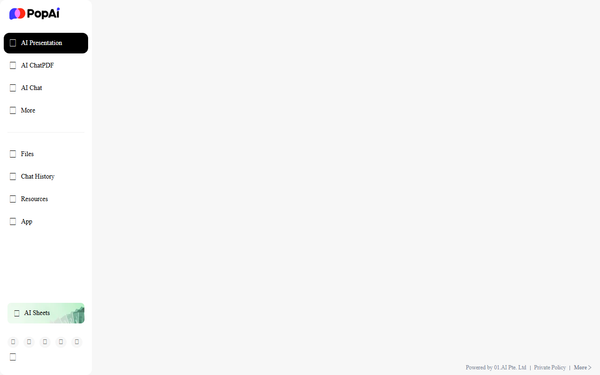
PopAi features a clean, modern dashboard with quick-access cards for each tool, making the learning curve minimal—even beginners can generate a deck in under five minutes via simple text prompts. The interface is intuitive on web, iOS, and Android, with real-time editing and one-click exports. Their own analysis rates UI at 4.5/5.
Documentation includes helpful in-app guides, blog resources, and official step-by-step articles; numerous YouTube tutorials (2025–2026) further assist. However, customer support receives heavy criticism—emails often go unanswered, and subscription management is opaque. Multiple users report “dark patterns” with no visible cancellation button on the site, forcing email contact that may never be resolved.
Performance & Reliability
Generation is fast (full slide decks in minutes) and the platform handles multi-page PDFs and image uploads reliably for basic tasks. No widespread outage reports surfaced in 2025–2026 searches.
Common complaints center on output quality—“Powerpoints that are generated are trash” and “doesn’t deliver what it promises” appear repeatedly on Trustpilot (overall 1.4/5) and Reddit. Users note that slides look amateurish, require extensive fixes, and advanced models are heavily restricted on free/Pro tiers. Reliability is further undermined by billing and cancellation problems, with reports of unexpected yearly charges after free trials.
Research conducted March 2026; AI tools evolve rapidly, so check current status directly on the site.
Pricing & Value
PopAi offers three tiers (prices not displayed publicly without signup; estimates drawn from App Store and third-party sources as of early 2026):
- Free: Extremely limited (1 presentation lifetime, 30 standard chats/day, tiny PDFs).
- Pro: Approximately $12–15/month or $99/year; 15 presentations/month, 2,000-page PDFs, increased model access.
- Unlimited: Higher tier (around $47/month reported in app data); truly unlimited generations, 5,000-page PDFs, full model access, OCR, and extras.
Value proposition is weak compared to alternatives. ChatGPT Plus ($20/month) provides superior base-model access without caps; specialized tools like Gamma or Beautiful.ai deliver higher-quality slides at similar or lower cost. Many users call Pro “expensive” and “not worth it,” especially given quality issues and cancellation friction. The free tier is useful only for light testing.
Practical Tutorial
A common task—creating a professional presentation from a document or idea—is well-supported. Official walkthrough (updated 2025) at https://www.popai.pro/resources/how-to-use-an-ai-presentation-agent-step-by-step-guide/ and YouTube tutorials provide clear guidance. Here is a real example walkthrough for “Create a 10-slide investor pitch deck for a smart fitness app”:
- Sign up or log in at www.popai.pro (free account works for testing).
- From the dashboard, select AI Presentation Agent.
- In the prompt box, type: “Create a 10-slide investor pitch deck for a smart fitness app targeting young professionals. Use a modern, energetic design with charts showing market growth. Include problem, solution, market size, traction, business model, and ask.”
- Click Generate. PopAi builds the full deck (structure, text, layouts, visuals) in minutes.
- Review and customize: Edit text, regenerate individual slides, add your logo (paid), or tweak themes.
- Export as PPTX, PDF, or Google Slides (or present directly).
For document-based decks, upload a PDF or paste a URL in step 3 instead of typing a prompt. Results improve with specific audience/tone instructions. Always plan 10–15 minutes for polishing.
Final Verdict
Overall rating: 2.8/5 — convenient for quick experiments but undermined by mediocre output quality and serious customer-service red flags.
Students or casual users wanting a simple all-in-one for occasional document chats or draft slides may find the free tier or low-commitment Pro useful. Professionals, teams, or anyone prioritizing polished results and reliable billing should avoid it.
Skip PopAi and stick with ChatGPT Plus plus a dedicated presentation tool unless you specifically need its document-to-slides workflow and are prepared to monitor charges closely.