Poppy AI Review: The Ultimate Visual Workspace for Creators
Overview & Purpose

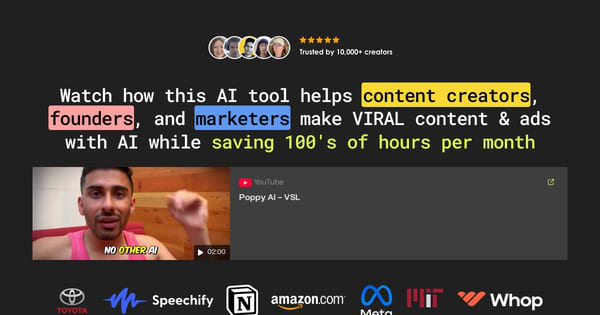
Poppy AI is a visual AI-powered workspace designed to help users organize, analyze, and synthesize multimedia content on an infinite canvas. Users drag and drop items such as YouTube videos, podcasts, PDFs, websites, images, voice notes, and social clips (TikToks, Instagram Reels, Shorts), after which the platform automatically transcribes, summarizes, extracts key insights, and enables natural-language querying. It integrates multiple AI models (primarily ChatGPT and Claude) to answer questions, generate ideas, spot connections across sources, create mind maps, and produce finished content like scripts, blogs, ads, or lesson plans—all while supporting real-time multiplayer collaboration in a Figma-style interface.
Primary use cases include rapid research synthesis, content repurposing (e.g., turning a long video into viral hooks and scripts), brainstorming for product launches or marketing campaigns, building second brains for creators, and team knowledge management. It is especially valuable for non-linear thinkers who struggle with traditional linear tools.
The target audience includes content creators, YouTubers, marketers, copywriters, founders, researchers, educators, and neurodivergent users (particularly those with ADHD who benefit from visual, persistent workspaces). It is not aimed at casual note-takers or developers needing code-specific tools.
Research for this review was conducted as of March 7, 2026, drawing from the official site (getpoppy.ai), documentation, YouTube tutorials, Trustpilot reviews, and independent analyses.
Key Features & Capabilities
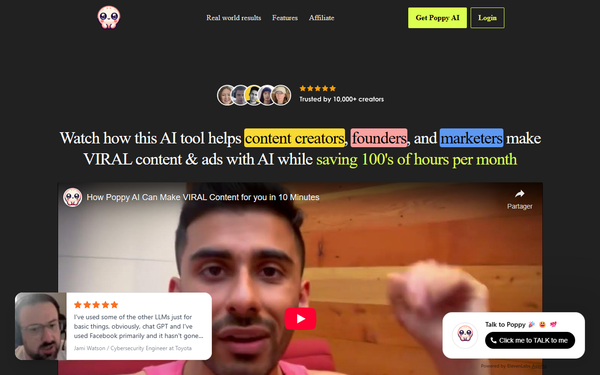
Core functionality revolves around the infinite visual canvas (whiteboard/mind-map hybrid) where all uploaded content lives persistently. AI automatically processes inputs: video/podcast transcription and summarization, PDF/text extraction, image description, and voice-note conversion. Users chat directly with the entire board or specific elements, switch between AI models seamlessly, and use a built-in Notion-like editor for drafting.
Standout differentiating features include:
- Simultaneous multi-modal analysis (e.g., analyzing a YouTube video, image, and voice note together).
- Real-time multiplayer collaboration with persistent project memory.
- Custom voice training so outputs match the user’s brand tone.
- Built-in mind mapping (currently in beta) and deep connections across disparate sources.
- Access to premium ChatGPT and Claude models without separate subscriptions.
- API and Zapier integration for automation.
Recent updates have added base-level image generation and Notion integration. The platform excels for visual thinkers by replacing tab-switching and scattered notes with one unified “content brain.”
Limitations include a strict credit-based usage system (2,000 credits per month on the base plan; video analysis and heavy querying consume credits quickly), no native mobile app (desktop-only), mind maps still in beta and occasionally buggy, no native video or advanced image creation beyond basics, and no built-in social-media scheduler or advanced analytics. Some users report the credit consumption rate feels opaque.

User Experience
Poppy AI offers an intuitive drag-and-drop interface that feels familiar to users of Figma, Miro, or Notion but with far deeper AI integration. Visual thinkers and neurodivergent users frequently praise the non-linear workflow for reducing cognitive load. The learning curve is moderate—basic imports and chatting take minutes, but mastering board organization, credit-efficient prompting, and advanced workflows (e.g., custom agents) requires 1–2 hours and benefits from video tutorials.
Interface quality is clean and modern, with smooth real-time collaboration and responsive canvas zooming/panning. Documentation consists primarily of in-app tooltips, an API reference (docs.getpoppy.ai), and an active official YouTube channel with beginner-to-advanced walkthroughs. Support is responsive via email ([email protected]) or in-app chat; community feedback highlights friendly onboarding but notes occasional delays for billing issues. Overall, UX scores highly for the intended audience.

Performance & Reliability
Transcription and summarization of long videos or large PDFs are fast (typically under a minute for standard-length content), and the persistent memory across sessions performs reliably. Multiplayer editing feels snappy with minimal lag. Most users report significant time savings—often 10+ hours per week on research and writing.
Known issues are minor: credit exhaustion during intensive sessions (e.g., analyzing multiple hour-long videos), occasional mind-map glitches in beta, and rare billing hiccups after cancellation attempts. There are no widespread reports of data loss or major downtime. Trustpilot users consistently highlight reliability for daily workflows, though power users sometimes need to upgrade credits.

Pricing & Value
Poppy AI is a paid-only tool with yearly billing for base plans. The standard annual subscription provides 2,000 credits per month (plus 5 landing-page/presentation credits) and full access to all core features, including image generation, mind maps, all AI models, and Notion integration. Reported pricing for the base plan is approximately $399 per year (roughly $33/month equivalent), with lifetime access options around $997 and higher VIP tiers (with extra credits and support) reaching $4,000+. A 7-day 100% money-back guarantee applies; credits are non-refundable. No free tier exists, though the guarantee effectively serves as a risk-free trial period.
Value is strong for serious creators and teams who replace multiple subscriptions (ChatGPT Plus, Claude, NotebookLM, Miro) and save dozens of hours monthly—the platform often pays for itself through increased output. Casual users or those with simple linear needs may find the cost high relative to standalone ChatGPT. Compared with alternatives, the unique visual + multi-modal + collaborative bundle justifies the premium for its core audience.
Practical Tutorial
Official tutorials are available on the Poppy AI YouTube channel; a recommended complete beginner walkthrough is “Poppy AI Complete Tutorial for Beginners 2026” (https://www.youtube.com/watch?v=AH2fzv1urHU).
Here is a step-by-step example for a common task—creating a viral content plan from a YouTube video and a voice note (real example: analyzing a popular marketing video and your own brainstorm recording):
- Log in at app.getpoppy.ai and create a new board (click “New Board”).
- Drag and drop a YouTube link (or upload an MP4) and record/import a voice note directly onto the canvas. Poppy AI auto-transcribes both within seconds.
- Select the video node and open the chat panel. Ask: “Summarize the top 5 hooks and key takeaways, then compare them to my voice note on audience pain points.”
- Drag the AI response into a new mind-map node. Use the built-in editor to refine or ask the board: “Generate 3 title options, 5 script hooks, and a full carousel post in my brand voice.”
- Connect related nodes visually (draw arrows) to build clusters. Invite teammates via share link for real-time collaboration and comments.
- Export the final script or mind map via the share/export menu (PDF, Notion, or copy-paste).
- Monitor credit usage in the dashboard; switch to cheaper models if needed for lighter tasks.
This entire process typically takes 10–15 minutes and produces ready-to-use assets grounded in your sources. Repeat for any project to build a living “content brain.”
Final Verdict
Overall rating: 4.6 out of 5. Poppy AI excels for visual thinkers and heavy content creators who need to process multimedia research quickly and collaboratively. It shines for marketers, YouTubers, educators, and neurodivergent professionals who value non-linear workflows and persistent memory.
Who should use it: Anyone tired of scattered tabs and linear chats who wants one unified visual space to turn raw inputs into polished output—especially if you already spend hours on research or team brainstorming.
Who should avoid it: Budget-conscious users, mobile-first workers, or those who prefer simple text-only AI tools and don’t need visual organization or multi-modal analysis.
One-sentence recommendation: If you think and create visually, Poppy AI is a game-changing investment that will genuinely save you hundreds of hours and elevate your output—try the 7-day guarantee and see if the canvas “clicks” for your brain.