PraisonAI Review: The Ultimate Low-Code Multi-Agent AI Framework
Overview & Purpose
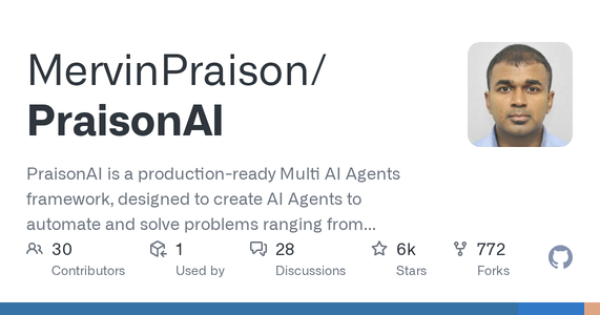
PraisonAI is a production-ready, low-code multi-agent AI framework designed to simplify the creation, management, and deployment of intelligent AI agent teams. It enables users to build systems where multiple agents collaborate autonomously—planning, researching, coding, self-reflecting, and delivering results—while integrating capabilities from frameworks like AutoGen, CrewAI, and LangChain. Core functionality revolves around orchestrating agents for complex tasks, with built-in support for self-reflection to improve accuracy, persistent memory, RAG knowledge bases, and direct delivery to platforms like Telegram, Discord, Slack, and WhatsApp.
Primary use cases include automating workflows (e.g., data analysis pipelines, research reports), generating creative content such as movie scripts or blog posts, chatting with an entire codebase, handling customer support bots, and fine-tuning custom LLMs for specialized needs. It makes advanced AI accessible by supporting no-code YAML configs, a web dashboard UI, CLI commands, and minimal Python/JS code.
The target audience spans developers seeking rapid prototyping, non-technical users (marketers, designers, content creators) via the intuitive UI and YAML, business teams automating repetitive processes, and AI enthusiasts experimenting with multi-agent systems. Its self-hosted nature appeals to those prioritizing data control and cost efficiency over managed cloud services.
Key Features & Capabilities
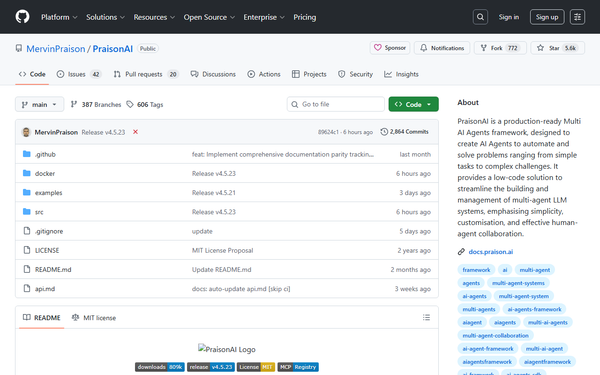
Core functionality includes the lightweight praisonaiagents SDK for defining single or multi-agent teams (AgentTeam, AgentFlow), 140+ built-in tools (web search, databases, APIs, browser automation), and seamless integration with over 100 LLM providers via OpenAI-compatible endpoints. Standout differentiators are its extreme performance optimizations (lazy loading, 8μs agent instantiation), advanced safeguards (guardrails, doom-loop detection, sandbox execution), Model Router for automatic cost-optimized routing, MCP (Model Context Protocol) for external tool integrations, and direct bot gateways for real-world messaging delivery. The AgentClaw dashboard provides a visual interface for managing agents, memory, knowledge bases, and channels, while PraisonAI Train allows one-command LoRA fine-tuning of models like Llama with custom datasets, uploading to Hugging Face or Ollama.
Compared to competitors like pure CrewAI or AutoGen, PraisonAI stands out with its hybrid low-code approach (combining their strengths plus self-reflection and UI), broader LLM support (including local Ollama/LM Studio), and production features like checkpoints, context compaction, and background tasks. It also supports JavaScript SDK and browser CLI tools.
Limitations include reliance on external LLM APIs (incurring separate usage costs for cloud models), fine-tuning restricted to Linux with a single GPU and CUDA 12.1, and no native fully managed enterprise hosting—users must self-host or deploy via Docker/AgentOS. Some advanced orchestration may still require custom code, and while docs are solid, community-driven examples dominate over exhaustive enterprise patterns.
User Experience
Installation is straightforward with pip install praisonaiagents (or praisonai[claw] for UI), followed by setting one environment variable like OPENAI_API_KEY. The learning curve is exceptionally low: beginners can start with CLI (praisonai "your task") or YAML files in under a minute, while developers appreciate the clean SDK. Non-coders benefit from the AgentClaw web dashboard at http://localhost:8082, which offers point-and-click agent creation, chat interfaces, and bot configuration.
Interface quality is modern and functional—the dashboard feels like a centralized control panel with tabs for agents, memory, knowledge, and channels. Code examples are concise and copy-paste ready. Documentation at https://docs.praison.ai/ is well-structured with quickstarts, code snippets, and sub-guides for models, workflows, and training; supplementary YouTube tutorials from the maintainer cover real-world setups. Community support via GitHub issues (highly active) and linked Discord provides responsive help, though enterprise-level SLAs are absent as it's fully open-source.
Performance & Reliability
PraisonAI excels in efficiency: import times average 140ms (down 83% from prior versions), agent instantiation at ~8μs, and memory usage per agent around 4KB with heavy dependencies lazily loaded. Benchmarks confirm it meets strict targets (<200ms import, <30MB memory), making it suitable for resource-constrained environments or high-volume deployments. Self-reflection and guardrails enhance reliability by reducing hallucinations and errors in multi-step workflows.
Known issues from earlier user feedback (e.g., initial model-switching quirks or YAML UX gaps) have been largely resolved through rapid updates—the repository saw commits as recent as March 11, 2026. Common complaints are minimal in current reviews; most praise speed and stability, though local LLM setups require separate servers (Ollama etc.), and cloud API rate limits can affect high-throughput use. Overall reliability is strong for production, with features like telemetry, policy engines, and sandboxing adding robustness.
Pricing & Value
PraisonAI is entirely free and open-source under the MIT license, with no tiers, subscriptions, or enterprise plans required. Users only pay for underlying LLM API usage (e.g., OpenAI/Groq tokens) or their own infrastructure. Fine-tuning and all features, including the UI and bot gateways, incur zero framework costs.
The value proposition is outstanding: it delivers enterprise-grade multi-agent capabilities (self-reflection, RAG, orchestration) at zero licensing expense, outperforming paid alternatives in accessibility and speed while matching or exceeding CrewAI/AutoGen in flexibility. For teams avoiding vendor lock-in or high setup fees, it provides massive time savings—prototyping complex systems in minutes versus hours of custom coding—making AI automation accessible to individuals and small businesses alike.
Practical Tutorial
A common task is using PraisonAI to generate creative content, such as a movie script about a dog on the moon (as highlighted in the project's examples). This leverages the single- or multi-agent setup for planning and writing. Official quickstarts are available at https://docs.praison.ai/. Here's a complete step-by-step walkthrough (tested via documented examples; requires Python 3.10+ and an LLM key):
-
Install and Configure (1 minute):
Open a terminal and run:pip install praisonaiagents export OPENAI_API_KEY=your_openai_key_here(For local models like Ollama: set
OPENAI_BASE_URL=http://localhost:11434/v1and skip the key.) -
Create a Single Agent for Quick Generation:
Save this asscript_agent.py:from praisonaiagents import Agent agent = Agent( name="Creative Writer", instructions="You are a Hollywood screenwriter specializing in sci-fi comedy. Write engaging, detailed scripts with dialogue and scene descriptions." ) agent.start("Write a short movie script about a dog who travels to the moon and becomes an astronaut hero.")Run:
python script_agent.py. The agent outputs a full script instantly. -
Upgrade to Multi-Agent Team for Better Quality (Recommended for complex tasks):
Enhance with collaboration:from praisonaiagents import Agent, AgentTeam researcher = Agent(name="Researcher", instructions="Research accurate moon facts and dog behaviors for realism.") writer = Agent(name="Writer", instructions="Craft a compelling script using researcher's input, with humor and plot twists.") director = Agent(name="Director", instructions="Review and refine the script for pacing and visual appeal.") team = AgentTeam(agents=[researcher, writer, director]) team.start("Create a 5-scene movie script about a dog on the moon.")Run the file. Agents hand off automatically with self-reflection for polished results.
-
Visual UI Alternative (No Code):
pip install "praisonai[claw]"
praisonai claw
Open http://localhost:8082, create agents via the dashboard, assign instructions, and run the moon-dog task in the chat interface. Export to Telegram/Discord for delivery.
-
Optional Fine-Tuning for Custom Style (Advanced):
For a personalized model:praisonai train init praisonai train --model unsloth/Meta-Llama-3.1-8B-Instruct-bnb-4bit --dataset your_custom_script_dataset --hf your_hf_username/model_name(Linux + GPU required; see https://docs.praison.ai/train/ for config.yaml details.) Use the new model by setting it in agents.
This produces professional outputs in seconds. For more examples (news summarizers, codebase chat), explore the repo's /examples folder or official recipes.
Final Verdict
Overall rating: 4.7/5 – PraisonAI delivers exceptional speed, simplicity, and power in a free package, with only minor platform-specific constraints holding it back from a perfect score.
Developers, marketers, creators, and small teams automating repetitive or creative AI tasks should use this tool for its unmatched low-code accessibility, production features, and zero framework cost—saving hours while enabling sophisticated multi-agent workflows. Avoid it if you require fully managed SaaS hosting, Windows-native fine-tuning, or heavily enterprise-customized support ecosystems.
One-sentence recommendation: PraisonAI is the go-to low-code framework for anyone building reliable AI agent teams without the coding overhead or hidden fees.