Proxed AI Review: Secure Your AI API Keys and Prevent Abuse

Overview & Purpose

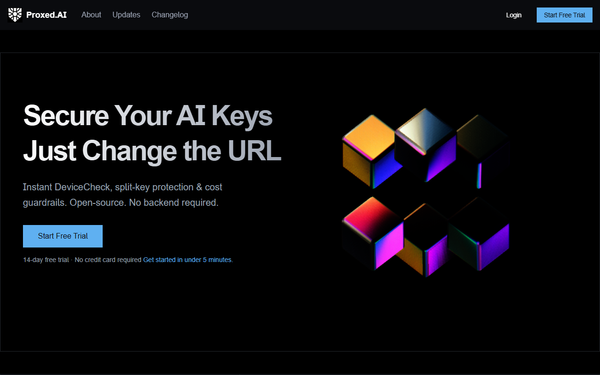
Proxed.AI is a secure proxy layer for AI APIs, designed to protect API keys and add enterprise-grade controls like monitoring, rate limiting, and device verification without requiring any SDKs, backend servers, or major code changes. It allows developers to replace direct calls to providers like OpenAI or Anthropic with a single Proxed endpoint, while also offering built-in APIs for vision analysis (turning images into structured data), text analysis (NLP tasks like entity extraction and sentiment), and document analysis (PDF parsing for workflows).
Primary use cases include securing AI integrations in mobile (especially iOS) apps to prevent key extraction, abuse, and runaway costs; enforcing structured AI responses for reliable parsing; and adding hardware-level device attestation via Apple's DeviceCheck to block emulators or fake traffic. It targets developers—particularly iOS and React Native mobile app builders, indie hackers, startups, and enterprise teams in regulated industries—who need to embed powerful LLMs without exposing secrets or managing infrastructure.
Key Features & Capabilities
Core functionality revolves around one-line URL replacement for OpenAI and Anthropic proxies, split-key architecture (server holds half the key, client the harmless fragment), and intelligent guardrails for costs and rates. Standout differentiators include native Apple DeviceCheck integration for hardware-backed authentication (unique for mobile security), zero-backend deployment, open-source self-hosting with no limits or lock-in, and additional analysis APIs (vision, text, document) that output structured JSON without extra parsing logic.
Other capabilities include granular rate limiting (per user/device/endpoint), enforced response formatting for parseable outputs, usage analytics, spending ceilings with alerts, and full SDK compatibility for existing OpenAI/Anthropic code. Limitations include heavy iOS focus (DeviceCheck is Apple-specific; Android/web support is more basic), no built-in support for non-OpenAI/Anthropic providers beyond the analysis APIs, and the need to manage partial keys and device tokens manually. Missing features (as of March 2026) include advanced multi-provider orchestration, built-in model fallback, or visual analytics dashboards beyond basic monitoring—though a Visual Schema Builder is mentioned in higher plans.
User Experience
Integration is exceptionally straightforward: swap the provider URL, add a project ID and partial key (or Bearer token), and optionally include a DeviceCheck token—often completable in minutes with no new dependencies. The learning curve is low for any developer already using REST APIs or official SDKs, though iOS-specific DeviceCheck setup requires Apple's framework and some Swift familiarity.
No traditional “interface” exists beyond the hosted dashboard for managing projects, keys, limits, and analytics (screenshots are limited on the site). Documentation is clean and developer-focused at docs.proxed.ai, with API references, authentication deep-dives, and at least one guide for Expo/React Native + DeviceCheck; however, comprehensive video tutorials or interactive examples are sparse. Support includes email for paid plans and community contributions via GitHub; self-hosters rely on open-source docs and issues. Overall UX prioritizes simplicity and security over polished consumer-facing polish.
Performance & Reliability
As a lightweight proxy, Proxed.AI adds negligible latency while delivering consistent, parseable responses and robust rate enforcement. Open-source users report reliable self-hosted performance with full control; hosted plans benefit from managed scaling. No widespread performance benchmarks are publicly available, but the architecture (split keys, DeviceCheck validation) is engineered for high-security environments without heavy overhead.
Known issues are minimal: early users noted legacy DeviceCheck header deprecation (now migrated to Bearer tokens), and test-mode keys require careful rotation. Public complaints are virtually nonexistent across review platforms—likely due to its niche, developer-only focus—with feedback on sites like Slashdot praising its “incredibly swift” iOS integration. Reliability is strong for its intended mobile-AI use case, backed by open-source transparency.
Pricing & Value
Self-hosting is completely free forever (100% open-source on GitHub, unlimited usage, no lock-in). Hosted plans follow a tiered structure—Starter (essentials for early projects), Pro (production capacity + advanced rate limiting), and Ultimate (enterprise analytics + priority support)—with a no-credit-card free trial, 30-day money-back guarantee, and yearly discounts (up to 25-50%). Exact per-tier pricing is usage-flexible and not fully itemized publicly (e.g., Ultimate referenced at ~$300/year in some updates), but scales predictably with calls; contact is required for custom enterprise needs. No perpetual free hosted tier exists.
Value is excellent for mobile developers: zero-backend simplicity undercuts building custom proxies, open-source freedom beats vendor lock-in, and DeviceCheck security justifies hosted costs over alternatives like full backend servers or generic API gateways. Compared to rolling your own (high dev time/risk) or enterprise tools like Akamai, Proxed offers startup-friendly pricing with production-grade protection.
Practical Tutorial
Official guides and API reference are available at https://docs.proxed.ai/guides and https://docs.proxed.ai/api-reference. Below is a real, step-by-step walkthrough for a common task—securely integrating the Vision Analysis API in a native iOS/Swift app (adapted directly from homepage examples and authentication docs; works similarly for OpenAI proxy).
-
Sign up at proxed.ai (or self-host via GitHub), create a project, and obtain your Project ID and partial API key (split-key system).
-
Enable DeviceCheck in your project settings and integrate Apple's DeviceCheck framework in Xcode.
-
Generate a device token (one-time per session) using Apple's DCAppAttest or DeviceCheck API.
-
Replace the endpoint and add headers (preferred Bearer method):
import DeviceCheck

actor VisionAnalyzer {
    let apiKey = "<your-partial-api-key>"  // Partial only
    let endpoint = "https://api.proxed.ai/v1/vision/<your-project-id>"

    func analyze(imageBase64: String) async throws -> VisionResponse {
        var request = URLRequest(url: URL(string: endpoint)!)
        request.httpMethod = "POST"
        request.setValue("application/json", forHTTPHeaderField: "Content-Type")

        // Preferred: Bearer token
        if let deviceToken = try? await generateDeviceToken() {
            let bearer = "\(apiKey).\(deviceToken.base64EncodedString())"
            request.setValue("Bearer \(bearer)", forHTTPHeaderField: "Authorization")
        } else {
            request.setValue(apiKey, forHTTPHeaderField: "x-ai-key")
        }

        let body = ["image": imageBase64]
        request.httpBody = try JSONEncoder().encode(body)

        let (data, _) = try await URLSession.shared.data(for: request)
        return try JSONDecoder().decode(VisionResponse.self, from: data)
    }
}-
Test in development with Test Mode (use x-proxed-test-key), then enable DeviceCheck for production. Monitor usage and set rate limits in the dashboard.
-
For OpenAI proxy: simply change
https://api.openai.comtohttps://api.proxed.ai/v1/openai/<project-id>and keep the same auth flow—no other code changes needed.
Full code and React Native variant available in the official Expo guide. Test thoroughly with real API keys (never commit full keys).
Final Verdict
Overall rating: 4.7/5 – an elegant, security-first solution that solves a painful mobile-AI problem with minimal friction.
Use this tool if you are an iOS/React Native developer embedding LLMs and want instant key protection, device verification, and cost controls without backend work. Avoid it if you need broad provider support beyond OpenAI/Anthropic, heavy web/Android focus, or a full-featured AI analytics platform rather than a secure proxy.
One-sentence recommendation: Proxed.AI is the smartest way for mobile developers to ship secure AI features today—replace your URL and sleep better at night.