Qonqur Virtual Hands Review: Hands-Free AI Mind Mapping
Overview & Purpose
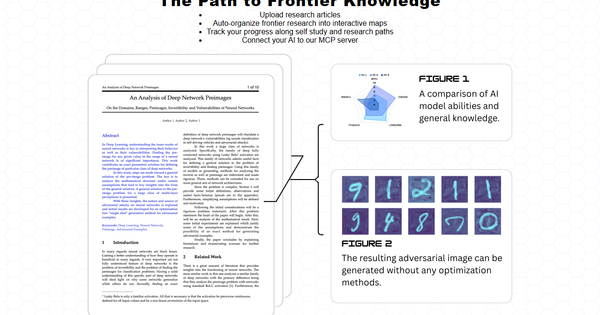
Qonqur - Virtual Hands is an AI-powered web application that combines interactive mind mapping with real-time webcam-based hand gesture control, enabling users to present, learn, brainstorm, and conduct research in a hands-free, immersive manner. Users upload research articles or PDFs, and the tool automatically organizes them into dynamic knowledge maps based on citations and dependencies; these maps can then be navigated, edited, and presented using virtual "hands" detected via any standard webcam—no VR headset or specialized hardware required. It works seamlessly on laptops, smartphones, or with a USB webcam.
Primary use cases include creating and exploring organized research pathways for self-study, tracking progress through complex topics (from foundational concepts like early programming to frontier areas like protein folding or advanced AI), interactive presentations where gestures replace mouse/keyboard input, and collaborative brainstorming sessions that feel sci-fi inspired. The platform’s mission emphasizes liberating intellect and creativity by blending arts and sciences, with features like connecting personal AI agents to its server for enhanced map interactions.
Target audience includes educators, researchers, students, and knowledge workers—particularly in STEM fields—along with presenters, marketers, and designers who benefit from visual, gesture-driven interfaces. It appeals to anyone seeking an alternative to traditional note-taking or slide software, though its current focus leans toward educational and research workflows rather than general creative writing or coding.
Research for this review was conducted as of March 2026 using the official website and reputable AI tool directories.
Key Features & Capabilities
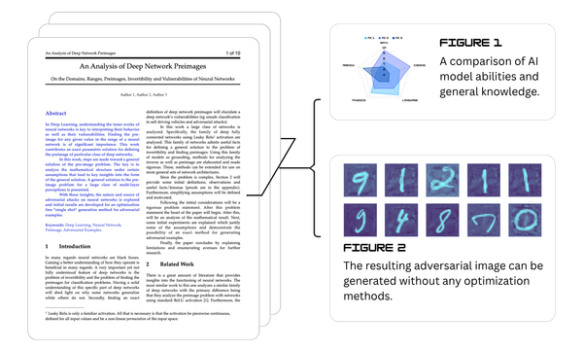
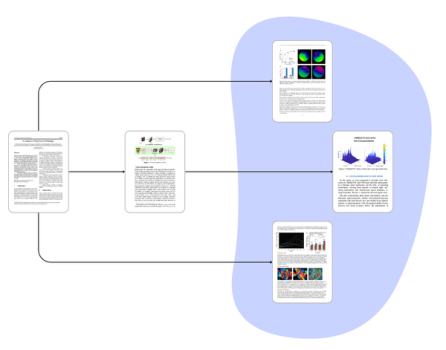
Core functionality revolves around two integrated pillars: AI-driven knowledge mapping and webcam gesture control. Users upload dozens of articles or PDFs; the system auto-generates interactive maps that reveal citation networks and knowledge dependencies, allowing progress tracking along personalized learning or research paths. Virtual hands respond to real-time hand movements for selecting nodes, zooming, connecting ideas, or even incorporating handwritten math/notes in v2 updates. Additional capabilities include PDF integration, 3D map support in some views, and AI connectivity for dynamic expansions.
Standout features that differentiate it from competitors (such as standard mind-mapping tools like GitMind or XMind) include the gesture-control layer—turning any webcam into a motion-capture interface for truly hands-free interaction—and the automated research organization that goes beyond simple mind maps to frontier-knowledge pathways. This creates a unique “virtual hands” experience reminiscent of sci-fi interfaces, without requiring expensive hardware.
Limitations and missing features are notable given its early-stage status: gesture recognition can suffer from constraints (e.g., sensitivity to lighting, camera quality, or complex hand positions), there appears to be a bias toward STEM content rather than broad creative or narrative applications, and advanced integrations (beyond basic PDFs) or enterprise collaboration tools are not prominently featured. No multi-user real-time editing or offline mode is highlighted in available sources, and the platform lacks extensive third-party app connections.
User Experience
Setup involves a straightforward sign-up at qonqur.xyz followed by webcam permission and optional calibration; the learning curve is moderate—intuitive for gesture-savvy users (similar to touch interfaces) but may require practice for precise control. The interface is described as clean and interactive, with focus on visual maps rather than cluttered menus, though public screenshots or demos remain limited.
Documentation and support resources are minimal; no dedicated public tutorials, knowledge base, or extensive help center were located across searches. Users likely rely on in-app tooltips or direct contact, which may challenge new adopters. Overall UX feels innovative and engaging for its target educational users but could benefit from more polished onboarding.
Performance & Reliability
Gestures operate in real-time with acceptable speed on standard hardware, efficiently handling map generation from multiple articles without reported major lag in AI processing. Efficiency shines in research organization tasks, where dependency mapping saves significant manual effort.
Known issues or common complaints are sparse due to limited public adoption and reviews (most directories show zero user ratings as of March 2026). The primary reliability concern is gesture accuracy, which can degrade in poor lighting or with lower-quality webcams—common for vision-based systems. No widespread reports of crashes, data loss, or AI inaccuracies surfaced, but the tool’s relative obscurity suggests potential undiscovered edge cases. Overall reliability appears solid for beta/prototype-level software but not yet enterprise-grade.
Pricing & Value
Qonqur follows a freemium model: a free tier offers limited features (basic mapping and gestures), while Pro plans provide full access to advanced AI organization, unlimited maps, and premium gesture capabilities (pricing varies by tier but starts as an affordable upgrade). Earlier beta phases reportedly included time-limited discounted access, though current structure emphasizes accessible entry.
Value proposition stands out for users needing gesture-enhanced mind mapping; compared to alternatives like paid mind-mapping software plus separate gesture tools (or VR setups), it delivers a unified, low-hardware solution at competitive cost. The free tier makes it easy to test the unique virtual-hands experience, delivering strong ROI for educators and researchers despite the early-stage limitations.
Practical Tutorial
No official video tutorials or detailed guides were available on the site or third-party sources as of March 2026. Below is a step-by-step walkthrough for a common task—conducting an interactive research presentation on a chosen topic (e.g., “AI advancements in protein folding”)—created from official feature descriptions and directory explanations. For the latest, visit https://qonqur.xyz/.
-
Sign up and prepare content: Go to https://qonqur.xyz/, create a free account, and log in. Upload 5–10 research PDFs or articles via the upload tool.
-
Generate the knowledge map: Click “Auto-organize” (or equivalent); the AI analyzes citations and dependencies to create an interactive mind map. Review and track your progress along the visualized learning path.
-
Activate virtual hands: Grant webcam access in your browser settings. The system detects your hands in real time—practice basic gestures (point to select, pinch to zoom, swipe to expand nodes) in the calibration view if prompted.
-
Brainstorm or edit: Use gestures to connect new ideas, add handwritten notes (if supported in your version), or query your connected AI for expansions. For example, point at a node on “Neural Networks” to reveal linked protein-folding papers.
-
Present interactively: Enter presentation mode. Gesture to navigate the map live during a meeting or class—zoom into frontier concepts, highlight dependencies, or dynamically link new research. Share your screen for audience viewing while you control hands-free.
-
Export or track: Save progress, export the map, or connect your personal AI for ongoing updates.
This process typically takes 10–20 minutes for setup and delivers a dynamic session far beyond static slides. Experiment in the free tier first.
Final Verdict
Overall rating: 3.8/5. Qonqur excels as a forward-thinking tool that makes research and presentation feel futuristic through accessible gesture control and smart mapping, but its early development stage, limited documentation, and gesture constraints hold it back from perfection.
Who should use this tool: Educators, researchers, students, and presenters in STEM or knowledge-intensive fields who want an immersive, hardware-light alternative to traditional mind maps and slides—especially those excited by sci-fi interfaces and willing to experiment.
Who should avoid this tool: Users needing highly reliable, production-ready software, broad creative/non-STEM support, extensive integrations, or zero learning curve for gestures; those without decent webcams or in low-light environments may also be frustrated.
One-sentence recommendation: If you’re tired of clicking through static slides and crave hands-free interaction with your research, start with Qonqur’s free tier today—it’s a promising glimpse into gesture-powered knowledge work.