Reap Video Review: Turn Long-Form Content Into Viral Shorts
Overview & Purpose

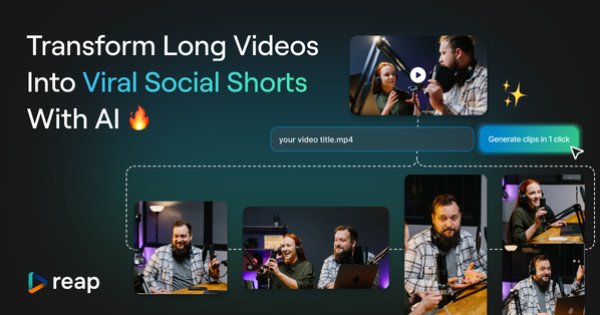
Reap.video is an AI-powered video editor and clipping tool that automatically transforms long-form videos—such as podcasts, interviews, webinars, tutorials, and commentaries—into short, platform-ready clips optimized for Instagram Reels, YouTube Shorts, TikTok, and LinkedIn. It uses generative AI to detect engaging moments, add professional subtitles, remove filler words and noise, reframe for multiple aspect ratios, and insert contextually relevant B-roll footage, all while supporting 98+ languages with over 97% caption accuracy.
Primary use cases include scaling social media content from existing long-form assets, saving creators hours of manual editing, and enabling global reach through AI translation and dubbing (in early access). The tool targets content creators, social media marketers, businesses, agencies, and teams producing dialogue-rich video content who need to maintain consistent output across platforms without a full video editing team. As of March 2026, it positions itself as an end-to-end repurposing workflow rather than a simple clipper, differentiating it from template-heavy or caption-only alternatives.
Key Features & Capabilities
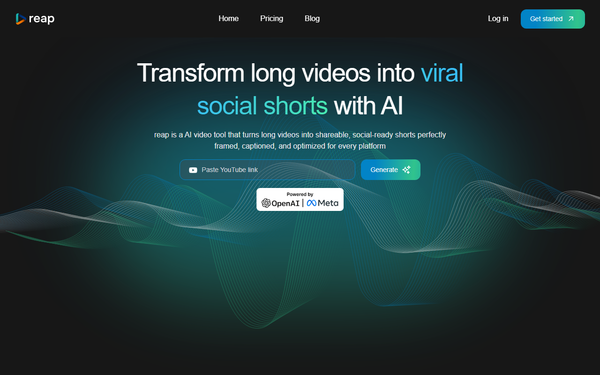
Core functionality revolves around one-click upload and AI curation: the system analyzes audio, dialogue, and visual cues to generate multiple viral-worthy clips, then applies auto-reframing (9:16, 1:1, 16:9), speaker detection for perfect framing, transcript-based editing (edit video like a Google Doc), filler-word/silence removal, background noise cleanup, and customizable caption presets. Standout differentiators include AI B-roll insertion for storytelling enhancement, multilingual support with translation and voice dubbing (early access), and an intuitive text editor that updates the video in real time—features that go beyond basic clipping tools like OpusClip or Submagic.
Additional capabilities cover HD/4K exports, mobile clip review, and upcoming features such as full raw-to-final editing and AI avatars. It excels with dialogue-heavy content but explicitly notes reduced effectiveness on non-talking-head or low-quality footage.
Limitations include no native integrations with social schedulers (manual export/publish), processing times of 5–20 minutes (longer during peak usage), and reliance on credits that can run out quickly on higher plans. Early-access features like dubbing may feel incomplete, and advanced manual effects (e.g., complex animations beyond captions) are not as robust as dedicated editors like CapCut or Adobe Premiere.
User Experience
Reap.video offers a clean, web-based interface with minimal learning curve—most users report being productive within minutes thanks to the “edit like a document” transcript workflow and one-click AI generation. Mobile support allows clip review and basic repurposing on smartphones, making it accessible for on-the-go creators. The dashboard focuses on upload → AI process → edit → export, with intuitive controls for caption styling, B-roll placement, and platform-specific formatting.
Documentation is solid via the official Help Center (guide.reap.video), which includes getting-started articles, FAQs, and how-to guides for clipping, captioning, and publishing. Support via email and Intercom receives consistent praise for fast responses (often under 24 hours). Minor UX friction exists around occasional subtitle mismatches (quickly fixed by support) and a desire for more polished navigation, but overall the platform feels modern and creator-friendly.
Performance & Reliability
Processing typically completes in 5–20 minutes for standard videos, with HD/4K output and high caption accuracy. Users consistently highlight dramatic time savings—turning hours of editing into minutes—and reliable results for dialogue-rich content. Real-world tests (e.g., 32-minute videos) occasionally extend beyond advertised times during high load, but the system automatically refunds credits on failures.
Common complaints from AppSumo (4.5/5 across 67 reviews) and scattered user feedback include occasional processing delays and subtitle sync issues on non-English content, though support resolves these rapidly. No widespread outages or major reliability problems appear in 2025–2026 reviews on G2, Product Hunt (5.0/5), or Trustpilot (3.8/5, limited sample). The tool performs best on clear audio; low-quality or non-dialogue videos yield fewer strong clips.
Pricing & Value
Reap.video offers a Free tier (60 processing minutes/month at no additional cost after signup, basic features, 720p exports) alongside paid plans: Creator (~$29/month or lower in promotions, 600 credits/roughly 300+ minutes, full AI features, 1080p, 100 exports/clips) and Studio (~$49/month, 4K support, higher limits, API automation). Annual billing delivers up to 65% savings. Credits are the usage currency; extras can be purchased as needed. Lifetime deals have been available periodically via AppSumo.
Value is strong compared to competitors: more flexible editing and multilingual tools than OpusClip or Submagic at similar entry pricing, and far less expensive than hiring editors or using enterprise suites. The free tier lets users test meaningfully, while paid plans suit scaling creators. Those needing only captions may find cheaper one-off alternatives, but for full repurposing pipelines Reap delivers excellent ROI through time saved and multi-platform output.
Practical Tutorial
Reap provides official documentation and video demos; here is a real-world walkthrough for the most common task—turning a 30-minute podcast into five ready-to-post Shorts/Reels (based on official Help Center flows and user guides as of March 2026).
-
Sign up and upload — Create a free account at reap.video, then drag-and-drop or select your long-form video (up to 120 minutes on free tier, 1080p+ recommended). Processing begins automatically.
-
Let AI curate clips — The system scans for engaging moments using dialogue and engagement signals. Review the generated highlight list (usually 10–20 clips) and select or regenerate as needed.
-
Customize via transcript editor — Open any clip; the full transcript appears like a Google Doc. Highlight text to cut, rearrange, or delete filler words—video updates instantly. Add emojis or correct phrasing.
-
Enhance with AI features — Enable auto captions (choose from multiple stylish presets, adjust position/size/color), toggle AI B-roll (contextual stock footage inserts automatically), remove noise/silence, and select aspect ratio (9:16 for Reels/Shorts/TikTok).
-
Preview and refine — Play the clip, adjust framing if needed, and test virality score (available on paid plans). Duplicate and tweak for different platforms.
-
Export and publish — Download HD clips or use built-in tools to post directly to social accounts. Total time: 10–25 minutes for a full batch.
For visual walkthroughs, see the official Help Center (https://guide.reap.video/en/) or YouTube demos such as “How Reap Transforms Long Videos Into Viral Shorts” (searchable on the platform). Best practice: Start with clear-audio podcasts or interviews for optimal AI results.
Final Verdict
Reap.video earns a strong 4.5 out of 5. It excels for content creators, marketers, and businesses who regularly produce long-form video and need fast, professional short-form repurposing with multilingual capabilities and minimal effort—delivering polished, platform-optimized clips that actually perform on social media.
Avoid it if you primarily work with non-dialogue content (sports, music videos, silent footage), require deep manual creative control, or prefer completely free unlimited tools—processing limits and occasional delays may frustrate heavy users on the free tier.
Highly recommended: If you’re tired of spending hours clipping and captioning, Reap will genuinely 10× your social output while keeping quality high. Start with the free tier today.