Receiptsai Review: The Best AI Tool for Automated Bookkeeping
Overview & Purpose
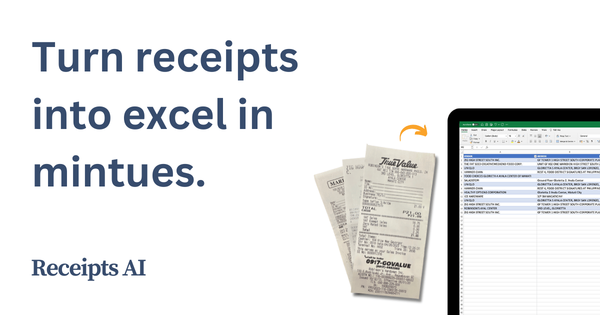
ReceiptsAI is an AI-powered bookkeeping assistant that automates the extraction, categorization, and organization of data from receipts, bank statements, invoices, and related documents. Users upload images or PDFs, and the tool instantly pulls out merchant details, dates, amounts, taxes, line items, and more, while auto-categorizing expenses for easy reporting and tax preparation. Primary use cases include streamlining expense tracking for tax deductions, reimbursements, budget monitoring, and creating audit-ready records—eliminating hours of manual data entry that small business owners often face.
It targets small businesses, freelancers, retail operators, service providers, and real estate professionals who handle moderate volumes of paperwork but lack dedicated accounting teams. The platform positions itself as a simple, privacy-focused solution for anyone tired of lost receipts or spreadsheet drudgery, with a strong emphasis on users in English-speaking markets like the US and Canada.
Key Features & Capabilities
Core functionality revolves around AI-driven OCR (optical character recognition) for data extraction from photos or documents, automatic expense categorization (with customizable rules), duplicate detection, bulk renaming, secure cloud storage, and one-click exports to Excel or CSV. It supports parallel processing of multiple uploads and handles multiple currencies (USD, EUR, GBP, CAD, and others), plus tax identification.
Standout features that differentiate it include 99% claimed OCR accuracy with line-item extraction, seamless handling of bank statements (including running balances), natural language search across documents, and auto-file renaming for organized storage. It also offers intelligent validation and minimal review steps to ensure 100% final accuracy. Unlike bulkier competitors, it keeps everything in one lightweight dashboard without requiring complex setup or ongoing bank logins.
Limitations include English-only support (no multi-language processing yet), accuracy that depends heavily on photo quality or document clarity (blurry or crumpled receipts may need manual tweaks), and file formats primarily JPG, JPEG, PNG, PDF (with HEIC, TIFF, WEBP added in recent updates). It lacks native mobile apps (upload via web or camera snap) and advanced accounting sync—exports require manual import into tools like QuickBooks or Xero rather than direct real-time integration. No multi-user team collaboration or policy enforcement features are present.
User Experience
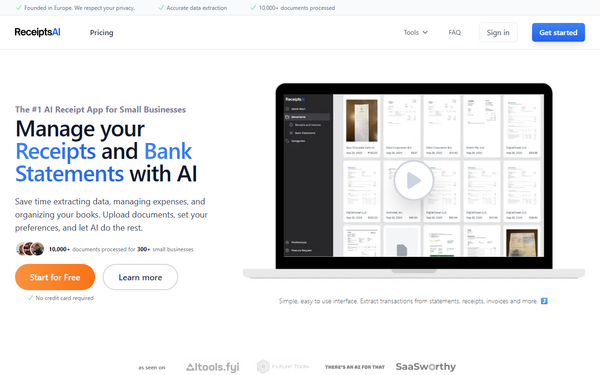
The interface is clean, straightforward, and designed for non-technical users: upload via drag-and-drop or phone camera, let AI process in seconds, review/edit minimal fields if needed, and export. The learning curve is virtually nonexistent—most users report getting started in under five minutes, with testimonials praising how “effortless” and “simple” the flow feels compared to traditional tools.
Interface quality feels modern and focused, with a single dashboard for all documents and fast search. No overwhelming menus or bloat. Documentation is light but practical: an FAQ covers common questions on accuracy, security, and photo tips, plus email support at [email protected] (users highlight responsive help). No extensive knowledge base or video library exists beyond a bank-statement demo video, though the process is intuitive enough that most don’t need it. Overall, it delivers the promised “set it and forget it” simplicity.
Performance & Reliability
Processing happens in seconds per document—even batches run quickly thanks to parallel AI handling. Users and site claims report transforming what once took hours into minutes, with high reliability on clear receipts or digital PDFs. Over 10,000 documents processed for 300+ businesses demonstrate real-world scale for its target size.
Known issues are minor and typical for OCR tools: reduced accuracy on low-quality images or complex layouts, occasional need for manual category tweaks, and no reported major outages or data loss. Public searches yield almost no widespread complaints—feedback on independent sites remains sparse but positive where available, with emphasis on time savings and accuracy. Security is bank-level (encryption in transit and at rest, GDPR-compliant, no third-party sharing), adding reliability for sensitive financial data.
Pricing & Value
ReceiptsAI offers a generous free tier with 30 credits (roughly 30 receipts or pages) forever—no credit card required. Paid plans use a monthly or annual billing model (25% savings on annual) described as “less than a cup of coffee per day,” with independent site references indicating entry-level paid access starting around $12/month for approximately 100 pages/credits. Higher volumes scale affordably; exact tier details are not publicly itemized beyond upgrade-for-full-access messaging, but a 100% money-back guarantee and no long-term contracts reduce risk.
Value is excellent for the price point versus alternatives like Expensify (starting ~$5/user/month with more policy features) or dedicated scanners that charge per document. It shines for solo operators or small teams who need core extraction and categorization without enterprise overhead—delivering professional results at a fraction of the cost while saving hundreds annually in bookkeeping time and tax prep fees. The free tier alone lets users test real workflows before committing.
Practical Tutorial
Official documentation is minimal, but the process is well-documented through site descriptions and a bank-statement demo video. Here is a complete step-by-step walkthrough for a common task—processing a stack of physical receipts for monthly expense reporting (tested conceptually from the official user flow at https://receiptsai.com/tools/receipt-scanner).
-
Prepare your receipts: Lay receipts flat in good lighting. Use your phone camera for photos (well-lit, no glare, entire receipt visible) or scan PDFs directly. Supported formats: JPG, JPEG, PNG, PDF (plus expanded HEIC/TIFF/WEBP).
-
Log in and upload: Go to receiptsai.com, sign up/log in (free tier works). Drag-and-drop files or click upload. For mobile: snap photos straight from the camera interface.
-
AI processes automatically: Click “Process” (or it starts instantly). The AI extracts merchant name/address, date, total/subtotal, tax, line items, and more in seconds. It auto-categorizes based on rules you can set (e.g., “Office Supplies” or custom tags).
-
Review and edit: Glance at the transaction view—edit any field if needed (rare with clear images). Use duplicate detection to merge or flag repeats, and rename files automatically for storage.
-
Categorize and organize: Apply bulk actions or search/filter. Add custom categories up to 100 for your chart of accounts.
-
Export for use: Select items or the full set, export as Excel/CSV. Import directly into QuickBooks, Xero, FreshBooks, or your spreadsheet for reports, taxes, or reimbursements. Data is securely stored for future access.
Example: A freelance designer uploads 15 lunch and supply receipts from a client trip. AI extracts $247.50 total with tax breakdowns, auto-tags “Meals” and “Supplies,” and exports a clean CSV ready for QuickBooks import—done in under two minutes instead of 30+.
For bank statements, watch the official demo video linked on the site for bulk processing.
Final Verdict
Overall rating: 4.3 out of 5. ReceiptsAI excels as a lightweight, accurate, and genuinely affordable AI receipt manager that removes the pain of manual bookkeeping for its intended users. Small businesses and freelancers handling English-language receipts in moderate volumes should use it—especially those wanting quick setup, strong privacy, and real time savings without learning complex software. Avoid it if you need native accounting sync, multi-language support, team collaboration, or very high document volumes (check paid limits first).
One-sentence recommendation: If you’re a small business owner drowning in receipts and want effortless AI automation on a budget, ReceiptsAI is a smart, reliable choice worth trying for free today.