Repurpose.io Review: Automate Your Social Media Content Workflow
Overview & Purpose

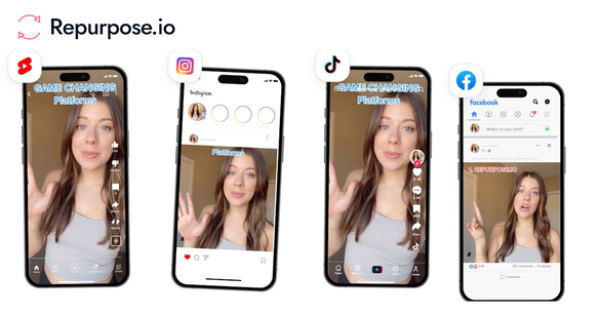
Repurpose.io is an automated content repurposing and distribution platform that allows video and audio creators to transform a single piece of content into optimized versions for multiple social media platforms and publish them automatically. It pulls content from source platforms (such as YouTube, TikTok, Instagram, or Zoom recordings), resizes videos to fit each destination's requirements, removes watermarks for a native appearance, and schedules or instantly publishes to destinations like Instagram, Facebook, LinkedIn, X (Twitter), Pinterest, Snapchat, and more. Additional capabilities include backing up content to Google Drive or Dropbox and repurposing Stories across supported platforms.
Primary use cases include saving time on manual cross-posting for long-form videos (e.g., YouTube or webinars turned into Shorts/Reels), short-form social clips (e.g., TikTok to Instagram Reels), live streams, podcasts, and Stories auto-syncing. It streamlines marketing by enabling creators to focus on content creation rather than distribution, helping grow audiences across platforms without daily manual effort.
The target audience primarily includes video and audio creators, podcasters, online entrepreneurs, digital marketers, social media managers, solopreneurs, and agencies managing multiple accounts. It is especially valuable for those producing consistent video or audio content who want to maximize reach on platforms like TikTok, Instagram, YouTube, and LinkedIn without dedicated editing or posting teams.
This review is based on official documentation and trusted sources as of April 2026.
Key Features & Capabilities
Core functionality revolves around creating automated workflows: users connect source and destination accounts via official APIs, define rules for content pulling, optimization (automatic resizing, watermark removal, captioning templates), and publishing (instant or scheduled). It supports both short-form and long-form video/audio, converts formats as needed (e.g., horizontal to vertical), and handles backups securely.
Standout features that differentiate it include official platform partnerships (with Meta, YouTube, TikTok, Snapchat, and others) for reliable API access, automated Stories repurposing from Instagram/Facebook to other networks, one-to-many content transformation (one video into 15+ optimized pieces), and set-and-forget automation that runs in the background. Watermark removal and platform-specific optimization ensure posts look native rather than cross-posted.
Integrations cover YouTube, TikTok, Instagram, Facebook, LinkedIn, X (Twitter), Pinterest, Snapchat, Zoom, Google Drive, Dropbox, audio podcasts, and additional networks like Twitch, Amazon, and BlueSky.
Limitations include no support for image-based content (video and audio only), lack of built-in video editing/clipping tools (users must pair it with editors like CapCut or Descript for advanced trimming or intros/outros), and no native analytics or reporting—users check insights directly on each platform. AI-assisted caption or post writing is available but currently limited to manual publishing modes. Customization options for metadata, titles, and captions exist but are not as granular as fully native uploads.

User Experience
Repurpose.io features a clean, straightforward dashboard with simple navigation for connections, workflows, and templates. Setup is described as quick—most users can connect accounts and build their first workflow in minutes—though there is a moderate learning curve for mastering workflow rules, scheduling, and templates to achieve optimal results.
The interface is intuitive and user-friendly for non-technical creators, with clear prompts for adding sources/destinations and previewing optimizations. Documentation includes official quick-start guides, interactive video tutorials, and a help desk with practical examples. Community support via YouTube tutorials and responsive customer service are frequently praised, though some users note occasional needs for trial-and-error to fine-tune automations.
Overall, it earns high marks for ease once configured, making it accessible to busy creators who value automation over complex setups.

Performance & Reliability
The platform processes content efficiently, with users reporting it handles daily publishing volumes well and saves significant time (often 10+ hours per week). Official stats highlight millions of videos repurposed, and API-based connections ensure relatively fast uploads and optimizations.
Known issues include occasional scheduling failures, video quality downgrades (e.g., 1080p to 720p in some cases), and platform-specific errors (particularly Instagram rejecting or limiting reach on API-posted content). Some creators report reduced organic growth on Instagram when relying solely on automation, attributing it to algorithmic flags on non-native uploads—leading to recommendations for hybrid native + automated strategies. Reliability complaints appear in user forums, with mixed Trustpilot feedback around 4 stars overall but notable negative reviews on consistency.
For most users with moderate volumes and proper testing, performance is solid, but high-stakes or algorithm-sensitive accounts may experience hiccups requiring manual oversight.
Pricing & Value
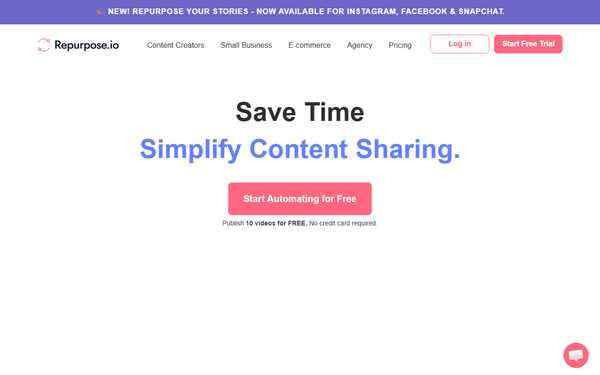
Repurpose.io offers a generous entry point with the ability to publish 10 videos completely free (no credit card required) and a 14-day trial. Paid plans are tiered as follows (USD, monthly billing; annual saves approximately 17%):
- Starter: $35/month – Up to 3 accounts per platform, 5,000 videos/month (ideal for solo creators).
- Pro: $79/month – Up to 10 accounts per platform, unlimited videos.
- Agency: $149/month – Up to 25 accounts per platform, unlimited videos.
Daily pricing equivalents are shown on the site (e.g., Starter ~$1.17/day). No enterprise custom options are prominently listed beyond the Agency tier.
Value is strong for active creators who post frequently, as the time saved and expanded reach often offset costs quickly (many reviews note ROI within weeks through faster audience growth and monetization). Compared to alternatives like manual posting or other tools (e.g., Buffer or Later for scheduling only), it excels in true repurposing and optimization automation. However, for low-volume users or those needing full editing/analytics, the price may feel high relative to limited scope, and pairing with other tools increases total spend.
Practical Tutorial
Repurpose.io provides an official interactive quick-start tutorial video and support documentation for beginners. Here is a step-by-step walkthrough for a common task—automating the repurposing of a new TikTok video to Instagram Reels, YouTube Shorts, LinkedIn, and Facebook (based on official guides and user tutorials as of April 2026).
-
Sign up and connect accounts: Create a free account at repurpose.io. Go to the Connections section and authorize each platform via official APIs (e.g., log in to TikTok as source, then Instagram, YouTube, LinkedIn, and Facebook as destinations). No passwords are shared—secure OAuth connections only.
-
Create a workflow: Navigate to Workflows > New Workflow. Name it (e.g., “TikTok to Multi-Platform”). Select TikTok as the source platform. Choose destinations (Instagram Reels, YouTube Shorts, etc.). Enable automatic optimizations: resize to vertical, remove watermarks, and apply default templates for captions/hashtags.
-
Customize settings: Add metadata rules—e.g., auto-generate captions with AI assistance (if available), include call-to-action text, set posting schedule (instant or staggered to avoid floods), and choose quality presets. For Stories repurposing, enable sync if using Instagram/Facebook sources.
-
Test and go live: Upload or wait for a new TikTok video to trigger the workflow (it auto-pulls new content). Preview the optimized versions, make manual tweaks if needed, then toggle the workflow to “Auto Publish.” Future videos will process automatically.
-
Monitor and refine: Check the dashboard for published status and any errors. Adjust templates based on performance. For full guidance, visit the official tutorial at https://repurpose.io/tutorial/ or the Quick Start Guide in the help desk.
This setup typically takes 10–15 minutes initially and then runs hands-free.
Final Verdict
Repurpose.io earns a solid 4/5 rating. It is highly recommended for video and audio creators, marketers, and entrepreneurs who consistently produce content and want to automate distribution across platforms to save hours weekly and expand reach efficiently—especially those already using YouTube, TikTok, or Instagram as primary sources.
Avoid it if you primarily work with static images, require deep video editing/clipping, built-in analytics, or post infrequently (the cost and potential algorithmic risks on platforms like Instagram may outweigh benefits). Users sensitive to occasional reliability issues or preferring fully native uploads should consider hybrid manual approaches or alternatives.
One-sentence recommendation: Repurpose.io is a powerful time-saver for automated, optimized multi-platform video distribution if you’re ready to invest in consistent content creation.