ReRoom AI Review: Transform Room Photos into Pro Renders Fast
Overview & Purpose

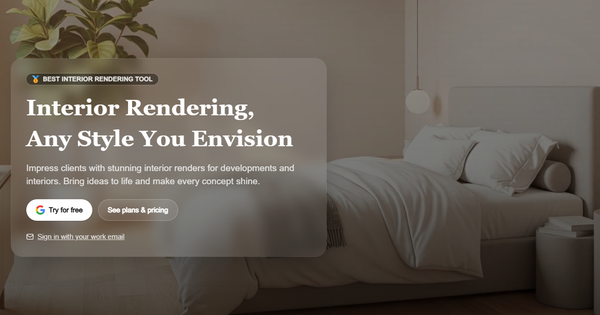
ReRoom AI is an AI-powered interior design and rendering tool designed to help users quickly visualize and remodel indoor spaces. Users upload a photo of their existing room, select from over 20 distinct design styles (or use custom prompts), and receive photorealistic renders in seconds. It also includes a community gallery featuring "Latest Rendering Creations" with pre-made or user-inspired room designs for inspiration and exploration. Primary use cases include testing renovation ideas before committing to changes, creating client presentations for professional projects, virtual staging for real estate listings, and personal home design experimentation. It supports both web and iOS app access, with advanced options like masking specific areas for targeted edits.
The target audience includes interior designers, architects, real estate agents, and homeowners or DIY enthusiasts seeking fast, realistic visualizations without hiring professionals or using complex 3D software. It appeals to both casual users experimenting with styles and professionals needing commercial-grade renders for developments or client work.

Key Features & Capabilities
Core functionality revolves around photo-to-render transformation: upload an image, optionally mask or edit sections, choose a preset style or input a custom prompt, and generate multiple photorealistic variations. Standout features include high fidelity to the original room layout and proportions (often praised for respecting existing architecture better than competitors), prompt-based customization, 4x image upscaling, private rendering mode, video generation credits on paid plans, and advanced lighting/theme controls. The community "Latest Rendering Creations" gallery provides pre-made room examples across categories like bedrooms or living spaces, enabling users to remix or draw inspiration without starting from scratch.
Differentiators from competitors (such as RoomGPT or Collov AI) include strong emphasis on structural accuracy and photorealism from real photos or even 3D model screenshots (e.g., from SketchUp, Revit, or Blender), plus collaboration tools like shared moodboards in team plans. It offers precise mode toggles (e.g., Precise/Balanced/Creative) for output control.
Limitations include reliance on high-quality input photos (poor lighting or angles can degrade results), occasional AI artifacts or unrealistic elements common to generative tools, no full offline functionality, and limited free access (primarily a "try for free" option with restrictions). Advanced 3D modeling or floor plan generation is not native—it's focused on 2D photorealistic renders. Email confirmation during signup unlocks basic features, but full capabilities require a paid subscription.

User Experience
ReRoom AI features a clean, intuitive interface with minimal learning curve—most users can generate their first render in under a minute after signup. The process involves simple upload, style selection, and one-click generation, with drag-to-compare views for original vs. AI results. The iOS app mirrors the web experience and has earned a 4.6/5 rating from thousands of reviews, with praise for ease and visual quality.
Interface quality is modern and mobile-friendly, with clear sections for uploads, gallery browsing, and edit tools like masking. Documentation is light (no extensive official guides beyond in-app hints), but support includes priority help for paid users. Community feedback notes occasional app glitches like loading freezes or billing issues on the mobile version, though the web platform is generally more reliable. Overall, it's accessible for non-technical users while offering enough depth for pros.

Performance & Reliability
Renders typically complete in 10–60 seconds, making it efficient for rapid iteration. Performance holds up well for standard room photos, with strong consistency in lighting and material rendering. Reliability is solid for core use, though results can vary based on input quality or complex room geometries.
Known issues from user reviews include occasional app lockups or failed generations on iOS, repetitive or illogical outputs in creative modes, and dependency on internet connectivity. Some complaints mention watermarks or limits on free trials, but paid plans eliminate these. No major widespread outages reported as of April 2026; common AI limitations (e.g., minor proportion errors) persist but are less pronounced than in many alternatives.
Pricing & Value
ReRoom AI offers a limited "try for free" tier (typically 3 renders per day with watermarks, basic quality, and public visibility). Paid plans include:
- Pro Monthly: $25/month – Unlimited renders, commercial use, watermark-free, 4x upscaling, private mode, prompts, video credits.
- Pro Annual: $21/month (billed annually) – Same as monthly with priority support.
- Team Monthly: $35/month per seat – Adds shared projects, moodboards, centralized billing.
- Team Annual: $29/month – Same as team monthly.
- Student Plan: $5 bi-weekly or $8/month annual (with .edu email) – Full Pro features.
Value is strong for frequent users: unlimited access and commercial rights justify the cost compared to per-image competitors, especially for professionals. It's competitively priced against tools like InteriorAI but stands out for fidelity and team features. Casual users may find the free tier sufficient for occasional tests, while heavy users see excellent ROI in time saved versus traditional rendering software.
Practical Tutorial
A common task is remodeling a living room photo in a modern style. Here's a step-by-step walkthrough (based on the official web/app flow as of April 2026; results may vary slightly by platform):
-
Visit https://reroom.ai/ or download the iOS app and sign up with email (confirm your address to unlock basic features) or Google. Start with the free trial if testing.
-
Click "New Render" or the upload button. Select or drag in a clear, well-lit photo of your room. (Tip: Use a straight-on shot for best results.)
-
Optionally use the masking tool to select/edit specific areas (e.g., highlight walls or furniture you want changed while keeping others intact).
-
Choose a preset style from the 20+ options (e.g., "Modern Minimalist," "Japandi Zen") or enter a custom prompt like "cozy Scandinavian living room with natural light and wooden accents."
-
Select generation mode (Precise for layout accuracy, Creative for bolder changes) and click Generate. Wait 10–60 seconds for multiple variations.
-
Review results side-by-side with the original. Upscale favorites, download watermark-free (paid), or further edit with prompts. Explore the "Latest Rendering Creations" gallery for similar community examples to remix.
For visual demos, search YouTube for "ReRoom AI tutorial" (e.g., transformation videos from early 2025). Official support pages offer basic tips, but hands-on practice is the fastest way to master it.
Final Verdict
ReRoom AI earns a solid 4.3/5 rating for its speed, photorealism, and ease in turning room photos into professional visualizations—particularly strong for quick concept testing and client work. It excels for interior designers, architects, real estate pros, and motivated homeowners who value layout fidelity and commercial-ready outputs. Avoid it if you need fully free unlimited use, advanced 3D editing, or have low-quality input photos, as paid plans are required for serious work and AI inconsistencies can still appear. One-sentence recommendation: ReRoom AI is a powerful, user-friendly choice for anyone wanting instant, high-quality interior design renders without the hassle of traditional tools.