Rokoko Review: The Best Affordable Motion Capture for Indies
Overview & Purpose

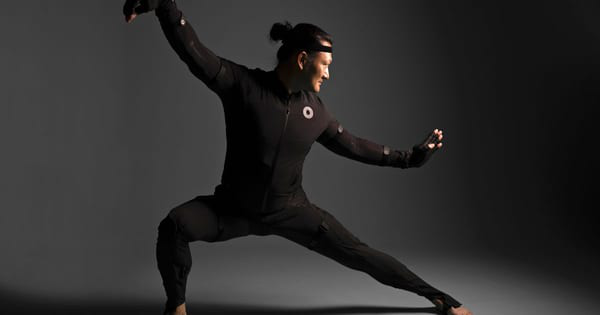
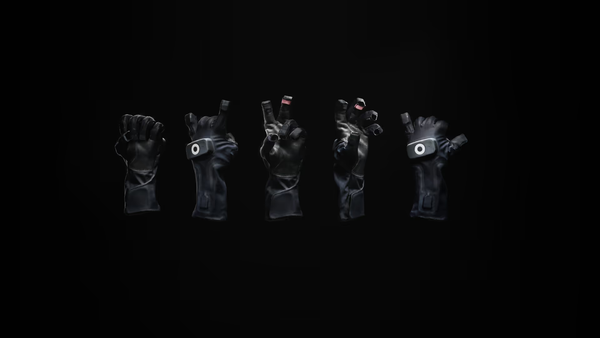
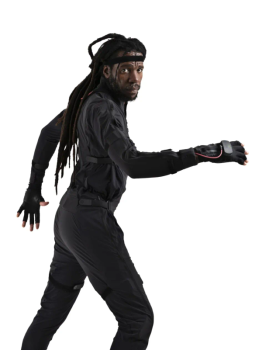
Rokoko, founded in 2014 in Copenhagen, Denmark, specializes in accessible motion capture (mocap) solutions designed to make professional-grade performance capture available to a broad range of creators. The platform offers hardware tools such as the Smartsuit Pro II for full-body tracking, Smartgloves for finger capture, Face Capture devices (including the Headcam for MetaHuman workflows), and the Coil Pro for enhanced positional accuracy using an EMF field. It also includes software like Rokoko Studio for editing and retargeting, plus the free Rokoko Vision (formerly Video) tool for AI-powered webcam or video-based animation.
Primary use cases include creating realistic character animations for games, film, VFX, AR/VR, and live performances. It enables quick performance capture without traditional camera arrays or dedicated studios, supporting real-time streaming to engines like Unreal Engine, Unity, Blender, Maya, and more. Target audience spans indie animators, game developers, filmmakers, VTubers, educators, researchers, and small-to-medium studios who need portable, cost-effective tools rather than high-end optical systems like Vicon. Larger studios may use it for previs or supplemental capture.
Key Features & Capabilities
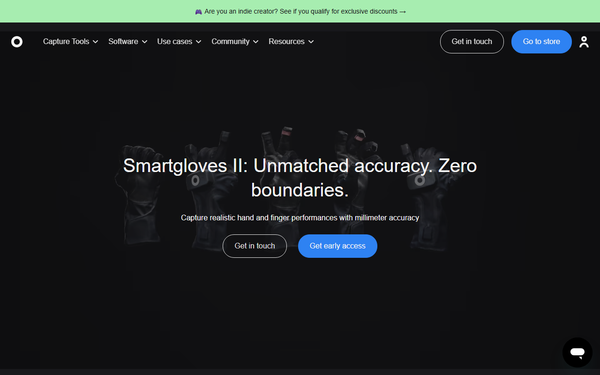
Core functionality revolves around wireless, camera-free inertial motion capture that records full-body, hand/finger, and facial data in real time. Users suit up, calibrate quickly, record unlimited clips (with subscription tiers), edit in Rokoko Studio (footlock correction, smoothing, retargeting to custom rigs), and export in formats like FBX, BVH, or CSV. Real-time livestreaming plugins allow direct integration into 3D workflows. Rokoko Vision adds browser-based AI mocap from webcam or phone video, with dual-camera options for higher fidelity.
Standout features include its portability (no markers or external cameras required), rapid 5–10 minute setup, Coil Pro’s drift-free tracking, seamless multi-device synchronization (body + hands + face), and strong community resources like #MadeWithRokoko showcases and Discord. It democratizes mocap with indie-friendly pricing and a 30-day refund guarantee, differentiating it from pricier competitors like Xsens (3–5x more expensive) or optical setups. Recent updates emphasize AI enhancements and MetaHuman compatibility.
Limitations include reliance on IMU sensors, which can introduce magnetic interference or drift (especially lower body during fast movements), requiring post-processing cleanup. It is less precise than marker-based optical systems for large-scale productions. Some users report occasional WiFi dependency issues and hardware durability concerns with cables or older models. Face capture via iOS is strong but device-dependent; free Vision has recording length limits on the Starter plan.
User Experience
Setup is praised for being straightforward and beginner-friendly—most reviewers note calibration and first recordings take minutes once hardware is unpacked. The Rokoko Studio interface is clean, intuitive, and focused on workflow efficiency, with tools for previewing, segmenting clips, and one-click retargeting. Learning curve is low for users familiar with 3D software, though full mastery of cleanup tools benefits from practice.
Documentation is comprehensive via support.rokoko.com (guides on setup, actor profiles, projects, and exports) and an active YouTube channel with tutorials. Community support on Discord is active, and paid plans include chat/email assistance. Overall support receives positive marks for responsiveness, though some Reddit users note occasional delays with older hardware troubleshooting.
Performance & Reliability
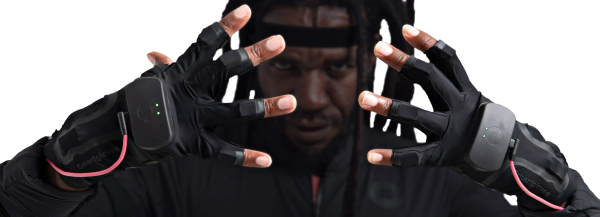
Performance excels in speed and efficiency for indie workflows: real-time streaming, quick exports, and low-latency capture suit solo creators or small teams. Smartsuit Pro II and Smartgloves deliver clean finger and body data for most moderate movements, with Coil Pro significantly reducing drift. Rokoko Vision processes video quickly in the browser for rapid prototyping.
Known issues include magnetic interference in indoor environments (mitigated by dedicated routers or Coil Pro), lower-body tracking inconsistencies during complex actions, and the need for 2–4 takes plus manual cleanup for production-ready results. Some long-term users report cable wear or early drift on pre-Pro II suits, though current models perform better. Reviews from 2025–2026 are mixed: highly regarded for value and ease, but criticized for not matching optical precision without effort. No major widespread outages reported; software updates like Sensor Fusion improvements continue to address feedback.
Pricing & Value
Rokoko employs a hybrid model: hardware is purchased outright, while Rokoko Studio uses tiered subscriptions. Smartsuit Pro II starts at $2,295; Smartgloves at $1,795 (Smartgloves II pre-order pricing available with discounts). Full-performance bundles (suit + gloves + face capture + 1-year Pro subscription) offer savings up to 40% for indie creators, often landing around $3,495–$5,160 depending on configuration.
Studio plans: Starter (free—basic capture and limited exports/AI), Basic ($10/month—optimized AI mocap), Plus ($20/month annual—hardware tools, live streaming, custom skeletons), Pro ($50/month annual—full access including advanced face tools and priority support). Rokoko Vision offers free single-camera use with limits; paid upgrades unlock dual-camera and longer clips. Indie discounts and 30-day trials enhance accessibility.
Value proposition is strong for budget-conscious users compared to Xsens or Vicon, delivering studio-grade results with minimal infrastructure. It shines for indies and educators where quick iteration outweighs occasional cleanup time. However, heavy users may find subscription costs and cleanup overhead add up versus one-time optical investments.
Practical Tutorial
Rokoko Vision (the free webcam-based tool) provides an accessible entry point for quick animation without hardware. Here is a step-by-step walkthrough for a common task—generating a basic full-body mocap clip from video and exporting it to Blender (based on official support resources as of April 2026).
-
Sign up and access Rokoko Vision: Visit vision.rokoko.com (or through your Rokoko account) and log in with a free account. Choose “Create new project.”
-
Select video source: For best results, use a single high-quality webcam or phone camera (dual Logitech BRIO or similar recommended for free tier limits). Ensure full-body visibility, even lighting, and a plain background. Record a short clip (up to 15 seconds on free plan) directly or upload an existing video.
-
Process the capture: Trim the video if needed, then click “Process.” The AI analyzes the footage and generates 3D skeletal data. Processing takes 1–5 minutes depending on length and hardware.
-
Review and edit in Rokoko Studio: Open the resulting clip in Rokoko Studio (free Starter plan sufficient for basic use). Create or load an Actor Profile, apply automatic footlock correction and smoothing filters, and retarget to a sample character rig if desired.
-
Export and import: Export as FBX (compatible skeleton preset for Blender). In Blender, import the FBX, apply to your character via retargeting add-ons if needed, and refine animation curves. For real-time testing, use the livestream plugin directly from Studio.
Official tutorial videos and detailed guides are available on Rokoko’s YouTube channel and support site (e.g., “Getting Started With Rokoko Vision”). For hardware users, parallel guides cover Smartsuit setup and multi-device synchronization.
Final Verdict
Rokoko earns a solid 4.2 out of 5 stars (or 8.4/10). It excels at making professional motion capture approachable, portable, and affordable for creators who prioritize speed and integration over absolute precision.
Who should use this tool: Indie developers, solo animators, educators, VTubers, and small studios seeking wireless full-performance capture without a dedicated mocap stage or massive budget—especially those already working in Blender, Unreal, or Unity.
Who should avoid this tool: Large AAA studios or projects demanding zero-cleanup, sub-millimeter accuracy in complex environments, where optical systems like Vicon remain superior despite higher costs and setup complexity.
One-sentence recommendation: If you’re an indie creator ready to bring characters to life in minutes without breaking the bank or building a mocap studio, Rokoko is one of the smartest investments available in 2026.